Published by 沈垚 / ShenYao China
Updated April 4, 2026
Let your android device connect to EasyCap or USB WebCam for security monitoring
| Version | 12.2.5 |
| Size | 87.1 MB |
| What's New | * IP Camera Server supports TLS now, you can add pfx/p12 certificate to enable https/rtsps connection * Supports generating self-signed certificates for TLS * Improve the compatibility with Elgato Cam Link 4K * Reduce the rendering delay of EasyCap devices * Position and speed overlay can be set separately * Can animate long text * Video Overlay can be shown on Video Preview, you can turn it off from Settings * Supports overlaying animated image (GIF or Webp) as watermark on video frames |
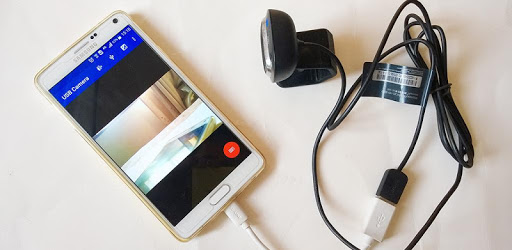
USB Camera - Connect EasyCap or USB WebCam is an Android app developed and published by 沈垚 / ShenYao China at Google Play Store on Apr 13, 2016 for Android users. USB Camera - Connect EasyCap or USB WebCam is so popular that it has gained 9155723 installs so far and growing.
Looking for a reliable and versatile camera app for your Android device? Look no further than USB Camera - Connect EasyCap or USB WebCam. This app is packed with features that will enhance your camera experience and provide you with high-quality video and live streaming capabilities. Whether you want to use it for FPV flying, microscopy, or even as a webcam, this app has got you covered.
One of the standout features of USB Camera is its compatibility with a wide range of devices. Users have reported successful connections with Celestron and Pluggable USB microscopes, as well as USB type C capture cards for playing HDMI from Xbox through an Android tablet. While compatibility may vary depending on device specifications and bitrates, this app has proven to handle it better than most.
Setting up USB Camera is a breeze. Simply plug in your USB camera or webcam, and the app will automatically detect and connect to it. In-app controls allow you to adjust settings and fine-tune your camera experience. The app also supports USB type C OTG cables, making it even more versatile for different setups.
USB Camera stands out from the crowd with its exceptional developer support. Users have praised the developer for their quick response to feature improvement suggestions, with requested features being implemented almost immediately. This level of dedication ensures that the app continues to evolve and meet the needs of its users.
When it comes to camera apps, image quality is key. USB Camera delivers on this front, providing users with clear and high-definition video even when using older model webcams. The app allows for fine-tuning of video options, ensuring that you get the best possible image quality for your needs.
Unlike some other camera apps, USB Camera is free from annoying view-blocking ads. This means you can enjoy a seamless and uninterrupted camera experience without any distractions. For those who prefer an ad-free experience, there is an option to pay a small fee to remove ads entirely.
USB Camera is specifically designed for Android devices and is not available for laptops or desktop computers.
To download USB Camera, simply search for it on the Google Play Store and click on the "Install" button. The app will be downloaded and installed on your device.
USB Camera is compatible with most Android phones. However, it is always recommended to check the app's compatibility with your specific device before downloading.
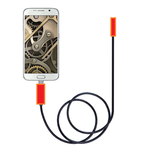
Yes, USB Camera can be used with USB endoscopes. Users have reported successful connections with various USB endoscope models.
Yes, USB Camera supports live streaming. It provides a stable push for live streaming, allowing you to share your camera feed in real-time.
Absolutely! USB Camera can be used as a webcam. Simply connect your camera or webcam to your Android device using a USB adapter, and you're good to go.
USB Camera - Connect EasyCap or USB WebCam is the go-to app for all your camera needs. With its seamless compatibility, intuitive controls, and exceptional image quality, it's no wonder that users are raving about it. Download USB Camera today and take your camera experience to the next level!
Yes, you can run USB Camera - Connect EasyCap or USB WebCam on PC, but first, you will need emulator software installed on your Windows or MAC, which you can download for free. In the below video, you will find USB Camera - Connect EasyCap or USB WebCam in action. Before you install the emulator, check out the minimum and recommended system requirements to run it seamlessly. They may change depending on which version of the emulator you choose. Therefore, we recommend you download the latest version of the emulator. Below you will find three free Android emulators that we have shortlisted based on their popularity:
Up to date graphics drivers from Microsoft or the chipset vendor.
Storage: 1 GB available under installation path, 1.5GB available hard drive space
Internet: Broadband Internet connection
Regardless of which Android emulator you install, the steps to install, configure, and running the USB Camera - Connect EasyCap or USB WebCam app on PC are the same.