Published by VIOFO Ltd
Updated August 29, 2025
VIOFO Car Dash Camera APP
| Version | 3.2.22-202511051608 |
| Size | 31.1 MB |
| What's New | 1.Added options to match the new features on A329S Series(V2.0 firmware).2.Adapt to A119M Pro.3.Added LED option for VS1.4.Fixed other bugs.Note: Only for the latest firmware version on VIOFO official website.1、适配A329S系列机型的V2.0版本,增加新功能选项。2、适配A119M Pro。3、适配VS1增加了LED控制选项。4、修复其他bug。注意:仅适用于VIOFO官方网站上的最新固件版本。 |
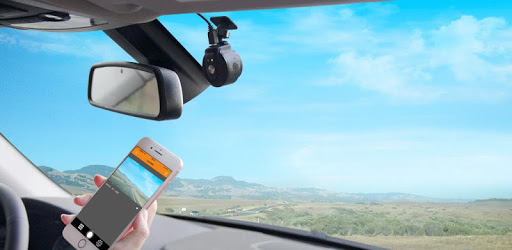
VIOFO is an Android app developed and published by VIOFO Ltd at Google Play Store on Jun 14, 2017 for Android users. VIOFO is so popular that it has gained 10000 installs so far and growing.
VIOFO, known for its high-quality dash cams, offers a companion app that enhances the user experience, making it easier to manage and view video recordings. The app is easy to use and provides a seamless interface for interacting with your dash cam, making it an essential tool for maintaining and reviewing your recordings.
Connecting your dash cam to the VIOFO app is straightforward. The app allows you to see live recordings and access saved videos with ease. Once connected, you can download video files in seconds, thanks to the swift WiFi 5 technology. For example, a 400MB video can be downloaded in less than a minute directly to your phone gallery, which is incredibly convenient compared to other brands that restrict access to within the app only.
This seamless connectivity ensures that you can quickly retrieve any necessary footage, whether it’s for reviewing a trip or providing evidence in case of an incident. The app also allows easy navigation to find specific clips, speeding up the process significantly.
The app's interface is designed to be intuitive, making it easy to access various settings and adjust them as needed. You can view embedded GPS details, adjust camera settings, and even delete recordings directly from the app. This level of control can help you keep your memory card organized and free of unnecessary files.
One notable feature is the speedy download process enabled by 5GHz WiFi, ensuring that even high-quality recordings are transferred swiftly. This is particularly useful when you need to access multiple videos quickly.
VIOFO continually updates its app to meet users' needs. However, there are a few features that users would like to see in future updates. For instance, the ability to lock and unlock videos through the app would add another layer of convenience. Similarly, an option to prevent the app from automatically locking parking videos would help manage storage space better.
Despite these small areas for improvement, the app's current capabilities are robust and user-friendly. If you encounter any connectivity issues, it’s often as simple as ensuring no third-party VPN connections are active before attempting to connect.
The VIOFO app is compatible with a range of devices, including the Samsung S10e and various VIOFO camera models like the A229, A119, and A139 Pro 2ch. Users have found the app to work flawlessly across different devices, emphasizing its reliability and efficient performance. Whether you are streaming live recordings or viewing saved clips, the app consistently delivers high-quality video and sound.
Overall, VIOFO provides an excellent app for managing your dash cam footage, making it an essential companion for anyone using a VIOFO dash cam. The app’s ease of use, high-speed downloads, and intuitive interface make it a top choice for drivers looking to keep their recordings accessible and organized.
Yes, you can run VIOFO on PC, but first, you will need emulator software installed on your Windows or MAC, which you can download for free. In the below video, you will find VIOFO in action. Before you install the emulator, check out the minimum and recommended system requirements to run it seamlessly. They may change depending on which version of the emulator you choose. Therefore, we recommend you download the latest version of the emulator. Below you will find three free Android emulators that we have shortlisted based on their popularity:
Up to date graphics drivers from Microsoft or the chipset vendor.
Storage: 1 GB available under installation path, 1.5GB available hard drive space
Internet: Broadband Internet connection
Regardless of which Android emulator you install, the steps to install, configure, and running the VIOFO app on PC are the same.