Published by pittasoft
Updated October 31, 2025
Companion app for BlackVue dashcams, featuring BlackVue Over the Cloud.
| Version | 4.19 |
| Size | 128.9 MB |
| What's New | • Other bug fixes and performance improvements |
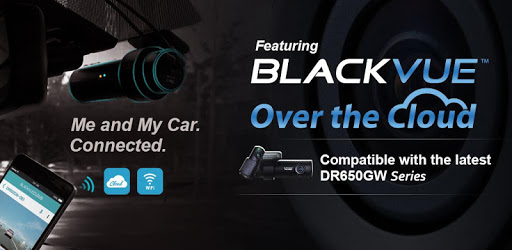
BlackVue is an Android app developed and published by pittasoft at Google Play Store on Oct 19, 2015 for Android users. BlackVue is so popular that it has gained 1044459 installs so far and growing.
BlackVue dash cams offer a reliable way to keep an eye on your vehicle, ensuring its safety and security. These advanced dash cams come equipped with impressive features that make them a top choice among users. Let's dive into what makes BlackVue dash cams a standout option.
One of the key benefits of BlackVue is its ability to capture high-quality video recordings. Whether you're driving in bright daylight or low-light conditions, you can trust that your dash cam will record clear and detailed footage. This capability is crucial for documenting incidents, accidents, or any other significant events on the road.
The BlackVue app is designed to provide a seamless and intuitive experience for users. With this app, you can easily connect to your dash cam, view live footage, and download recorded videos directly to your smartphone. The app also allows you to manage your dash cam settings, making it convenient to customize the device according to your preferences.
One of the standout features of BlackVue dash cams is their Wi-Fi and cloud connectivity. This feature allows users to connect their dash cam to their smartphone or other devices via Wi-Fi. You can then upload footage to the cloud, providing secure storage and easy access to your recordings from anywhere. This is especially useful if you need to review footage while away from your vehicle.
The BlackVue app also offers comprehensive battery management tools. You can monitor your dash cam's battery status, ensuring it has enough power to operate effectively. This is particularly useful for those who use their dash cam in parking mode, as you can keep track of battery levels to avoid any unexpected downtime.
BlackVue dash cams come equipped with a highly sensitive G-sensor that can detect sudden movements or impacts. This sensor automatically triggers the dash cam to start recording, capturing crucial moments that could be vital for insurance claims or legal purposes. Moreover, the sensitivity of the G-sensor is adjustable, allowing you to set it according to your needs.
Setting up and using a BlackVue dash cam is a straightforward process. The dash cam and app interface are designed to be user-friendly, making it easy for anyone to operate them. Even if you're not tech-savvy, you can follow simple steps to get your dash cam up and running, and the app's clear instructions guide you through any updates or adjustments needed.
To support continuous improvements and innovations, BlackVue incorporates an ad-supported model. The ads are related to their own products, ensuring they are non-intrusive and relevant. This approach not only helps keep the service free but also supports the company's sustainability and growth.
BlackVue dash cams and the associated app are compatible with a wide range of devices. Whether you're using an Android or iOS-based smartphone, the connectivity and performance are optimized to provide a smooth user experience. The BlackVue app works well with various smartphone models, allowing users to enjoy its features without any significant issues.
BlackVue's customer support team is dedicated to helping users resolve any issues they might encounter. Whether it's connectivity problems, app malfunctions, or device setup queries, the support team is available to provide assistance. Their responsiveness ensures that users can get the most out of their BlackVue dash cams.
With its high-quality recording, user-friendly app, comprehensive features, and reliable support, BlackVue dash cams are an excellent choice for anyone looking to ensure the safety and security of their vehicle.
Yes, you can run BlackVue on PC, but first, you will need emulator software installed on your Windows or MAC, which you can download for free. In the below video, you will find BlackVue in action. Before you install the emulator, check out the minimum and recommended system requirements to run it seamlessly. They may change depending on which version of the emulator you choose. Therefore, we recommend you download the latest version of the emulator. Below you will find three free Android emulators that we have shortlisted based on their popularity:
Up to date graphics drivers from Microsoft or the chipset vendor.
Storage: 1 GB available under installation path, 1.5GB available hard drive space
Internet: Broadband Internet connection
Regardless of which Android emulator you install, the steps to install, configure, and running the BlackVue app on PC are the same.