Published by Early Morning Studio
Updated August 29, 2025
Old-school RPG made with passion, not greed.
| Version | 1.18.121 |
| Size | 168.4 MB |
| What's New | Updated libraries |
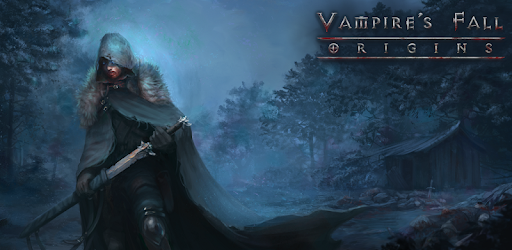
Vampire's Fall: Origins is an Android app developed and published by Early Morning Studio at Google Play Store on Sep 6, 2018 for Android users. Vampire's Fall: Origins is so popular that it has gained 15114853 installs so far and growing.
If you're on the hunt for a thrilling, free-to-play game that keeps you engaged from start to finish, look no further than Vampire's Fall: Origins. This game not only entertains but brings depth with its immersive storytelling and expansive open world. It’s a standout role-playing game (RPG) that offers a mix of exciting features even those who are usually wary of mobile games will appreciate.
One of the most appealing aspects of Vampire’s Fall: Origins is its rich and engaging storyline. The narrative is easy to understand, peppered with jokes and puns that add a delightful twist to your gaming experience. The story unfolds in a captivating manner, keeping players hooked with unexpected twists as they progress. It’s simple yet profound, just complex enough to keep you on your toes but not so intricate that it overwhelms you.
This game offers the pleasure of open-world exploration, letting players delve into a vast map filled with mysteries to solve and adventures to undertake. The ability to freely roam and discover new areas adds an extra layer of excitement, making the gameplay experience even more enriching. Players can relish in the freedom of exploring at their own pace while uncovering hidden treasures and secrets along the way.
The turn-based battle system in Vampire’s Fall: Origins provides a tactical edge to the gameplay without being overly complex. Players can enjoy strategic fights that are both challenging and rewarding. There’s no need to keep track of multiple characters, making it easier for those who prefer a more straightforward approach. Additionally, the option to respec your character means you can adjust your skills and abilities as you become more familiar with the game mechanics, ensuring a tailored gaming experience.
Vampire’s Fall: Origins focuses on the development of a single character, which many players find refreshing. This allows for more personalized gameplay, where every decision made and every battle fought directly impacts your character’s growth. The game strikes the perfect balance of being complicated enough to be engaging without becoming a burden, with plenty of options to upgrade and enhance your character as you advance.
One significant advantage of Vampire’s Fall: Origins is its non-pay-to-win model. Players do not need to spend money to progress or enjoy the game to its fullest. For those who wish to, spending a little money can offer great rewards, but it's entirely optional. This approach ensures that everyone can have a fair and enjoyable gaming experience, regardless of their spending habits.
Another notable feature is the ability to play the game offline. This makes Vampire’s Fall: Origins a perfect companion for those moments when you want to game on the go but don’t have access to the internet. It loads and quits quickly, making it convenient for short gaming sessions anytime, anywhere.
This game strikes a delicate balance between being easy to start and increasingly challenging as you progress. Rebirths in the game make it more challenging, but not insurmountable, with a bit of leveling up. It's a perfect blend of difficulty that keeps players engaged without being too frustrating.
The developers behind Vampire’s Fall: Origins are dedicated to enhancing the game experience. Suggestions like adding controller support and addressing bugs demonstrate a commitment to improvement and player satisfaction. The active updates and responsiveness to player feedback make this a game that continues to evolve for the better.
In essence, Vampire's Fall: Origins delivers an exceptional gaming experience that is both fun and fulfilling. With its deep storyline, vast open world, strategic battles, and commitment to fair play, it's a game that’s hard to put down once you start. Whether you're new to RPGs or a seasoned player, this game offers something for everyone. Dive into the enthralling world of Vampire’s Fall: Origins and embark on an unforgettable adventure!
Yes, you can run Vampire's Fall: Origins on PC, but first, you will need emulator software installed on your Windows or MAC, which you can download for free. In the below video, you will find Vampire's Fall: Origins in action. Before you install the emulator, check out the minimum and recommended system requirements to run it seamlessly. They may change depending on which version of the emulator you choose. Therefore, we recommend you download the latest version of the emulator. Below you will find three free Android emulators that we have shortlisted based on their popularity:
Up to date graphics drivers from Microsoft or the chipset vendor.
Storage: 1 GB available under installation path, 1.5GB available hard drive space
Internet: Broadband Internet connection
Regardless of which Android emulator you install, the steps to install, configure, and running the Vampire's Fall: Origins app on PC are the same.