Published by Artifex Mundi
Updated April 4, 2026
Immersive Action RPG featuring epic offline story and hardcore online arena!
| Version | 2.25.5 |
| Size | 1015.4 MB |
| What's New | We are introducing Gear and Perk balance changes. Numerous buffs among Legendary Gear will now let you create more potent character builds in Elements which were rarely used, such as Nature. Moreover, a few Perks have their attribute values and impact on Hero Power slightly adjusted. |
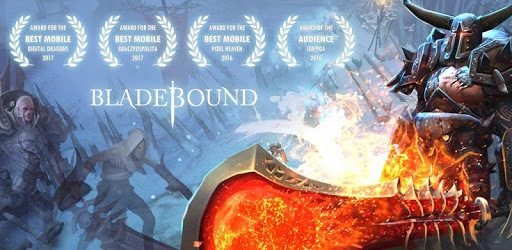
Bladebound: Hack and Slash Action RPG is an Android app developed and published by Artifex Mundi at Google Play Store on Jan 26, 2017 for Android users. Bladebound: Hack and Slash Action RPG is so popular that it has gained 4455934 installs so far and growing.
Are you ready for an action-packed gaming experience that will keep you hooked for hours? Look no further than Bladebound: Hack and Slash Action RPG! This game is not your average hack and slash - it's a thrilling adventure that will leave you wanting more. With its captivating gameplay, stunning graphics, and immersive story, Bladebound is a must-play for all RPG enthusiasts.
Bladebound offers a unique and entertaining hack and slash experience that doesn't require a ton of time. Whether you have a few minutes to spare or want to embark on an epic gaming session, this game has got you covered. The controls are smooth and responsive, allowing you to effortlessly slice and dice your way through hordes of monsters. It's the perfect game for those moments when you just want to mindlessly destroy monsters and have a blast!
One of the best things about Bladebound is that it doesn't require a lot of money to enjoy. Unlike many other games, you don't need to spend a fortune to get stronger. The game offers a fair balance between free and paid content, allowing you to progress well even if you choose not to spend a dime. The developers have done an excellent job of ensuring that the game doesn't feel like a money-grab, making it a refreshing choice in the world of mobile gaming.
Step into a world filled with adventure, mystery, and danger. Bladebound offers a captivating story that will keep you engaged from start to finish. The gameplay is fast-paced, and the increasing difficulty will test your skills and reflexes. It's like diving into a Dungeons & Dragons campaign, but with even more action and fast-paced combat. The graphics are top-notch, and the text dialogues and content are anything but ordinary. Bladebound is an above-average game that delivers an amazing gaming experience.
Bladebound offers a plethora of content to keep you entertained for hours on end. From casual grinding to intense PvP battles and challenging boss raids, there's always something to do. The game keeps you on your toes with its diverse gameplay elements and offers a sense of accomplishment as you progress. And the best part? There are no annoying ads to interrupt your gaming experience. While the game does encourage you to spend money in the cash shop, it's not necessary at all. Completing challenges rewards you with plenty of premium currency for free, ensuring that everyone can enjoy the game to its fullest.
If you accidentally unbound your old account and find yourself back to zero, don't worry! Bladebound offers a support system that can assist you in recovering your account. Simply reach out to the developers and provide them with the necessary details, such as your username and any other relevant information. They will guide you through the process of retrieving your old account, allowing you to pick up where you left off.
While Bladebound already offers a wealth of content, including challenging boss raids and PvP battles, the developers are constantly working to improve the game and provide players with new and exciting challenges. They value player feedback and take suggestions into consideration. So, rest assured that there may be more end game content on the horizon to keep you engaged and entertained.
Absolutely! Bladebound offers a free-to-play option that allows you to progress well without spending any money. However, there is also a paid option available for those who wish to enhance their gaming experience further. The choice is yours, and you can enjoy the game to its fullest regardless of your spending preferences.
So, what are you waiting for? Dive into the world of Bladebound: Hack and Slash Action RPG and embark on an epic adventure like no other. Whether you're a casual gamer or a hardcore RPG enthusiast, this game is sure to captivate you with its thrilling gameplay, stunning graphics, and immersive story. Get ready to unleash your inner warrior and conquer the challenges that await!
Yes, you can run Bladebound: Hack and Slash Action RPG on PC, but first, you will need emulator software installed on your Windows or MAC, which you can download for free. In the below video, you will find Bladebound: Hack and Slash Action RPG in action. Before you install the emulator, check out the minimum and recommended system requirements to run it seamlessly. They may change depending on which version of the emulator you choose. Therefore, we recommend you download the latest version of the emulator. Below you will find three free Android emulators that we have shortlisted based on their popularity:
Up to date graphics drivers from Microsoft or the chipset vendor.
Storage: 1 GB available under installation path, 1.5GB available hard drive space
Internet: Broadband Internet connection
Regardless of which Android emulator you install, the steps to install, configure, and running the Bladebound: Hack and Slash Action RPG app on PC are the same.