Published by Catsbit Games
Updated August 29, 2025
Third-person sandbox with multiplayer
| Version | 0.3.95 |
| Size | 107.1 MB |
| What's New | - Added voice chat;- Added new weapon: Automatic rifle;- Fixed some bugs and errors;- Multiplayer restored. |
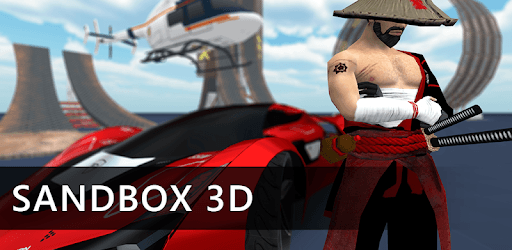
Sandbox 3D is an Android app developed and published by Catsbit Games at Google Play Store on Dec 11, 2018 for Android users. Sandbox 3D is so popular that it has gained 1742939 installs so far and growing.
Sandbox 3D is an exciting game filled with endless fun and creativity. If you enjoy open-world games where you can build, explore, and engage in various activities, this game is for you. The experience is immersive, offering multiple features that keep you hooked and coming back for more.
In Sandbox 3D, the weapons selection is sure to impress. Whether you favor classic guns or something with a bit more oomph, there are plenty of choices. Imagine wielding an AK-47 or a minigun as you navigate the game’s environments. For those who prefer melee combat, imagine using a wide array of swords, axes, or chainsaws.
The game features various maps that let you explore different settings. Expanding these maps would make exploring even more fun, offering new areas to uncover and making each gaming session fresh. Imagine busting through glass windows in a high-speed chase or drifting around a custom-built track. The game’s maps can cater to many adventurous exploits.
One of the joys of Sandbox 3D is the chance to customize your character to make them uniquely yours. With a range of skins and outfits, you can dress your character in more than 100 different styles. This personalization adds an extra layer of engagement, making the game not just about the activities you engage in, but also about how you present yourself in this expansive world.
The vehicles in Sandbox 3D are as diverse as the activities you can partake in. From Supercars like the Supra MK4 and Bugatti to helicopters and motorcycles, the game offers a wide variety of transportation. Each vehicle accommodates different numbers of players, enhancing the multiplayer experience. Imagine four friends riding in a car together or skimming the skies in a helicopter.
The world of Sandbox 3D becomes even more engaging with interactive elements like drifting cars, breakable windows, and more. Picture cruising through the game’s environments, smashing through obstacles, and drifting around corners like a pro. Add chairs and couches that you can actually sit in, and the game world feels even more vivid.
Playing with friends is one of the highlights of Sandbox 3D. You can set up private servers or join others online, making for a dynamic social experience. Whether you're building structures, engaging in battles, or simply going on adventures, the multiplayer aspect is a cornerstone of what makes this game exceptionally entertaining.
Updating the game regularly with new features keeps it exciting and relevant. Imagine a future where the game includes a data transfer feature so you can move your progress to another device effortlessly, or adds futuristic elements to the gameplay. As the world of Sandbox 3D continues to evolve, so do the possibilities for fun and engagement.
The game takes immersion to the next level by allowing you to interact with the environment more deeply. You can sit on beds, lay down, and even make longer chat messages to communicate better with fellow players. More NPCs, like soldiers or allies, would add another layer of realism and excitement.
Sandbox 3D stands out as one of the best games available with an impressive array of features. Whether it's the detailed customization options, a variety of weapons, or the thrill of multiplayer adventures, this game has something for everyone. Dive into Sandbox 3D and let your creativity and desire for adventure run wild!
Yes, you can run Sandbox 3D on PC, but first, you will need emulator software installed on your Windows or MAC, which you can download for free. In the below video, you will find Sandbox 3D in action. Before you install the emulator, check out the minimum and recommended system requirements to run it seamlessly. They may change depending on which version of the emulator you choose. Therefore, we recommend you download the latest version of the emulator. Below you will find three free Android emulators that we have shortlisted based on their popularity:
Up to date graphics drivers from Microsoft or the chipset vendor.
Storage: 1 GB available under installation path, 1.5GB available hard drive space
Internet: Broadband Internet connection
Regardless of which Android emulator you install, the steps to install, configure, and running the Sandbox 3D app on PC are the same.