Published by Cometdocs.com Inc.
Updated April 13, 2026
Powerful PDF Converter with OCR🚀 Convert PDF documents to various file formats.
| Version | 3.0.32 |
| Size | 73.2 MB |
| What's New | Bug fixes and performance improvements |
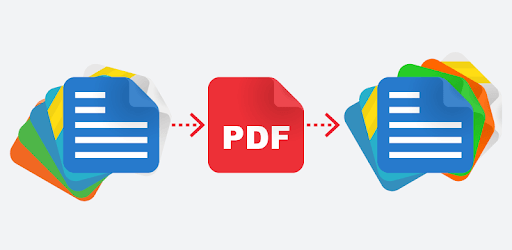
PDF Converter is an Android app developed and published by Cometdocs.com Inc. at Google Play Store on Nov 27, 2016 for Android users. PDF Converter is so popular that it has gained 1000000 installs so far and growing.
PDF Converter is an exceptional tool that simplifies the way you handle your documents. It's designed to convert documents to and from PDF with ease. This app offers excellent quality conversions without limits on file size or the number of files you can convert. If you often deal with a variety of document formats, PDF Converter can make your life much easier.
One of the standout features of PDF Converter is its user-friendly interface. The converting process is simple, allowing users to complete their tasks without any hassle. Whether you need to convert a Word document, an image, or any other file type to PDF, this app makes it effortless. There’s no need for any technical knowledge, making it accessible for users of all levels.
Many similar apps place limits on file sizes or the number of conversions you can perform. PDF Converter breaks these boundaries, allowing you to convert as many files as you need, irrespective of their size. This feature is especially beneficial for professionals who handle large volumes of documents regularly.
With so many PDF converters on the market, you might wonder why to opt for PDF Converter. Here's why this app stands out:
PDF Converter ensures excellent quality in every conversion. You won't have to worry about losing the formatting or details of your documents. The app preserves the integrity of your files, making it a reliable choice for important documents.
If you work with numerous documents daily, PDF Converter can save you a significant amount of time. The app allows you to reuse existing documents, eliminating the need for retyping. This feature is particularly useful for business professionals who often need to convert client files quickly.
Besides converting files to PDF, PDF Converter also allows you to convert PDF files into the most common image formats. This flexibility makes it a multi-functional tool that can cater to various needs. Whether you need a PDF in an image format for a presentation or other purposes, PDF Converter has got you covered.
The developers of PDF Converter constantly update the app to enhance its performance and add new features. One recent update even introduced the ability to cancel paper recognition once started, adding to the app's convenience and user-friendliness.
If you're on the lookout for a reliable and efficient PDF converter, PDF Converter might be the best choice for you. With its unique features, unlimited conversions, and high-quality output, it stands out among other apps. Its ease of use makes it accessible for everyone, from busy professionals to students. Essential and effective, PDF Converter is a tool that can transform the way you handle document conversions.
Yes, you can run PDF Converter on PC, but first, you will need emulator software installed on your Windows or MAC, which you can download for free. In the below video, you will find PDF Converter in action. Before you install the emulator, check out the minimum and recommended system requirements to run it seamlessly. They may change depending on which version of the emulator you choose. Therefore, we recommend you download the latest version of the emulator. Below you will find three free Android emulators that we have shortlisted based on their popularity:
Up to date graphics drivers from Microsoft or the chipset vendor.
Storage: 1 GB available under installation path, 1.5GB available hard drive space
Internet: Broadband Internet connection
Regardless of which Android emulator you install, the steps to install, configure, and running the PDF Converter app on PC are the same.