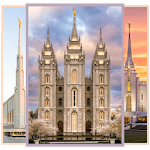
LDS Temple Wallpaper for PC

LDS Temple Wallpaper for PC

Published by Andreevich

Updated April 8, 2026

Set as your favorite wallpaper. LDS / Mormon Temples.

What's New

Version1.5.0
Size3.7 MB
What's NewComplete redesign, new temple wallpapers!

LDS Temple Wallpaper Screenshots

LDS Temple Wallpaper PC screenshot

About LDS Temple Wallpaper For PC

LDS Temple Wallpaper is an Android app developed and published by Andreevich at Google Play Store on Jun 20, 2016 for Android users. LDS Temple Wallpaper is so popular that it has gained 10000 installs so far and growing.

LDS Temple Wallpaper: Experience the Beauty of Temples

Discover the awe-inspiring beauty of the Temples of the Church of Jesus Christ of Latter Day Saints with the LDS Temple Wallpaper app. Immerse yourself in the stunning architecture and sacred atmosphere of these holy places right from your device. With a wide variety of temple pictures to choose from, this app allows you to personalize your device and feel a sense of peace and inspiration.

Unleash the Power of Beautiful Architecture

Step into a world of breathtaking beauty as you explore the diverse collection of temple pictures available in the LDS Temple Wallpaper app. Each temple is captured in its own unique way, showcasing the intricate details and grandeur of its architecture. From the iconic Salt Lake Temple to the majestic Oakland Temple, every image will leave you in awe.

Whether you are a member of the Church or not, the beauty of these temples is undeniable. The app allows you to appreciate the craftsmanship and artistry that goes into creating such magnificent structures. It's a testament to the dedication and love that the Church has for its sacred spaces.

Enhance Your Experience with Added Functionality

The LDS Temple Wallpaper app not only provides you with stunning temple pictures but also offers additional features to enhance your experience. While the app currently doesn't have a search option, it allows you to explore the temples at your own pace. Each picture tells its own story, and you can easily navigate through them to find the one that resonates with you.

Furthermore, the app offers the ability to set the temple pictures as rotating wallpapers. Immerse yourself in the beauty of these sacred spaces as the images change every few seconds, creating a dynamic and captivating display on your device.

Additionally, the app provides an opportunity to learn more about each temple individually. Gain insights into their history, significance, and unique features. This added information allows you to deepen your connection with the temples and appreciate their importance in the Church.

A Tool for Spiritual Growth and Inspiration

The LDS Temple Wallpaper app is more than just a collection of beautiful images. It serves as a reminder of the covenants we make and the blessings that come from visiting the temples. Whether you are preparing for your own temple experience or simply seeking spiritual upliftment, this app can be a valuable tool in your journey.

Immerse yourself in the spirit as you gaze upon these holy places. Feel a sense of peace and reverence as you reflect on the eternal significance of the temples. Let the images inspire you to live your life in accordance with your beliefs and strive to keep your baptismal covenants.

FAQs

1. Can I search for a specific temple picture in the app?

Currently, the app does not have a search option. However, you can easily navigate through the collection of temple pictures to find the one you desire.

2. Can I set the temple pictures as rotating wallpapers?

Yes, the app allows you to set the temple pictures as rotating wallpapers, creating a dynamic and captivating display on your device.

3. Is there information available about each temple?

Absolutely! The app provides additional information about each temple, including its history, significance, and unique features. Dive deeper into the stories behind these sacred spaces.

Experience the beauty and inspiration of the LDS Temples with the LDS Temple Wallpaper app. Immerse yourself in the grandeur of these sacred spaces and let the spirit guide you as you explore the diverse collection of temple pictures. Download the app today and embark on a journey of spiritual growth and appreciation.

Can I run LDS Temple Wallpaper on PC?

Yes, you can run LDS Temple Wallpaper on PC, but first, you will need emulator software installed on your Windows or MAC, which you can download for free. In the below video, you will find LDS Temple Wallpaper in action. Before you install the emulator, check out the minimum and recommended system requirements to run it seamlessly. They may change depending on which version of the emulator you choose. Therefore, we recommend you download the latest version of the emulator. Below you will find three free Android emulators that we have shortlisted based on their popularity:

How to Install LDS Temple Wallpaper on Windows PC

BlueStacks

Minimum
  • OS: Microsoft Windows 7 and above.
  • Processor: Intel or AMD Processor.
  • RAM: Your PC must have at least 4GB of RAM. (Note that having 4GB or more disk space is not a substitute for RAM)
  • Storage: 5GB Free Disk Space.
  • You must be an Administrator on your PC.
Recommended:
  • OS: Microsoft Windows 10
  • Processor: Intel or AMD Multi-Core Processor with Single Thread benchmark score > 1000.
  • Graphics: Intel/Nvidia/ATI, Onboard or Discrete controller with benchmark score >= 750.
  • Please ensure Virtualization is enabled on your PC/Laptop.
  • RAM: 8GB or higher
  • Storage: SSD (or Fusion/Hybrid Drives)
  • Internet: Broadband connection to access games, accounts and related content.

Up to date graphics drivers from Microsoft or the chipset vendor.

  • To start with, download Bluestacks from its official website. The latest version of BluesStacks is v 5, and it is around 400 MB.
  • Once the download is done, click on the Bluestacks set up file to install it on your Windows PC. Follow the on-screen instructions and install it accordingly.
  • The next step is to launch the emulator using the desktop shortcut and sign in using your Google account.
  • Now, head over to Bluestacks home screen and click on the Google Play Store icon.
  • Hit the search bar in Google Play and search for LDS Temple Wallpaper.
  • Install LDS Temple Wallpaper from the Play Store by clicking the Install option, which completes downloading of LDS Temple Wallpaper on PC.

NoxPlayer

Minimum
  • Operating System: Windows XP SP3, Windows Vista, Windows 7, Windows 8, Windows 10, and DirectX 9.0c
  • Processor: At least dual-core processor, both Intel, and AMD are OK
  • Video: Supports Open GL 2.0 or above
  • Memory: 1.5 GB RAM
Recommended
  • Operating System: Windows 7, Windows 8, Windows 10
  • Processor: Multiple core processors which support VT-x or AMB-V Virtualization Technology, better performance with this function enabled
  • Video: The higher performance, the better
  • Memory: 4 GB RAM

Storage: 1 GB available under installation path, 1.5GB available hard drive space

Internet: Broadband Internet connection

  • Download NoxPlayer from the official website. The latest version of NoxPlayer is v 3, and it is around 600 MB.
  • Now install the emulator using the downloaded setup file. Just go through the on-screen instructions and install NoxPlayer on your computer or laptop.
  • After the installation process, launch the Nox Android emulator and log in using your Google account when it asks you.
  • Click on the Google Play Store icon and head over to the search bar to search LDS Temple Wallpaper. Once found, click on the Install button to install LDS Temple Wallpaper for PC.
  • If you do not find LDS Temple Wallpaper on Google Play Store or if you want to skip logging in to Google, you can sideload APK (download the .APK file from this page and open it with NoxPlayer).
  • Launch LDS Temple Wallpaper from home-screen and start playing it on PC right away!

MEmu

Minimum
  • 2 cores x86/x86_64 Processor (Intel or AMD CPU)
  • WinXP SP3 / Win7 / Win8 / Win10 (Not recommended to run on Server/Enterprise)
  • Latest Windows DirectX 11 / Graphics driver with OpenGL 2.0
  • Hardware Virtualization Technology (Intel VT-x/AMD-V) shall be enabled in BIOS
  • 2GB of RAM (4GB for x64 system)
  • 5GB of hard disk free space
Recommended
  • OS: Microsoft Windows 10 with VT Enabled
  • CPU: Single Thread PassMark score > 1500 (Intel/AMD Multi-Core).
  • Graphics: Intel/Nvidia/ATI, Onboard or Discrete controller with PassMark score > 750.
  • Latest Windows DirectX 11 / Graphics driver with OpenGL 4.5 or higher
  • RAM: 8GB or higher
  • HDD: SSD, 10GB of hard disk free space
  • Internet: Broadband connection with low latency for FPS games
  • Download MEmu Play from the official website. The latest version of NoxPlayer is v 7.5.
  • When the download is completed, install the MEmu emulator on your PC. Follow the on-screen instructions and keep on clicking the Next button until the final step.
  • Now, using the desktop shortcut, look for the MEmu Play emulator and launch it. Once done, it will ask you to log in using your Google account, proceed with the same.
  • MEmu Play will ask you to log in using your Google account. When you log in, it will sync your Google account to MEmu Play. Launch the Google Play Store by clicking on the icon and search for LDS Temple Wallpaper.
  • Click on the Install button once you find LDS Temple Wallpaper from the search results. You can also sideload APK (download the .APK file from this page and open it with MEmu) if you want to skip above step.
  • After the installation of LDS Temple Wallpaper, you're all set to use the app on PC!

Regardless of which Android emulator you install, the steps to install, configure, and running the LDS Temple Wallpaper app on PC are the same.


Download LDS Temple Wallpaper For PC