Published by Simprosys
Updated November 7, 2025
Stylish Fonts for your Galaxy Smart Phone which give your Phone Stylish UI.
| Version | 1.95 |
| Size | 179.9 MB |
| What's New | ✨ New Feature: AI Background Remove for Message MakerNow, effortlessly remove backgrounds from photo in Message Maker with our advanced AI technology, unleashing your creativity without limits.🛠️ Bug Fixes & ImprovementsWe've fixed pesky bugs and made enhancements for a smoother, more enjoyable experience.Update now and elevate your Stylish Fonts experience!Stay stylish,The Stylish Fonts Team |
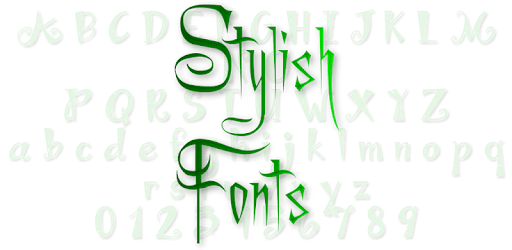
Stylish Fonts is an Android app developed and published by Simprosys at Google Play Store on Aug 12, 2014 for Android users. Stylish Fonts is so popular that it has gained 59488120 installs so far and growing.
Are you looking to spice up your text with some creativity? Stylish Fonts is the perfect app for adding flair to your messages, social media posts, and even gaming names. Whether you're customizing your text for social media or personalizing in-game names, Stylish Fonts offers a wide array of unique, fun fonts.
Stylish Fonts brings an extensive collection of fonts, making it easier than ever to find the perfect style for any occasion. With so many options available, you can switch between different font styles quickly and easily to keep things fresh and exciting. From fancy and elegant to bold and quirky, you are sure to find a font that matches your mood and message.
The app is designed with user-friendly navigation in mind. Even if it’s your first time using Stylish Fonts, you’ll find it simple to explore and utilize the different features. The interface is intuitive, allowing you to choose and switch fonts with minimal effort. It’s like having a font library right in your pocket!
Want to stand out in your text messages or social media posts? Stylish Fonts has got you covered. It allows you to express your personality and creativity through text in ways that standard fonts simply can’t. Your friends will be impressed with your stylish messages, and you might even inspire them to get the app themselves.
For gamers, Stylish Fonts is exceptionally beneficial. You can create unique and stylish usernames that make you stand out in popular games like Free Fire. Gone are the days of plain, boring game names. Now you can have a name that reflects your style and creativity, setting you apart from the rest.
While the app generally offers a smooth and enjoyable experience, some users have noticed occasional lags when typing. However, the developers are committed to addressing any issues to ensure that Stylish Fonts provides a seamless experience for everyone. Your feedback is valuable in making the app even better!
One of the best things about Stylish Fonts is that it is completely free. Despite being free, the app doesn’t skimp on quality or variety. It offers a high-end experience without the cost, making it accessible to everyone who wants to jazz up their text and typing style.
With its easy-to-use interface, extensive font options, and the ability to personalize text messages and game names, it’s no wonder that users are loving Stylish Fonts. It’s a fun, creative, and versatile tool that everyone can enjoy. If you’re ready to enhance your texting game, give Stylish Fonts a try today!
Yes, you can run Stylish Fonts on PC, but first, you will need emulator software installed on your Windows or MAC, which you can download for free. In the below video, you will find Stylish Fonts in action. Before you install the emulator, check out the minimum and recommended system requirements to run it seamlessly. They may change depending on which version of the emulator you choose. Therefore, we recommend you download the latest version of the emulator. Below you will find three free Android emulators that we have shortlisted based on their popularity:
Up to date graphics drivers from Microsoft or the chipset vendor.
Storage: 1 GB available under installation path, 1.5GB available hard drive space
Internet: Broadband Internet connection
Regardless of which Android emulator you install, the steps to install, configure, and running the Stylish Fonts app on PC are the same.