
Published by TM Digital Entertainment
Updated June 26, 2026
Play your own music and enjoy fantastic 3D visuals!
| Version | 0.8.4 |
| Size | 36.3 MB |
| What's New | - File browser & audio loading bugfix- Increased compatibility for external audio- Improved microphone visualization delay- Gradient editing bugfix |
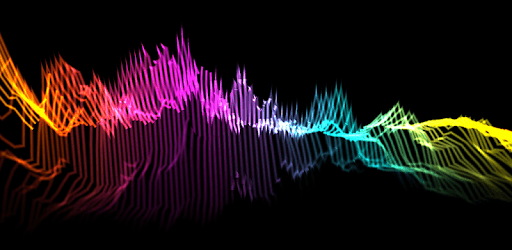
Music Visualizer is an Android app developed and published by TM Digital Entertainment at Google Play Store on Dec 17, 2017 for Android users. Music Visualizer is so popular that it has gained 931739 installs so far and growing.
Are you a music lover who enjoys immersing yourself in the captivating world of visualizations? Look no further! The "Music Visualizer" app is here to revolutionize your music listening experience. With its stunning visual effects and user-friendly interface, this app is a must-have for all music enthusiasts.
One of the standout features of the "Music Visualizer" app is its ability to transform your music into a mesmerizing visual spectacle. Whether you're into electronic beats or mellow tunes, this app has got you covered. The visuals perfectly sync with the rhythm and flow of the music, creating a truly immersive experience that will give you chills.
From the moment you launch the app, you'll be greeted with a beautiful interface that sets the stage for an incredible audio-visual journey. The app offers a wide range of visualizations, from basic ones available in the free version to even more captivating options in the premium version.
If you're ready to take your music visualizer experience to the next level, the premium version of the "Music Visualizer" app is definitely worth considering. Not only does it offer a plethora of advanced visualizations, but it also comes at an incredibly affordable price. You'll be amazed by the additional features and customization options that the premium version brings to the table.
Imagine being able to play music with visualizations even when your screen is locked or seamlessly integrating YouTube music via URL. These premium features truly elevate the app's functionality and make it stand out from the crowd.
The "Music Visualizer" app is designed to be user-friendly and compatible with various music players. Whether you prefer Spotify or any other music streaming platform, this app seamlessly integrates with them all. You can easily switch between the app's built-in music player and your preferred player by simply dragging down the menu screen.
Additionally, the app offers a range of color-changing settings, allowing you to personalize your visualizer experience. The stunning visuals combined with the customizable options create a truly immersive and mesmerizing journey for your senses.
Yes, absolutely! The app is compatible with various music players, including Spotify and other popular streaming platforms.
Yes, the premium version unlocks a wide range of advanced visualizations and customization options, enhancing your overall experience.
Yes, the premium version allows you to enjoy music with visualizations even when your screen is locked, providing a seamless and uninterrupted experience.
No, the "Music Visualizer" app is specifically designed for mobile devices and is not available for Windows 10 PC. However, it offers a similar visualizer experience on your phone.
Currently, the app does not offer a video export option. However, the stunning visualizations can be enjoyed directly on your device.
Experience the magic of music visualizations like never before with the "Music Visualizer" app. Download it now and embark on a captivating audio-visual journey that will leave you in awe.
Yes, you can run Music Visualizer on PC, but first, you will need emulator software installed on your Windows or MAC, which you can download for free. In the below video, you will find Music Visualizer in action. Before you install the emulator, check out the minimum and recommended system requirements to run it seamlessly. They may change depending on which version of the emulator you choose. Therefore, we recommend you download the latest version of the emulator. Below you will find three free Android emulators that we have shortlisted based on their popularity:
Up to date graphics drivers from Microsoft or the chipset vendor.
Storage: 1 GB available under installation path, 1.5GB available hard drive space
Internet: Broadband Internet connection
Regardless of which Android emulator you install, the steps to install, configure, and running the Music Visualizer app on PC are the same.













![Musicolet Music Player [Free, No ads] icon](https://cdn.desktoptwo.com/img/in.krosbits.musicolet-logo.png)