Published by FifthSource
Updated August 27, 2025
The Minimalistic Free MP3 Music Player Includes Tag editor, Equalizer and more
| Version | 2.57 |
| Size | 11.2 MB |
| What's New | Minor bug fixes and improvements. Install or update to the newest version to check it out! |
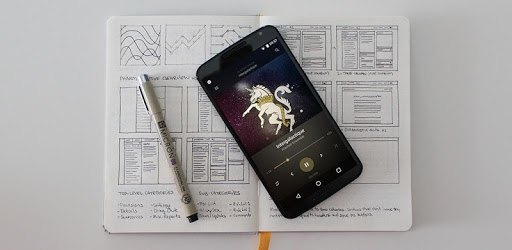
BlackPlayer Music Player is an Android app developed and published by FifthSource at Google Play Store on Mar 7, 2015 for Android users. BlackPlayer Music Player is so popular that it has gained 10000000 installs so far and growing.
BlackPlayer Music Player is known for its sleek design and intuitive interface. The app is minimalistic, providing a simple yet elegant experience for users. It stands out with its dark theme that not only looks modern but also reduces eye strain, making it a joy to use even in low light environments.
One of the standout features of BlackPlayer is its high level of customization. You can tweak the interface to suit your preferences, from changing the appearance with themes to adjusting how your music is displayed. Whether you prefer a minimalist setup or something more detailed, BlackPlayer lets you make it your own.
Managing your music library is a breeze with BlackPlayer. The app excels in organizing your music files, automatically fetching artist images and album covers, ensuring that your library looks as good as it sounds. You can also update and embed album art directly within the app, making it easy to keep your collection up to date.
For those who prefer offline music, BlackPlayer is a perfect choice. It handles offline music files better than many other players on the market, ensuring smooth playback and easy library management. Gapless playback and crossfade features enhance the listening experience, providing seamless transitions between tracks.
While the equalizer in BlackPlayer is solid, there's always room for improvement. However, the existing features allow you to fine-tune your sound preferences effectively. The app supports various audio formats and provides a rich listening experience tailored to your needs.
BlackPlayer includes essential features that music lovers will appreciate. The multi-select feature enables easy track queuing, while the inclusion of lyrics and artist info adds an extra layer of enjoyment. The side panel, which lists your most played tracks and other music lists, is surprisingly useful for those who like to stay on top of their music habits.
BlackPlayer's development team consistently works on improving the app, ensuring users have the best experience possible. Updates often bring enhancements and new features, keeping the app fresh and functional. Additionally, the customer support is top-notch, ready to assist with any issues you might encounter.
In summary, BlackPlayer Music Player is a top-tier choice for anyone seeking a reliable, feature-rich, and customizable music player. Its beautiful design, powerful music management tools, and excellent offline support make it a must-have app for music enthusiasts. Whether you're looking to replace another music player or simply want to enjoy your music more, BlackPlayer is an exceptional choice.
Yes, you can run BlackPlayer Music Player on PC, but first, you will need emulator software installed on your Windows or MAC, which you can download for free. In the below video, you will find BlackPlayer Music Player in action. Before you install the emulator, check out the minimum and recommended system requirements to run it seamlessly. They may change depending on which version of the emulator you choose. Therefore, we recommend you download the latest version of the emulator. Below you will find three free Android emulators that we have shortlisted based on their popularity:
Up to date graphics drivers from Microsoft or the chipset vendor.
Storage: 1 GB available under installation path, 1.5GB available hard drive space
Internet: Broadband Internet connection
Regardless of which Android emulator you install, the steps to install, configure, and running the BlackPlayer Music Player app on PC are the same.











![Musicolet Music Player [Free, No ads] icon](https://cdn.desktoptwo.com/img/in.krosbits.musicolet-logo.png)