Published by KUCAPP - Free Music & Video Apps
Updated August 1, 2025
Best Equalizer with Bass Booster, Volume Booster, Improve music sound quality 💯
| Version | 1.7.5 |
| Size | 17.9 MB |
| What's New | * Performance optimized, more efficient |
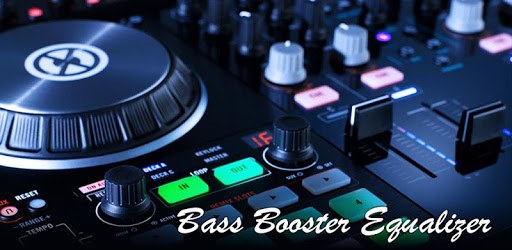
Equalizer: Bass Booster & Volume Booster is an Android app developed and published by KUCAPP - Free Music & Video Apps at Google Play Store on Dec 1, 2017 for Android users. Equalizer: Bass Booster & Volume Booster is so popular that it has gained 1000000 installs so far and growing.
Have you ever wondered how to get the best sound out of your phone? With Equalizer: Bass Booster & Volume Booster, you can enhance the audio experience of your favorite music, movies, and games. This powerful app not only amplifies volume but also boosts bass, making every sound richer and fuller. Best of all, it works across various apps, providing an unparalleled audio boost.
Equalizer: Bass Booster & Volume Booster isn't just another sound enhancer; it offers unique features that set it apart from the competition. One of its standout features is the ability to work seamlessly in the background. This means you can enjoy enhanced sound without having to keep the app open, making it incredibly convenient for multitasking.
The app also ensures compatibility with a variety of other apps, including popular music streaming services like YouTube and Resso. This broad compatibility means you can enjoy high-quality sound no matter what you're listening to. It's especially effective when used with Bluetooth speakers, bringing out the best in your music and audio files.
One of the most exciting features is the array of sound customization options. You can switch between different echo sounds and volume levels, allowing for a personalized audio experience. Whether you prefer softer tones or booming bass, the app offers multiple presets and manual adjustments to fit your taste.
The Equalizer: Bass Booster & Volume Booster app also offers a user-friendly interface. Even first-time users will find it easy to navigate through the different settings and features. With a few simple taps, you can adjust the bass, treble, and volume to your liking, making it versatile and user-friendly.
This app serves its purpose exceptionally well, consistently delivering high-quality sound. Whether you are watching a movie, listening to music, or playing games, the Equalizer: Bass Booster & Volume Booster maximizes your audio experience. The enhanced sound quality is noticeable right away, and it's particularly suited for users who enjoy a robust audio setup with high wattage amps and large speakers in their cars or homes.
Many people have found that this app lives up to its promise of delivering exceptional sound quality. They appreciate its ease of use, broad compatibility, and robust sound customization features. The app even surprises some users with its unique effects and ability to elevate their audio experience beyond their expectations.
From simple volume boosts to deep bass enhancements, the Equalizer: Bass Booster & Volume Booster offers something for everyone. Even users with extensive sound systems and high-tech audio equipment find it worth the download. It's clear that this app can transform an ordinary listening experience into something extraordinary.
If you are looking to enhance your audio experience, whether at home, on the go, or in your car, the Equalizer: Bass Booster & Volume Booster is the app for you. With its powerful features and ease of use, it ensures you get the most out of your sound systems. Download it today and hear the difference for yourself!
Yes, you can run Equalizer: Bass Booster & Volume Booster on PC, but first, you will need emulator software installed on your Windows or MAC, which you can download for free. In the below video, you will find Equalizer: Bass Booster & Volume Booster in action. Before you install the emulator, check out the minimum and recommended system requirements to run it seamlessly. They may change depending on which version of the emulator you choose. Therefore, we recommend you download the latest version of the emulator. Below you will find three free Android emulators that we have shortlisted based on their popularity:
Up to date graphics drivers from Microsoft or the chipset vendor.
Storage: 1 GB available under installation path, 1.5GB available hard drive space
Internet: Broadband Internet connection
Regardless of which Android emulator you install, the steps to install, configure, and running the Equalizer: Bass Booster & Volume Booster app on PC are the same.









![Musicolet Music Player [Free, No ads] icon](https://cdn.desktoptwo.com/img/in.krosbits.musicolet-logo.png)