Published by Mopria Alliance
Updated July 30, 2025
Connect and print to printers from many brands at home, at work or on-the-go.
| Version | 2.21.5 |
| Size | 19.6 MB |
| What's New | • Adds support for Adaptive UI • Adds support for custom media size • Improves page rotation such as for envelope printing • Improves preview when borderless option is toggled • Improves selection and printing for vendor media-types and roll handling • Crash fixes and stability improvements |
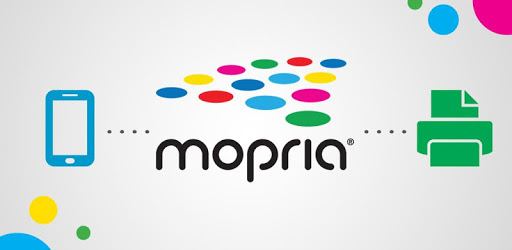
Mopria Print Service is an Android app developed and published by Mopria Alliance at Google Play Store on Jun 24, 2014 for Android users. Mopria Print Service is so popular that it has gained 37077892 installs so far and growing.
Do you find printing from your mobile devices frustrating? Mopria Print Service might be the solution you're looking for. This app is designed to make printing from your phone, tablet, or other device quick and stress-free. With its user-friendly interface and broad compatibility, Mopria Print Service stands out in the world of mobile printing solutions.
Setting up and connecting to your printer can often be a headache. But with Mopria Print Service, the process becomes seamless. It works brilliantly with a wide range of printer models, including popular brands like Canon, HP, and Epson. No more wrestling with manufacturer-specific apps that sometimes struggle to find your printer. Mopria Print Service connects effortlessly, getting you up and running in no time.
One of the most outstanding features of Mopria Print Service is its universal compatibility. Whether you're using a Canon, HP, Epson, or even a Brother Wireless Laser printer, this app has you covered. It doesn’t matter if you're printing from a new device like a Samsung S22 Ultra or a trusty Fire tablet; Mopria's universal nature simplifies the process like no other.
Let’s face it—many printer apps are crammed with features you’ll rarely use. Mopria Print Service keeps it simple, focusing on what you need most: reliable and quick printing. It’s perfect for those who value ease of use over complex features they might never touch.
This straightforward approach also makes it ideal for children and less tech-savvy users. Imagine your kids, who are constantly printing school assignments, being able to handle the task themselves without calling for help. That's a time-saver for everyone!
While simplicity is key, Mopria doesn’t skimp on functionality. You can print directly from various applications, including Adobe Acrobat Pro DC, without needing to switch to another app. Multiple ways to send files, such as using the "Share" button, add to the flexibility. This allows for quick and easy document printing wherever you are.
Did your old printing app stop working, and you’re considering buying a new printer? Mopria Print Service might save you the cost. Several users found their previously unresponsive printers back in action thanks to this app. It's not just convenient but also economical.
Mopria Print Service has garnered positive feedback for its easy setup and effectiveness. Users appreciate that it can get their printers to work when all else fails. Moreover, the app’s uncomplicated interface makes it a preferred choice over some manufacturer-specific options.
A significant concern when using apps nowadays is data privacy. Mopria Print Service has a spotlight-worthy feature: it claims not to collect data or share it with third parties. If true, this is a considerable advantage, ensuring your printing tasks stay private.
Although Mopria Print Service excels in many areas, it does have some limitations. For instance, you might need another app or computer to access advanced printing features like font size adjustments or page previews. While basic functionality is excellent, those needing precise control over their prints might find it lacking.
In a world where printing from mobile devices can often be a chore, Mopria Print Service brings ease and efficiency. Its universal compatibility, straightforward interface, and reliable performance make it an excellent choice for simplifying your printing needs. Whether you’re a tech newbie or a seasoned user, Mopria Print Service offers a hassle-free way to get your documents from screen to paper.
Yes, you can run Mopria Print Service on PC, but first, you will need emulator software installed on your Windows or MAC, which you can download for free. In the below video, you will find Mopria Print Service in action. Before you install the emulator, check out the minimum and recommended system requirements to run it seamlessly. They may change depending on which version of the emulator you choose. Therefore, we recommend you download the latest version of the emulator. Below you will find three free Android emulators that we have shortlisted based on their popularity:
Up to date graphics drivers from Microsoft or the chipset vendor.
Storage: 1 GB available under installation path, 1.5GB available hard drive space
Internet: Broadband Internet connection
Regardless of which Android emulator you install, the steps to install, configure, and running the Mopria Print Service app on PC are the same.