Published by Brother Industries, Ltd.
Updated September 11, 2025
Brother iPrint&Scan lets you easily print and scan photo/document/webpage/email.
| Version | 6.14.0 |
| Size | 98.7 MB |
| What's New | The in-app login feature for cloud services will be temporarily suspended.You can continue to use the print function via the sharing feature as before. |
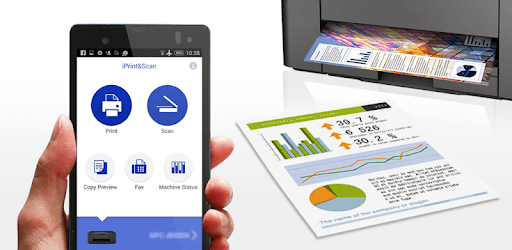
Brother iPrint&Scan is an Android app developed and published by Brother Industries, Ltd. at Google Play Store on Aug 31, 2010 for Android users. Brother iPrint&Scan is so popular that it has gained 10000000 installs so far and growing.
Brother iPrint&Scan offers an easy and convenient way to print and scan documents directly from your mobile device. Whether you are using an Android phone or an iPhone, this app makes it simple to connect to your Brother printer and fulfill your printing and scanning needs right from your fingertips.
One of the standout features of Brother iPrint&Scan is its seamless mobile printing capabilities. Users can easily print documents, photos, and other media by sharing files directly from their phones to the app. This eliminates the need for a desktop or laptop, making the printing process quicker and more convenient.
For those who print frequently, the ability to send a print command from anywhere in the house through Wi-Fi adds an extra layer of flexibility. This feature is practical for busy households and fast-paced work environments alike.
Brother iPrint&Scan also shines when it comes to scanning documents. Its intuitive interface allows users to scan multiple pages and save them in various formats such as JPG or PDF. This ensures that your scanned documents retain their quality and are ready to be shared or stored as needed.
Setting up the app for scanning is straightforward; connect your mobile device to the printer, and Brother iPrint&Scan will quickly discover your scanner. This makes the process of digitizing documents easy and efficient.
Brother iPrint&Scan offers consistent performance across different devices, including both Android and iOS. Whether you are using a Samsung S22 or an iPhone, the app's functionality remains robust and dependable. This cross-platform compatibility ensures that users can always rely on the app to connect and perform their printing and scanning tasks smoothly.
If you ever encounter initial setup issues, simply restarting both the printer and the mobile device can often resolve the problem. Additionally, establishing the printer connection through a desktop or laptop before using the app can ensure a hassle-free experience.
Moreover, when using the scanning feature for the first time, it might be helpful if the app could provide a tip about the correct orientation for the documents. This small addition could further enhance the user experience and prevent any initial confusion.
Brother iPrint&Scan significantly boosts work efficiency by saving users the effort and time traditionally required for printing and scanning. The app has common-sense features like print previews, which allow you to review your documents before printing, ensuring everything looks just right.
Should you need to print photos or documents, just remember to share them to Brother iPrint&Scan instead of trying to print directly from within the app. This simple step makes the whole process "easy peasy" and quick.
Brother iPrint&Scan is not just reliable but is also designed to be user-friendly. Its no-fuss interface makes it the perfect tool for users of all tech levels. Whether you're scanning a driver's license or printing important documents, this app proves to be an essential tool in modern digital life.
For anyone looking for a reliable and convenient way to interact with their Brother printer, Brother iPrint&Scan is the ideal solution. Its easy setup, intuitive features, and ability to work seamlessly across various devices make it a must-have for any home or office setup.
Yes, you can run Brother iPrint&Scan on PC, but first, you will need emulator software installed on your Windows or MAC, which you can download for free. In the below video, you will find Brother iPrint&Scan in action. Before you install the emulator, check out the minimum and recommended system requirements to run it seamlessly. They may change depending on which version of the emulator you choose. Therefore, we recommend you download the latest version of the emulator. Below you will find three free Android emulators that we have shortlisted based on their popularity:
Up to date graphics drivers from Microsoft or the chipset vendor.
Storage: 1 GB available under installation path, 1.5GB available hard drive space
Internet: Broadband Internet connection
Regardless of which Android emulator you install, the steps to install, configure, and running the Brother iPrint&Scan app on PC are the same.