Published by Labsp
Easycap & UVC & 5.8G Receiver Player/Viewer.(No Root) Support Recording. For FPV
| Version | 1.4.0 |
| Size | 2.2 MB |
| What's New | v1.4.0• support Audio(Beta)• bug fix |
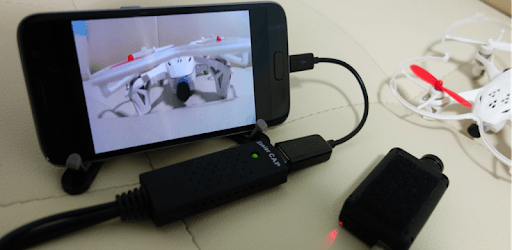
Easycap & UVC Player(FPViewer) is an Android app developed and published by Labsp at Google Play Store on Aug 26, 2016 for Android users. Easycap & UVC Player(FPViewer) is so popular that it has gained 100000 installs so far and growing.
Are you an FPV enthusiast looking for the perfect app to enhance your experience? Look no further than Easycap & UVC Player(FPViewer)! This app has been hailed as the best in its category, surpassing all others in terms of functionality and usability. Whether you're using it for mini diversity Rx for FPV or recording your car camera's reverse and dash cam, Easycap & UVC Player(FPViewer) delivers exceptional performance every time.
One of the standout features of Easycap & UVC Player(FPViewer) is its simplicity and ease of use. With just a few taps, you can transform your Android device into a field monitor for your Sony camcorder. This app is compatible with a wide range of devices, including the Pixel 3A and various tablets, making it incredibly versatile.
Users rave about the performance of Easycap & UVC Player(FPViewer). It consistently delivers high-quality video and audio, ensuring that you never miss a moment. Unlike other apps that struggle to detect cameras or provide a laggy video feed, Easycap & UVC Player(FPViewer) excels in its ability to immediately recognize cameras and deliver smooth, uninterrupted video.
When it comes to recording, Easycap & UVC Player(FPViewer) shines. Users report being extremely satisfied with the DVR footage, especially when compared to other devices like Fatshark DVR. By adjusting the frame rate and image quality, you can achieve the perfect balance between clarity and smoothness. Say goodbye to dropped frames and hello to professional-grade recordings.
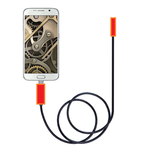
Easycap & UVC Player(FPViewer) offers more than just FPV capabilities. Users have discovered its versatility in playing old game consoles in VR, such as the PS2 or any device with composite video. Additionally, it can be used to capture video from race drones, endoscopes, and more. The possibilities are endless!
A: While the free version of Easycap & UVC Player(FPViewer) includes a logo and ads, there is a premium version available for purchase that removes them.
A: Currently, there is no option to adjust the FPV screen size within the app. However, the developers are constantly working on updates and improvements, so this feature may be added in the future.
A: Easycap & UVC Player(FPViewer) is compatible with a wide range of Android devices, including popular models like the Pixel 3A and various tablets. However, it's always recommended to check the app's compatibility with your specific device before downloading.
In conclusion, Easycap & UVC Player(FPViewer) is the ultimate app for FPV enthusiasts. Its simplicity, performance, and versatility make it a standout choice among its competitors. Whether you're using it for FPV, recording, or playing old game consoles in VR, Easycap & UVC Player(FPViewer) delivers an exceptional experience every time. Upgrade your FPV setup today and unlock a world of possibilities with this incredible app!
Yes, you can run Easycap & UVC Player(FPViewer) on PC, but first, you will need emulator software installed on your Windows or MAC, which you can download for free. In the below video, you will find Easycap & UVC Player(FPViewer) in action. Before you install the emulator, check out the minimum and recommended system requirements to run it seamlessly. They may change depending on which version of the emulator you choose. Therefore, we recommend you download the latest version of the emulator. Below you will find three free Android emulators that we have shortlisted based on their popularity:
Up to date graphics drivers from Microsoft or the chipset vendor.
Storage: 1 GB available under installation path, 1.5GB available hard drive space
Internet: Broadband Internet connection
Regardless of which Android emulator you install, the steps to install, configure, and running the Easycap & UVC Player(FPViewer) app on PC are the same.