Published by Lightheart Entertainment
Updated November 22, 2025
Best 2D Platformer Shooter!
| Version | 4.5.4 |
| Size | 220.1 MB |
| What's New | Thanks for playing Mr Autofire! This is what's new:- Premium Lightning hero: Apex- Premium gloves: Aim-Assist Gloves- World 43: Pyramid of Sands- World 44: Darkforge- Increased Player XP gained from Worlds, Tower Tournament, Horde Assault, Trials and Guild Titans- Increased Rings income- Reduced the number of rooms and increased the rewards in Heist events- Buffed Elemental Infuser and Radiation Field- Reworked Focus Shots |
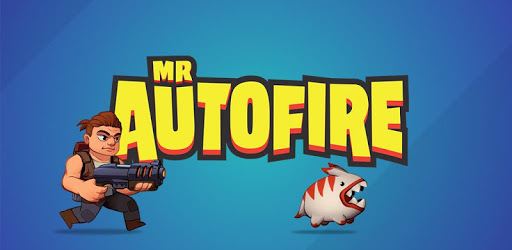
Mr Autofire is an Android app developed and published by Lightheart Entertainment at Google Play Store on Nov 19, 2019 for Android users. Mr Autofire is so popular that it has gained 10875649 installs so far and growing.
Dive into the world of Mr Autofire, a thrilling game that keeps you entertained with its vibrant graphics and challenging levels. Whether you're new to the game or have been playing for years, Mr Autofire offers an experience that appeals to all players.
The first thing you'll notice when playing Mr Autofire is its stunning graphics. The visual appeal is top-notch, making the game come to life with every move and action. The smooth gameplay adds to the overall experience, ensuring that you face no hiccups as you advance through the levels.
The world's Mr Autofire presents are both challenging and rewarding. The game strikes a perfect balance, ensuring that while the levels are tough, they aren't frustrating. Whether you're a casual player or a seasoned gamer, you will find satisfaction in leveling up and overcoming obstacles.
One of the standout features of Mr Autofire is its Help Center. Whenever an issue arises, whether it's related to the gameplay or any monetary transactions, the Help Center swiftly comes to the rescue. This level of support adds a layer of trust and reliability, enhancing the overall gaming experience.
Mr Autofire is designed to be enjoyable whether or not you choose to spend money. You can get pretty far in the game through sheer effort and grinding. While there are options to use real money to level up your hero, going the free route is just as rewarding. This flexibility ensures that the game remains accessible to everyone.
The developers of Mr Autofire constantly introduce new content through regular updates. This keeps the game fresh and exciting, ensuring that there's always something new to look forward to. The updates often fix issues reported by players, enhancing the overall experience and keeping frustrations at bay.
If you're looking to enhance your gameplay experience, consider joining a guild. Being part of a community like "Death Dodgers" adds a social element to the game. You can team up with other players, share strategies, and collectively enjoy the game's challenges.
Mr Autofire is fast-paced and dynamic, making it perfect for players who love action-packed games. The game allows you to choose your perks quickly, keeping you engaged and on your toes. You're not stuck with a single type of weapon; instead, you can upgrade your weapons and acquire new perks seamlessly.
While Mr Autofire primarily focuses on single-player experiences, there's a demand for multiplayer features. Adding a mechanism where two players can play on the same phone could be an exciting development. Additionally, the ability to play offline would ensure that you can enjoy the game anytime, anywhere.
Mr Autofire generally offers a consistent performance, but there are occasional glitches. Issues like lag and server connection problems sometimes arise. However, these are typically resolved quickly by the developers, ensuring that your overall experience remains enjoyable.
Mr Autofire combines the nostalgia of old-school video games with modern gameplay elements. The variety of characters and multitude of gameplay options keep things interesting. The game remembers exactly where you are, even if you exit mid-level, making it convenient and user-friendly.
Overall, Mr Autofire is a well-balanced, engaging game that offers something for everyone. With its stunning graphics, challenging levels, and continuous updates, it promises an enjoyable experience for both new and seasoned players.
Yes, you can run Mr Autofire on PC, but first, you will need emulator software installed on your Windows or MAC, which you can download for free. In the below video, you will find Mr Autofire in action. Before you install the emulator, check out the minimum and recommended system requirements to run it seamlessly. They may change depending on which version of the emulator you choose. Therefore, we recommend you download the latest version of the emulator. Below you will find three free Android emulators that we have shortlisted based on their popularity:
Up to date graphics drivers from Microsoft or the chipset vendor.
Storage: 1 GB available under installation path, 1.5GB available hard drive space
Internet: Broadband Internet connection
Regardless of which Android emulator you install, the steps to install, configure, and running the Mr Autofire app on PC are the same.