
Published by Habby
Updated April 4, 2026
Invincible weapons, Unlimited upgrades!
| Version | 7.6.3 |
| Size | 2.3 GB |
| What's New | 1. Major equipment update! Brand-new SS-Grade weapon - Divine Insight: Trident descends! Featuring a new Taunt mechanic, Double Crit effects, massive AoE strikes, the spectacular Divine Cleave, powerful burst windows, and a wide range of unique traits. Stay tuned!2. Equipment dismantling has been upgraded. You can now obtain Divine Arms Smithing materials. Equipment dismantled before this update will be compensated via mail with the corresponding smithing materials. |
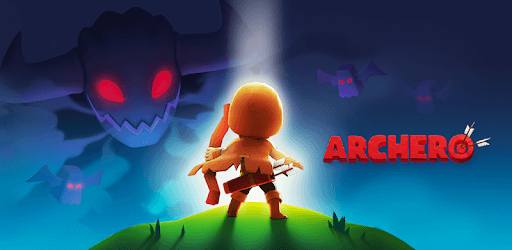
Archero is an Android app developed and published by Habby at Google Play Store on May 18, 2019 for Android users. Archero is so popular that it has gained 70462152 installs so far and growing.
Archero is an addictive mobile game that has taken the gaming world by storm. With its unique gameplay mechanics and challenging levels, it has captivated players of all ages. In this article, we will explore the features that make Archero a must-play game and address some common questions and concerns.
Archero offers an immersive gaming experience that allows you to become a legendary archer. As you progress through the game, you will face hordes of enemies and powerful bosses. Your goal is to defeat them all and save the kingdom from darkness. With each level, you will unlock new abilities and weapons, making your character stronger and more formidable.
One aspect that sets Archero apart from other games is its grind-based progression system. While some may find this challenging, it adds a sense of accomplishment and satisfaction when you finally upgrade your character. The game rewards patience and perseverance, making every victory feel well-earned.
Archero offers a variety of game modes to keep you entertained for hours on end. From the intense survival mode to the exhilarating infinite mode, there is always a new challenge waiting for you. The developers are constantly working on updates and adding new content, ensuring that the adventure never ends.
One of the standout features of Archero is the dedicated development team behind it. They actively listen to player feedback and work tirelessly to improve the game. The recent updates are a testament to their commitment to providing the best gaming experience possible.
A: If you are experiencing network errors or synchronization problems, try clearing your cache and repairing the game. If the issue persists, make sure to reach out to the support team for further assistance.
A: Currently, changing accounts within the game is not possible. To switch accounts, you will need to log out of your current Google account and log in with a different one.
A: If you are facing audio problems after watching an ad, try restarting the game. If the issue persists, consider reaching out to the support team for a solution.
A: The developers have made changes to the tier level gameplay in the infinite mode to provide a fresh and unique experience. While some players may prefer the original survival mode, the new gameplay offers exciting challenges and opportunities for strategic thinking.
A: If you believe your account has been wrongly accused of violating the game's terms, it is crucial to contact the support team immediately. They will review your account and provide feedback on the matter.
Archero is a game that combines addictive gameplay, challenging levels, and a dedicated development team. With its constant updates and engaging features, it is no wonder that players of all ages are hooked. Join the adventure and unleash your inner hero in Archero!
Yes, you can run Archero on PC, but first, you will need emulator software installed on your Windows or MAC, which you can download for free. In the below video, you will find Archero in action. Before you install the emulator, check out the minimum and recommended system requirements to run it seamlessly. They may change depending on which version of the emulator you choose. Therefore, we recommend you download the latest version of the emulator. Below you will find three free Android emulators that we have shortlisted based on their popularity:
Up to date graphics drivers from Microsoft or the chipset vendor.
Storage: 1 GB available under installation path, 1.5GB available hard drive space
Internet: Broadband Internet connection
Regardless of which Android emulator you install, the steps to install, configure, and running the Archero app on PC are the same.