Published by BYV
Updated September 3, 2025
Meet the second part of the popular game “The Catapult”.
| Version | 7.7.1 |
| Size | 129.1 MB |
| What's New | Minor bug fixes and improvements. Install or update to the newest version to check it out! |
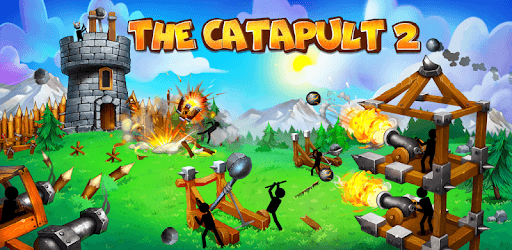
The Catapult 2 is an Android app developed and published by BYV at Google Play Store on Dec 22, 2018 for Android users. The Catapult 2 is so popular that it has gained 55141469 installs so far and growing.
The Catapult 2 is an exciting and addictive tower defense game that keeps players coming back for more. In this game, you control a stickman equipped with various weapons and defend your tower from incoming enemies. The gameplay is straightforward but challenging, making it a great choice for players of all ages.
One of the key highlights of The Catapult 2 is its easy-to-understand gameplay. As you begin the game, you will find the initial levels are quite easy, helping you to get accustomed to the controls and the mechanics. As you progress, the difficulty increases, making it a real test of your strategic skills. This gradual increase in difficulty ensures that the game never feels too easy or too hard, striking a perfect balance to keep you engaged.
The variety of weapons and towers in The Catapult 2 adds a lot to the fun. From classic catapults to powerful cannons and rocket launchers, the game offers a wide range of attack mechanisms. Players often mention the desire for the original sounds of the cannon and rocket launcher, indicating how these elements add to the nostalgia and enjoyment.
The game also features different towers to defend, each with its own unique features and abilities. These towers play a critical role in how you strategize your defense against waves of enemies.
One of the aspects that stands out in The Catapult 2 is the boss battles that appear at different levels. These bosses provide an extra layer of challenge, requiring players to utilize all their skills and strategies to defeat them. There's a desire among players for the game to bring back the old bosses from levels 20, 30, 40, 50, and 60 or to adjust their health to make them more manageable.
The graphics of The Catapult 2, while not ultra-realistic, are smooth and provide a pleasant gaming experience. The stickman characters and their funny animations add a touch of humor to the game. This humor, combined with the challenging gameplay, makes the game even more enjoyable.
Another positive aspect is the minimal ad interruptions. Players appreciate that ads are optional and can be watched to earn extra coins, which can be used to upgrade weapons and towers. This ad system ensures that the gameplay is not constantly interrupted, which is a significant plus.
What sets The Catapult 2 apart from other games is its ability to keep players engaged without feeling like a "pay to win" game. Every level and challenge feels fresh and motivating, making it a game that players are happy to return to repeatedly. Additionally, the game does not overburden players with ads, making it a smooth experience.
On top of that, The Catapult 2 is recognized as a family-friendly game. It is free from the negative aspects often associated with more intense games, making it suitable for younger audiences as well.
The Catapult 2 is a game that offers a delightful mix of fun, challenge, and humor. With its variety of weapons, engaging boss battles, and minimal ad interruptions, it is no wonder why players have such a positive experience. Whether you are a seasoned gamer or new to tower defense games, The Catapult 2 promises hours of entertainment and excitement.
Yes, you can run The Catapult 2 on PC, but first, you will need emulator software installed on your Windows or MAC, which you can download for free. In the below video, you will find The Catapult 2 in action. Before you install the emulator, check out the minimum and recommended system requirements to run it seamlessly. They may change depending on which version of the emulator you choose. Therefore, we recommend you download the latest version of the emulator. Below you will find three free Android emulators that we have shortlisted based on their popularity:
Up to date graphics drivers from Microsoft or the chipset vendor.
Storage: 1 GB available under installation path, 1.5GB available hard drive space
Internet: Broadband Internet connection
Regardless of which Android emulator you install, the steps to install, configure, and running the The Catapult 2 app on PC are the same.