Published by Reolink Digital Technology Co., Ltd.
Updated August 28, 2025
Reolink App is the easiest remote viewing app for security cameras, NVRs, DVRs.
| Version | 4.62.1.3.20260907 |
| Size | 284.0 MB |
| What's New | [0ther] Bugs fixed and user experience improved |
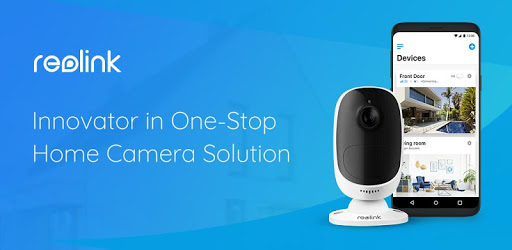
Reolink is an Android app developed and published by Reolink Digital Technology Co., Ltd. at Google Play Store on May 18, 2015 for Android users. Reolink is so popular that it has gained 6244164 installs so far and growing.
Welcome to the world of Reolink, where top-notch security meets user-friendly technology. Reolink is a highly regarded app that provides comprehensive surveillance solutions. With its vast array of features, it stands out as an excellent choice for anyone looking to keep their property secure.
One of the highlights of Reolink is its extensive set of features. From specifying the IP address of cameras to viewing live feeds, it ensures that you have complete control over your security. The app allows seamless camera management whether you're using it for home surveillance or monitoring a small office.
Reolink works well on various network types, although there may be occasional hiccups. Users can view their cameras over WiFi without a hitch. While there have been instances where mobile data connectivity posed a challenge, these issues seem to resolve over time. Whether connected to WiFi or mobile data, the primary goal remains the same: to provide uninterrupted access to your cameras.
What sets Reolink apart is its person detection feature, available on newer camera models. This advanced technology helps in accurately identifying human movements, reducing false alarms. While it might not be available on older cameras, it significantly enhances security by focusing on relevant activities.
Even though Reolink is packed with features, there’s always room for improvement. One suggested enhancement is the ability to receive snapshots or video clips when person detection alerts are triggered. This would allow users to quickly assess potential security threats without sifting through minutes of footage.
Reolink prides itself on providing a user-friendly experience. Alerts for detected movements and smooth camera access attest to its reliability. The app's ability to integrate with both window cameras and indoor surveillance systems shows its versatility. Additionally, improvement in push notifications has made accessing specific clips a breeze.
Reolink continually updates its app to ensure it meets users' needs. While occasional updates may introduce bugs, the support team is lauded for their diligent efforts in resolving issues promptly. This commitment to customer satisfaction helps maintain a high level of trust in the app’s capabilities.
Consistency is key in any surveillance system, and Reolink stands tall in this regard. Users report long-term satisfaction with the app and cameras performing flawlessly over extended periods. Any minor glitches, such as issues in playback quality or recording, are often resolved with quick fixes like adjusting settings or formatting storage media.
With Reolink, you can monitor your premises from anywhere. The app provides alerts whenever someone approaches, helping you stay informed about what's happening around your property. Improvements for specific devices, like compatibility with the inner screens of foldable phones, showcase Reolink’s dedication to enhancing user experience.
Reolink's ongoing development includes suggestions for playback speed options and better compatibility with camera modes on different devices. Their proactive approach to problem-solving and willingness to revert to older versions when necessary speaks volumes about their commitment to excellence.
Yes, you can run Reolink on PC, but first, you will need emulator software installed on your Windows or MAC, which you can download for free. In the below video, you will find Reolink in action. Before you install the emulator, check out the minimum and recommended system requirements to run it seamlessly. They may change depending on which version of the emulator you choose. Therefore, we recommend you download the latest version of the emulator. Below you will find three free Android emulators that we have shortlisted based on their popularity:
Up to date graphics drivers from Microsoft or the chipset vendor.
Storage: 1 GB available under installation path, 1.5GB available hard drive space
Internet: Broadband Internet connection
Regardless of which Android emulator you install, the steps to install, configure, and running the Reolink app on PC are the same.