Published by Zuuks Games
Updated January 30, 2024
Establish your bus company and become the largest bus corporation in the world ✅
| Version | 2.2.8 |
| Size | 1.6 GB |
| What's New | Bus Simulator : Ultimate- New buses have been added. Marcopolo Paradiso G8 1350 and Marcopolo Paradiso G8 1800. |
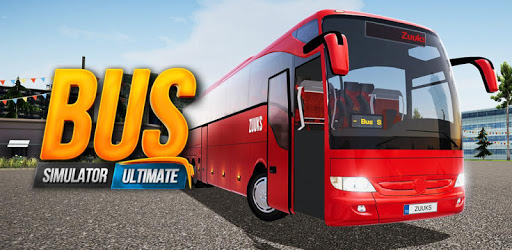
Bus Simulator : Ultimate is an Android app developed and published by Zuuks Games at Google Play Store on Jun 15, 2019 for Android users. Bus Simulator : Ultimate is so popular that it has gained 230022490 installs so far and growing.
Are you ready to embark on an exciting journey behind the wheel of a bus? Look no further than Bus Simulator: Ultimate, the ultimate bus driving game that will leave you captivated and craving for more. With its stunning HD resolution graphics and immersive gameplay, this game is truly a masterpiece in the world of mobile gaming.
One of the standout features of Bus Simulator: Ultimate is the wide variety of buses and routes available for you to explore. From iconic brands like Volvo, Setra, and Mercedes, to the beautifully updated interiors of each bus, you'll feel like a true professional driver as you navigate through different terrains and landscapes.
Whether you're conquering challenging hill and mountain routes or venturing off-road for a thrilling adventure, Bus Simulator: Ultimate offers a diverse range of updated topics and scenarios to keep you engaged and entertained.
Bus Simulator: Ultimate is designed for those who find the idea of driving a bus exhilarating. With its attention to detail and realistic gameplay mechanics, this game offers an immersive experience like no other. Feel the thrill of being in control as you navigate through traffic, pick up passengers, and follow realistic traffic rules.
And for those seeking an extra level of relaxation during their virtual trips, the developers have even considered adding a feature that allows you to connect your Bluetooth-enabled device to the bus radio, enhancing your driving experience with your favorite tunes.
While Bus Simulator: Ultimate offers an incredible gameplay experience, it's not without its challenges. From occasional lag issues to the starting bus selection, there are a few areas that could be improved. However, fear not, as there are solutions available. Simply adjust the graphics settings to medium to eliminate any lag and enjoy a smoother gaming experience.
Additionally, the developers have taken note of the feedback and are considering changing the starting bus to a Toyota Haice 2014, providing a refreshing change for players. They are also exploring the possibility of adding smaller buses to the game, giving players even more options to choose from.
No, an internet connection is required to play the career mode as the game incorporates ads. However, you can enjoy the game offline in other modes.
Unfortunately, Bus Simulator: Ultimate has not been launched in India yet. However, keep an eye out for any updates as the developers may expand its availability in the future.
While there are in-app purchases available, they are not necessary to enjoy the game fully. As for expensive buses, the game offers a wide range of options, allowing you to choose according to your preferences and budget.
So, what are you waiting for? Download Bus Simulator: Ultimate now and experience the thrill of being a bus driver like never before. Get ready to embark on an unforgettable journey and become the ultimate bus driving champion!
Yes, you can run Bus Simulator : Ultimate on PC, but first, you will need emulator software installed on your Windows or MAC, which you can download for free. In the below video, you will find Bus Simulator : Ultimate in action. Before you install the emulator, check out the minimum and recommended system requirements to run it seamlessly. They may change depending on which version of the emulator you choose. Therefore, we recommend you download the latest version of the emulator. Below you will find three free Android emulators that we have shortlisted based on their popularity:
Up to date graphics drivers from Microsoft or the chipset vendor.
Storage: 1 GB available under installation path, 1.5GB available hard drive space
Internet: Broadband Internet connection
Regardless of which Android emulator you install, the steps to install, configure, and running the Bus Simulator : Ultimate app on PC are the same.