Published by ZenaApps
Updated September 4, 2025
Use your phone normally while recording HD video in the background.
| Version | 1.2 |
| Size | 2.1 MB |
| What's New | We are making our customer support better. Visit http://zenaapps.com for:• Frequently asked questions• Download previous versions. |
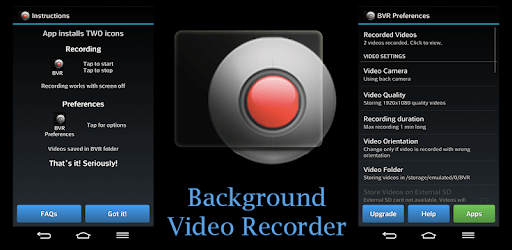
Background Video Recorder is an Android app developed and published by ZenaApps at Google Play Store on Feb 3, 2015 for Android users. Background Video Recorder is so popular that it has gained 1000000 installs so far and growing.
Background Video Recorder is an innovative app that allows users to record videos discreetly and efficiently without interruption. Designed to capture high-quality footage, the app can continue recording even when notifications or phone calls come in, making it a reliable tool for a variety of situations.
One of the standout features of Background Video Recorder is its ability to keep recording under different circumstances. Whether you're on a thrilling roller coaster ride or watching your favorite TV show, the app ensures that accidental touches won't disrupt the recording. This hands-free capability provides peace of mind and lets you focus on enjoying the moment.
Background Video Recorder shines by managing interruptions seamlessly. Unlike other apps that might stop recording when a notification or phone call occurs, this app continues to capture video. This feature sets it apart and makes it particularly useful for users who don't want to miss a moment of what they're recording.
The app is well-regarded for its excellent video and sound quality. Users can trust that their recordings will be clear and sharp, maintaining high standards in both visual and audio aspects. This is essential for those who use the app for important recordings like events or personal milestones. Despite its high performance, users have sometimes found the app makes a popping sound when touched, which could be improved for more discreet recording.
Though the app is generally robust, some have noted that an incoming phone call can still close the video recording. While this is a minor inconvenience, it’s worth noting for those who need continuous, uninterrupted recording. Giving careful consideration to these details can enhance user experience significantly.
One of the significant advantages of Background Video Recorder is its promise of unlimited recording time. Where other apps might claim unlimited recording yet restrict actual use to 10-30 minutes due to Android limitations, this app delivers on its promise. Users get to record as long as they choose, making it a top choice for those with extensive recording needs.
Background Video Recorder has been highlighted as particularly excellent for SAMSUNG users. Its compatibility with SAMSUNG devices ensures smooth functioning and optimal performance. This makes it a preferred choice for users of this brand looking for a reliable background recording app.
While Background Video Recorder excels in many areas, there's always room for improvement. Adding features like video trimming could elevate the app to an even higher standard. This enhancement would offer users a more comprehensive toolset, making it the absolute best in the market.
For those interested in purchasing, the app offers different access options, such as 24 hours of unlimited access and permanent unlimited access. These choices provide flexibility depending on the user's anticipated usage and preferences. This approach ensures that users can select the best option that fits their needs and budget.
Yes, you can run Background Video Recorder on PC, but first, you will need emulator software installed on your Windows or MAC, which you can download for free. In the below video, you will find Background Video Recorder in action. Before you install the emulator, check out the minimum and recommended system requirements to run it seamlessly. They may change depending on which version of the emulator you choose. Therefore, we recommend you download the latest version of the emulator. Below you will find three free Android emulators that we have shortlisted based on their popularity:
Up to date graphics drivers from Microsoft or the chipset vendor.
Storage: 1 GB available under installation path, 1.5GB available hard drive space
Internet: Broadband Internet connection
Regardless of which Android emulator you install, the steps to install, configure, and running the Background Video Recorder app on PC are the same.