Published by Appliqato
Updated November 16, 2025
The best way to record your phone calls.
| Version | 6.60.4-sam |
| Size | 22.5 MB |
| What's New | Minor bug fixes and improvements. Install or update to the newest version to check it out! |
Automatic Call Recorder is an Android app developed and published by Appliqato at Google Play Store on for Android users. Automatic Call Recorder is so popular that it has gained installs so far and growing.
Automatic Call Recorder is an essential tool that can bring many benefits to your life, both personally and professionally. Imagine being able to record every call effortlessly, ensuring that you never miss any important details from your conversations. This app is designed to meet various needs, from documenting conversations with professionals like doctors and pharmacists to gathering evidence in cases where accuracy is crucial.
One of the key strengths of Automatic Call Recorder is its reliability. Whether you're dealing with professionals who may misrepresent details or capturing crucial data in personal conversations, the app acts as a dependable backup. Having a recorded conversation at your fingertips can be invaluable. Simply play the recording to clear any misunderstandings, offering peace of mind and confidence in your interactions.
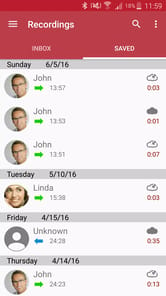
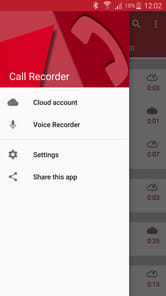
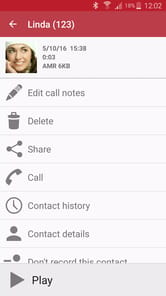
The interface of Automatic Call Recorder is straightforward and easy to use. The app launches with minimal effort, and you can start recording your calls in seconds. Users appreciate the simplicity of the design, which makes navigating through recorded calls hassle-free. For those who may not be tech-savvy, the app's intuitive controls are a huge plus.
The sound quality of recordings made with Automatic Call Recorder is particularly impressive. To make the most of this feature, it’s recommended to use the app while on speakerphone. This ensures that both parties' voices are captured clearly. If you notice the volume of recorded voices is low, simply adjust the volume on your phone, and you’ll find significant improvements.
Automatic Call Recorder works seamlessly on various devices, including those from Samsung and Motorola. Users have found that it continues to function well on newer models, even if there were some initial hiccups in compatibility with specific updates. For instance, some users have successfully used the app on their Samsung Galaxy devices by downloading it through alternative sources like the Samsung Galaxy Store, bypassing any restrictions from Google.
In certain areas or under specific updates, Google may impose limitations that impact call recording functionalities. However, Automatic Call Recorder developers have worked tirelessly to bypass these restrictions. By visiting the app’s official website and navigating to the Help Menu, you can find alternative download links that allow the app to function smoothly, irrespective of Google Play restrictions.
Accidentally deleted crucial recordings? While the app doesn't currently support file recovery, reaching out to the developers for support might offer temporary solutions. Users have been keen on additional functionalities such as the ability to recover deleted files, suggesting this as a desirable update for future versions.
For professionals who require recorded proof of conversations, Automatic Call Recorder can be a game-changer. Utilizing this app ensures that legally binding conversations are documented, allowing professionals to refer back to them when necessary. This capability is particularly useful in professions where detailed records are required for compliance or dispute resolution.
In summary, Automatic Call Recorder combines ease of use with high functionality, making it an indispensable tool for many. Its reliable recording capabilities and high-quality sound ensure that every conversation is documented clearly. Whether for personal security or professional needs, this app can play a vital role in keeping your conversations organized and transparent.
Yes, you can run Automatic Call Recorder on PC, but first, you will need emulator software installed on your Windows or MAC, which you can download for free. In the below video, you will find Automatic Call Recorder in action. Before you install the emulator, check out the minimum and recommended system requirements to run it seamlessly. They may change depending on which version of the emulator you choose. Therefore, we recommend you download the latest version of the emulator. Below you will find three free Android emulators that we have shortlisted based on their popularity:
Up to date graphics drivers from Microsoft or the chipset vendor.
Storage: 1 GB available under installation path, 1.5GB available hard drive space
Internet: Broadband Internet connection
Regardless of which Android emulator you install, the steps to install, configure, and running the Automatic Call Recorder app on PC are the same.


![[ROOT] Custom ROM Manager icon](https://cdn.desktoptwo.com/img/com.corphish.customrommanager.free-logo.png)