Published by SmartMob
Updated September 4, 2025
Easy to use sound recorder with skip silence. Ready for the moment.
| Version | 13.3 |
| Size | 4.8 MB |
| What's New | • Updated storage screen for more intuitive navigation• Updated translations and other under‑the‑hood improvements |
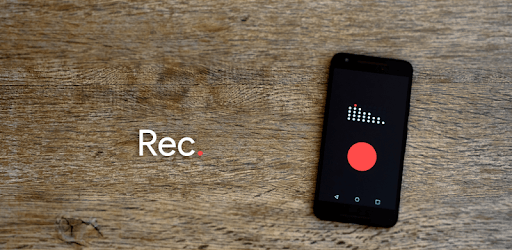
Smart Recorder – High-quality voice recorder is an Android app developed and published by SmartMob at Google Play Store on May 19, 2012 for Android users. Smart Recorder – High-quality voice recorder is so popular that it has gained 41801761 installs so far and growing.
Smart Recorder – High-quality voice recorder stands out as an exceptional application designed for anyone who needs to capture audio effortlessly. Whether you're a musician, student, business person, or someone who loves to keep voice memos, this recorder is built to meet your needs with remarkable ease and efficiency.
One of the most notable features of Smart Recorder is its simple, easy-to-use interface. There's no complicated setup or confusing buttons to navigate. You can start, pause, and stop recordings with just a few taps. The playback and delete functions are equally straightforward, making the whole experience seamless and enjoyable.
Sound quality is paramount for any voice recorder, and Smart Recorder does not disappoint. The app captures audio clearly, with little to no compression, ensuring that what you hear is natural and true to the original sound. The output levels are impressively consistent, delivering loud and clear recordings every time. The bass response is also notable, providing a depth to audio that enhances the overall listening experience.
Smart Recorder is versatile, suitable for various recording scenarios. Whether you're capturing song ideas, class lectures, business ideas, or even speaker notes at a conference, this app handles it all proficiently. It can be particularly beneficial for musicians who want to record band practices or scratch recordings at home. The depth and clarity of the recordings make it a great tool for gauging musical progress.
Another fantastic feature is the ability to record in the background. This means you can continue using your phone for other tasks while still capturing important audio. This feature is perfect for multitaskers who need to juggle several responsibilities but don't want to miss recording crucial information.
One of the joys of using Smart Recorder is the minimal intrusion from ads, making the user experience smooth and uninterrupted. The interface is clean, and the app operates without the constant interruptions that can be found in other free applications. This keeps the focus on what truly matters - capturing high-quality audio.
Smart Recorder offers some innovative features that set it apart from other voice recording apps. One standout feature is the silence skipping function. This allows the app to pause recording during moments of silence and resume once it detects sound again. This can be incredibly useful for recording conversations or personal notes, ensuring only the essential parts of audio are captured without unnecessary gaps.
Reliability is another area where Smart Recorder excels. It has proven to be consistent over time, working perfectly without any issues for many users over several years. This reliability builds confidence, knowing that you can depend on the app to function well whenever you need it.
While Smart Recorder is packed with useful features, a few enhancements could make it even more versatile. For instance, the ability to transform recordings into videos for easy sharing on social media platforms like Instagram and Twitter would be a valuable addition, especially for musicians and content creators.
Overall, Smart Recorder – High-quality voice recorder provides a seamless, reliable, and high-quality recording experience that caters to a wide range of users. Its user-friendly interface, excellent sound quality, and thoughtful features like background recording and silence skipping make it a standout choice for capturing audio effortlessly.
Yes, you can run Smart Recorder – High-quality voice recorder on PC, but first, you will need emulator software installed on your Windows or MAC, which you can download for free. In the below video, you will find Smart Recorder – High-quality voice recorder in action. Before you install the emulator, check out the minimum and recommended system requirements to run it seamlessly. They may change depending on which version of the emulator you choose. Therefore, we recommend you download the latest version of the emulator. Below you will find three free Android emulators that we have shortlisted based on their popularity:
Up to date graphics drivers from Microsoft or the chipset vendor.
Storage: 1 GB available under installation path, 1.5GB available hard drive space
Internet: Broadband Internet connection
Regardless of which Android emulator you install, the steps to install, configure, and running the Smart Recorder – High-quality voice recorder app on PC are the same.