Published by XIM Technologies, Inc.
Updated July 30, 2025
XIM APEX provides the highest precision mouse & keyboard experience on consoles.
| Version | 5.00.20230416 |
| Size | 25.1 MB |
| What's New | Minor bug fixes and improvements. Install or update to the newest version to check it out! |
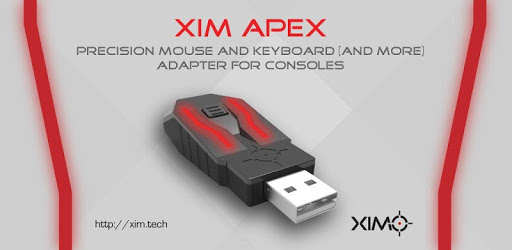
XIM APEX Manager is an Android app developed and published by XIM Technologies, Inc. at Google Play Store on Jan 10, 2018 for Android users. XIM APEX Manager is so popular that it has gained 292662 installs so far and growing.
Had this shh for 3 years. It slaps ignore the bad reviews they either bought it from someone not the official seller or are just not technology literate. Honestly, this is an amazing app. It offers a metric fu*k ton of games to choose from on most consoles. I do want to say though, I would love it if they could add Resident Evil 2 Remake and Dead by Daylight. If there is a dev reading this, please add Resident Evil 2 and DBD for Xbox and PS4.
Extensive Game Selection
The XIM APEX Manager boasts an impressive library of games to choose from on various consoles. Whether you're a fan of first-person shooters, RPGs, or sports games, this app has got you covered. With a wide range of options, you'll never run out of exciting games to play.
User-Friendly Interface
For first-time users, the XIM APEX Manager may seem a bit daunting. However, with a little patience and exploration, you'll quickly get the hang of it. The app is designed to be user-friendly, allowing you to easily navigate through its features and customize your gaming experience.
Continuous Updates
The developers behind the XIM APEX Manager are dedicated to providing the best gaming experience for their users. They regularly release firmware updates to ensure compatibility with the latest games and consoles. By keeping the app up to date, they guarantee that you'll always have access to the newest features and improvements.
Customization Options
One of the standout features of the XIM APEX Manager is its customization options. You can personalize your gaming setup by remapping buttons, adjusting sensitivity, and fine-tuning other settings to suit your preferences. This level of customization allows you to optimize your gameplay and gain a competitive edge.
Support and Community
If you encounter any issues or have questions about the app, the XIM APEX Manager has a dedicated support team ready to assist you. Additionally, there is a vibrant community of XIM users who are always willing to share their knowledge and provide helpful tips and tricks.
Improved Gaming Abilities
Many users have reported significant improvements in their gaming abilities after using the XIM APEX Manager. The app's seamless integration with consoles and its precise control mapping allow for a smoother and more accurate gaming experience. Whether you're a PC user looking to enhance your console gameplay or a console player seeking a competitive edge, this app is a game-changer.
Conclusion
The XIM APEX Manager is a revolutionary app that enhances your gaming experience by providing a wide selection of games, user-friendly interface, continuous updates, customization options, and a supportive community. Despite some initial learning curves, the app's features and performance make it a worthwhile investment for gamers of all levels. Don't hesitate to try out the XIM APEX Manager and take your gaming to the next level.
Yes, you can run XIM APEX Manager on PC, but first, you will need emulator software installed on your Windows or MAC, which you can download for free. In the below video, you will find XIM APEX Manager in action. Before you install the emulator, check out the minimum and recommended system requirements to run it seamlessly. They may change depending on which version of the emulator you choose. Therefore, we recommend you download the latest version of the emulator. Below you will find three free Android emulators that we have shortlisted based on their popularity:
Up to date graphics drivers from Microsoft or the chipset vendor.
Storage: 1 GB available under installation path, 1.5GB available hard drive space
Internet: Broadband Internet connection
Regardless of which Android emulator you install, the steps to install, configure, and running the XIM APEX Manager app on PC are the same.