Published by withwho
Updated October 1, 2025
Write words on photos & Save your emotions in photos
| Version | 3.6.3 |
| Size | 60.3 MB |
| What's New | Fixing text outline drawing bug |
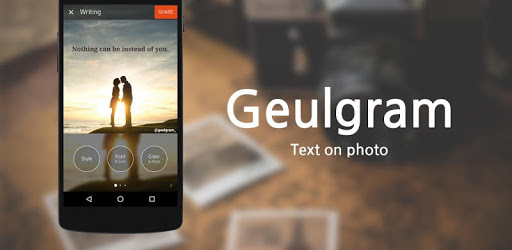
Geulgram - Text on Photo, quote maker is an Android app developed and published by withwho at Google Play Store on Oct 2, 2017 for Android users. Geulgram - Text on Photo, quote maker is so popular that it has gained 6106901 installs so far and growing.
Geulgram - Text on Photo, quote maker is transforming the way you create beautiful and meaningful text-based images. Whether you are a poet, writer, or simply someone who loves to add quotes to images, Geulgram offers an array of functionalities that cater to your needs.
Geulgram makes it easy to create stunning text on images. Users find it to be the perfect tool for crafting personalized album covers, inspirational quotes, and more. With various backgrounds and customization options, the possibilities are endless. You can also insert your own photos, giving each creation a personal touch.
One of the most praised aspects of Geulgram is its user-friendly interface. It is designed to be intuitive, making it accessible for everyone—regardless of your tech-savviness. The app's simplicity means you can focus more on your creative process rather than wasting time on complicated menus and settings.
Geulgram’s dedication to providing an excellent user experience extends to its approach to ads. The free version includes a tolerable amount of advertisements, ensuring that users can work almost uninterrupted. For many, the experience is satisfying enough to consider paying for the lifetime use, which is reasonably priced and ad-free.
For writers and poets, Geulgram feels like a dream come true. It allows you to download pictures, write your poetry or quotes, and save them directly within the app. It’s a seamless way to integrate text with visuals, enhancing the emotional impact of your words. Some users even use it to prepare their work for publication, finding it particularly helpful for new writers who may not have time or resources for extensive editing.
Geulgram enables you to fully customize your creations. From choosing different fonts to selecting unlimited background options, you have the flexibility to make each image truly your own. While the app currently doesn’t support multiple fonts on a single image, it is rich in other features that keep users satisfied.
Managing your projects and settings is straightforward. However, it’s important to note that currently, there are limited options for transferring data when switching devices. Despite this, the app ensures your projects are safe and easily accessible on your primary device.
Geulgram continues to evolve, promising users exciting updates and features in the future. While some changes may take getting used to, the core functionality and ease of use remain steadfast, making it a reliable companion for all writers and creators.
In sum, Geulgram - Text on Photo, quote maker is a versatile and user-friendly app that excels in helping users create exquisite text-based images. Its features, ease of use, and reasonable pricing make it a top choice for anyone looking to enhance their creative expressions.
Yes, you can run Geulgram - Text on Photo, quote maker on PC, but first, you will need emulator software installed on your Windows or MAC, which you can download for free. In the below video, you will find Geulgram - Text on Photo, quote maker in action. Before you install the emulator, check out the minimum and recommended system requirements to run it seamlessly. They may change depending on which version of the emulator you choose. Therefore, we recommend you download the latest version of the emulator. Below you will find three free Android emulators that we have shortlisted based on their popularity:
Up to date graphics drivers from Microsoft or the chipset vendor.
Storage: 1 GB available under installation path, 1.5GB available hard drive space
Internet: Broadband Internet connection
Regardless of which Android emulator you install, the steps to install, configure, and running the Geulgram - Text on Photo, quote maker app on PC are the same.