LEGO® Star Wars™: TFA for PC

LEGO® Star Wars™: TFA for PC

Published by Warner Bros. International Enterprises

Updated April 20, 2026

Relive the galaxy's greatest adventure in LEGO® Star Wars™: The Force Awakens™!
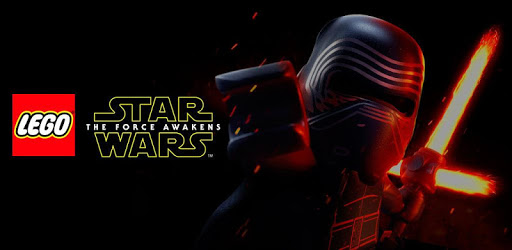
LEGO® Star Wars™: TFA Screenshots

LEGO® Star Wars™: TFA PC screenshot

About LEGO® Star Wars™: TFA For PC

LEGO® Star Wars™: TFA is an Android app developed and published by Warner Bros. International Enterprises at Google Play Store on Jul 27, 2016 for Android users. LEGO® Star Wars™: TFA is so popular that it has gained 5000000 installs so far and growing.

LEGO® Star Wars™: TFA - A Thrilling Adventure in a Galaxy Far, Far Away

Embark on an epic journey through the Star Wars universe with LEGO® Star Wars™: TFA. This action-packed game offers a wonderful experience for fans of both LEGO and Star Wars, combining adventure, drama, and fun in one immersive package. Dive into a galaxy far, far away and join the iconic characters in their quest to save the universe.

An Immersive Gameplay Experience

LEGO® Star Wars™: TFA delivers an unforgettable gameplay experience that will keep you hooked for hours on end. The game features a captivating storyline that follows the events of the Star Wars: The Force Awakens movie, allowing you to relive the epic moments and embark on thrilling missions. From battling stormtroopers to piloting iconic starships, every moment is filled with excitement and adventure.

One of the highlights of the game is the vast selection of characters you can play as. Collect and unlock over 200 unique characters from the Star Wars universe, including fan favorites like Luke Skywalker, Han Solo, and Darth Vader. Each character has their own special abilities and skills, adding depth and variety to the gameplay.

A Visual Spectacle

Step into a visually stunning world with LEGO® Star Wars™: TFA. The game boasts impressive 3D graphics that bring the Star Wars universe to life on your mobile device. From the intricate details of the characters to the breathtaking landscapes, every aspect of the game is meticulously designed to provide an immersive and visually pleasing experience.

Overcoming Challenges and Unleashing Creativity

LEGO® Star Wars™: TFA offers more than just gameplay. It encourages creativity and problem-solving through its unique building mechanics. Construct and customize your own vehicles and starships using LEGO bricks, and use them to overcome obstacles and defeat enemies. The possibilities are endless, allowing you to unleash your imagination and create your own unique adventures within the Star Wars universe.

Frequently Asked Questions

1. How do I fix the shop screen freezing issue?

If you're experiencing issues with the shop screen freezing, try restarting the game or clearing the cache on your device. If the problem persists, consider updating the game to the latest version or reaching out to the game's support team for further assistance.

2. Can I download additional files for the game?

Yes, you can download additional files for LEGO® Star Wars™: TFA. To do so, check for any available updates within the game or visit the official app store for your device to see if there are any downloadable content packs. Follow the prompts to download and install the additional files.

3. How can I download the additional file if I'm having trouble?

If you're having trouble downloading the additional file, make sure you have a stable internet connection and sufficient storage space on your device. If the issue persists, try restarting your device and attempting the download again. If you still encounter difficulties, consider contacting the game's support team for further assistance.

LEGO® Star Wars™: TFA is a must-play for fans of both LEGO and Star Wars. With its thrilling gameplay, captivating storyline, and stunning visuals, it offers an unforgettable adventure in a galaxy far, far away. Download the game now and join the fight against the dark side!

Can I run LEGO® Star Wars™: TFA on PC?

Yes, you can run LEGO® Star Wars™: TFA on PC, but first, you will need emulator software installed on your Windows or MAC, which you can download for free. In the below video, you will find LEGO® Star Wars™: TFA in action. Before you install the emulator, check out the minimum and recommended system requirements to run it seamlessly. They may change depending on which version of the emulator you choose. Therefore, we recommend you download the latest version of the emulator. Below you will find three free Android emulators that we have shortlisted based on their popularity:

How to Install LEGO® Star Wars™: TFA on Windows PC

BlueStacks

Minimum
  • OS: Microsoft Windows 7 and above.
  • Processor: Intel or AMD Processor.
  • RAM: Your PC must have at least 4GB of RAM. (Note that having 4GB or more disk space is not a substitute for RAM)
  • Storage: 5GB Free Disk Space.
  • You must be an Administrator on your PC.
Recommended:
  • OS: Microsoft Windows 10
  • Processor: Intel or AMD Multi-Core Processor with Single Thread benchmark score > 1000.
  • Graphics: Intel/Nvidia/ATI, Onboard or Discrete controller with benchmark score >= 750.
  • Please ensure Virtualization is enabled on your PC/Laptop.
  • RAM: 8GB or higher
  • Storage: SSD (or Fusion/Hybrid Drives)
  • Internet: Broadband connection to access games, accounts and related content.

Up to date graphics drivers from Microsoft or the chipset vendor.

  • To start with, download Bluestacks from its official website. The latest version of BluesStacks is v 5, and it is around 400 MB.
  • Once the download is done, click on the Bluestacks set up file to install it on your Windows PC. Follow the on-screen instructions and install it accordingly.
  • The next step is to launch the emulator using the desktop shortcut and sign in using your Google account.
  • Now, head over to Bluestacks home screen and click on the Google Play Store icon.
  • Hit the search bar in Google Play and search for LEGO® Star Wars™: TFA.
  • Install LEGO® Star Wars™: TFA from the Play Store by clicking the Install option, which completes downloading of LEGO® Star Wars™: TFA on PC.

NoxPlayer

Minimum
  • Operating System: Windows XP SP3, Windows Vista, Windows 7, Windows 8, Windows 10, and DirectX 9.0c
  • Processor: At least dual-core processor, both Intel, and AMD are OK
  • Video: Supports Open GL 2.0 or above
  • Memory: 1.5 GB RAM
Recommended
  • Operating System: Windows 7, Windows 8, Windows 10
  • Processor: Multiple core processors which support VT-x or AMB-V Virtualization Technology, better performance with this function enabled
  • Video: The higher performance, the better
  • Memory: 4 GB RAM

Storage: 1 GB available under installation path, 1.5GB available hard drive space

Internet: Broadband Internet connection

  • Download NoxPlayer from the official website. The latest version of NoxPlayer is v 3, and it is around 600 MB.
  • Now install the emulator using the downloaded setup file. Just go through the on-screen instructions and install NoxPlayer on your computer or laptop.
  • After the installation process, launch the Nox Android emulator and log in using your Google account when it asks you.
  • Click on the Google Play Store icon and head over to the search bar to search LEGO® Star Wars™: TFA. Once found, click on the Install button to install LEGO® Star Wars™: TFA for PC.
  • If you do not find LEGO® Star Wars™: TFA on Google Play Store or if you want to skip logging in to Google, you can sideload APK (download the .APK file from this page and open it with NoxPlayer).
  • Launch LEGO® Star Wars™: TFA from home-screen and start playing it on PC right away!

MEmu

Minimum
  • 2 cores x86/x86_64 Processor (Intel or AMD CPU)
  • WinXP SP3 / Win7 / Win8 / Win10 (Not recommended to run on Server/Enterprise)
  • Latest Windows DirectX 11 / Graphics driver with OpenGL 2.0
  • Hardware Virtualization Technology (Intel VT-x/AMD-V) shall be enabled in BIOS
  • 2GB of RAM (4GB for x64 system)
  • 5GB of hard disk free space
Recommended
  • OS: Microsoft Windows 10 with VT Enabled
  • CPU: Single Thread PassMark score > 1500 (Intel/AMD Multi-Core).
  • Graphics: Intel/Nvidia/ATI, Onboard or Discrete controller with PassMark score > 750.
  • Latest Windows DirectX 11 / Graphics driver with OpenGL 4.5 or higher
  • RAM: 8GB or higher
  • HDD: SSD, 10GB of hard disk free space
  • Internet: Broadband connection with low latency for FPS games
  • Download MEmu Play from the official website. The latest version of NoxPlayer is v 7.5.
  • When the download is completed, install the MEmu emulator on your PC. Follow the on-screen instructions and keep on clicking the Next button until the final step.
  • Now, using the desktop shortcut, look for the MEmu Play emulator and launch it. Once done, it will ask you to log in using your Google account, proceed with the same.
  • MEmu Play will ask you to log in using your Google account. When you log in, it will sync your Google account to MEmu Play. Launch the Google Play Store by clicking on the icon and search for LEGO® Star Wars™: TFA.
  • Click on the Install button once you find LEGO® Star Wars™: TFA from the search results. You can also sideload APK (download the .APK file from this page and open it with MEmu) if you want to skip above step.
  • After the installation of LEGO® Star Wars™: TFA, you're all set to use the app on PC!

Regardless of which Android emulator you install, the steps to install, configure, and running the LEGO® Star Wars™: TFA app on PC are the same.

Download LEGO® Star Wars™: TFA For PC