Published by Cheetah Mobile
💯Get Antivirus+Junk Cleaner+Speed Booster+Game Master+Wi-Fi Protector here!
| Version | 9.4.9 |
| Size | 21.7 MB |
| What's New | Minor bug fixes and improvements. Install or update to the newest version to check it out! |
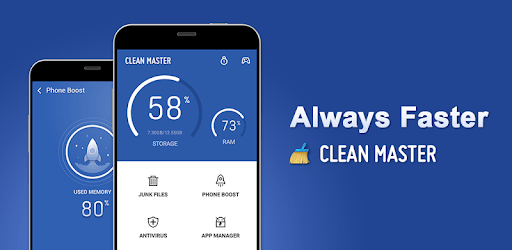
Clean Master - Antivirus, Cleaner & Booster is an Android app developed and published by Cheetah Mobile at Google Play Store on Sep 7, 2012 for Android users. Clean Master - Antivirus, Cleaner & Booster is so popular that it has gained 1000000000 installs so far and growing.
Clean Master - Antivirus, Cleaner & Booster is a multifunctional app designed to optimize your phone’s efficiency. With an extensive toolbox that includes virus scanning, data cleaning, and performance boosting features, this app ensures your device runs smoothly, even if it’s older.
One of the standout features of Clean Master is its ability to clear cache and junk files efficiently. It automatically scans and removes unwanted data that clutters your phone, freeing up crucial space. This is particularly useful for old devices with limited storage capacity that tend to get sluggish over time.
The app’s RAM cleaner effectively identifies and removes unnecessary data consuming your device's memory. Doing so, helps in boosting the overall speed and performance of your phone, making it feel like new again.
Have you ever deleted photos or apps but still found your storage full? Clean Master helps to locate these “hidden” files and permanently remove them, providing you with a more accurate representation of your remaining storage. This feature is especially beneficial for users who have trouble figuring out how to clean up these hidden files manually.
If you're a gamer, you'll appreciate the Game Booster feature. It optimizes your device for gaming by prioritizing resources for the game you are playing. This means smoother game play and quicker load times, even on older devices.
Clean Master also helps in cooling down your device if it becomes overheated, which is a common issue for many older smartphones. Using this feature helps prolong your phone's lifespan and ensures it operates at optimal performance levels.
The interface of Clean Master is incredibly user-friendly and easy to navigate, even for those who are not tech-savvy. It has a smooth, uncomplicated design that makes it easy to access and use all the features without getting confused.
The app comes with built-in antivirus protection that keeps your device free from harmful viruses and malware. This ensures that your device remains safe and secure while providing a fast and efficient tool for daily use.
Clean Master includes a battery saver to put running apps into rest mode, extending battery life. Though user experiences may vary, the feature generally helps in monitoring and managing background applications.
Unlike other apps that bombard you with ads, Clean Master is relatively ad-light. This makes for a more pleasant user experience without frequent interruptions, allowing you to focus on the task at hand.
Clean Master is a one-stop solution for all your device cleaning and boosting needs. Whether your device is old and sluggish or you simply want to ensure it remains in top condition, Clean Master provides the necessary tools for an optimized user experience.
From desktops and tablets to various phones, Clean Master is compatible with all sorts of devices. This versatility makes it a superb choice for those who use multiple devices regularly.
With its plethora of features and user-friendly design, Clean Master receives rave points for functionality, efficiency, and reliability. Whether it’s cleaning, boosting, or securing your device, Clean Master is a standout performer.
Yes, you can run Clean Master - Antivirus, Cleaner & Booster on PC, but first, you will need emulator software installed on your Windows or MAC, which you can download for free. In the below video, you will find Clean Master - Antivirus, Cleaner & Booster in action. Before you install the emulator, check out the minimum and recommended system requirements to run it seamlessly. They may change depending on which version of the emulator you choose. Therefore, we recommend you download the latest version of the emulator. Below you will find three free Android emulators that we have shortlisted based on their popularity:
Up to date graphics drivers from Microsoft or the chipset vendor.
Storage: 1 GB available under installation path, 1.5GB available hard drive space
Internet: Broadband Internet connection
Regardless of which Android emulator you install, the steps to install, configure, and running the Clean Master - Antivirus, Cleaner & Booster app on PC are the same.