
Published by Zalo Group
Updated August 14, 2025
Vietnamese keyboard with Telex, VNI. Lots of themes. Go Tieng Viet integrated.
| Version | 25.10.01 |
| Size | 22.5 MB |
| What's New | [Cải thiện] Cải thiện chiều cao bàn phím trên thiết bị màn hình lớn.[Mới] Cài đặt tách bàn phím tự động theo kích thước màn hình. |
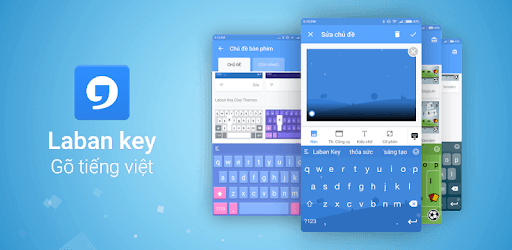
Laban Key Go Tieng Viet is an Android app developed and published by Zalo Group at Google Play Store on Sep 8, 2013 for Android users. Laban Key Go Tieng Viet is so popular that it has gained 50962441 installs so far and growing.
Laban Key Go Tieng Viet is making waves as one of the most efficient and user-friendly keyboards available. Whether you're an avid typist or someone who needs support for multiple languages, this keyboard has features to make your typing experience smoother and more enjoyable.
One standout feature of Laban Key Go Tieng Viet is its seamless language switching. Instead of pressing buttons to change languages, a simple slide gesture makes it easy and convenient. This can be particularly useful if you type quickly and don't want to be interrupted by sudden language switches. Many users find that this feature simplifies their typing experience, making it feel more natural.
Do you love customizing your gadgets? Laban Key Go Tieng Viet offers a range of keyboard themes to choose from, including animations, anime characters, and even K-pop idols. Having multiple beautiful and fun designs makes typing an engaging activity rather than just a mundane task. You'll not only enjoy the look of your keyboard but also find it fitting your style perfectly.
Auto-correction can be a hit or miss with many keyboard apps, but Laban Key Go Tieng Viet stands out for its accuracy. If you're someone who doesn't often use auto-correction, you'll still find that this keyboard provides the right balance. It corrects only when necessary, ensuring that your fast typing does not get interrupted with unwanted changes.
Laban Key Go Tieng Viet also brings its own speech-to-text engine, which is especially adept at recognizing punctuation marks. This feature enhances its utility, especially for users who prefer dictating their text rather than typing it. Although the current version on some devices uses Google's engine, a future update may bring back this unique feature on newer Android versions, adding another layer of convenience for the users.
If you frequently switch between English and Vietnamese while typing, Laban Key Go Tieng Viet makes the transition smoother. Words typed in English get automatically recognized, so you don't have to worry about unnecessary accent marks getting added. This is particularly useful for those who juggle between multiple languages for personal or professional use.
Laban Key Go Tieng Viet allows you to set frequently used words or phrases to show up as suggestions, making your typing more efficient. Imagine always having your favorite phrases just a tap away, helping you type quicker and more accurately. This customization option can drastically speed up your typing and let you focus on your content rather than fiddling with the keyboard.
Ads can be extremely annoying, especially when they pop up while you're in the middle of typing something important. With Laban Key Go Tieng Viet, you won't have to worry about unwanted ads disrupting your flow. This ad-free experience makes it one of the best keyboard apps available.
Like any good app, Laban Key Go Tieng Viet is constantly evolving. Users can expect future updates to include additional language support and improvement in existing features. Whether it's adding Arabic language support or enhancing the keyboard’s functionality on newer Android versions, the developers are always looking to make this keyboard even better.
Overall, Laban Key Go Tieng Viet stands out for its ease of use, customization options, and efficient features. If you're looking for a versatile and intuitive keyboard that can handle multiple languages with ease, this is one app you'll want to give a try.
Yes, you can run Laban Key Go Tieng Viet on PC, but first, you will need emulator software installed on your Windows or MAC, which you can download for free. In the below video, you will find Laban Key Go Tieng Viet in action. Before you install the emulator, check out the minimum and recommended system requirements to run it seamlessly. They may change depending on which version of the emulator you choose. Therefore, we recommend you download the latest version of the emulator. Below you will find three free Android emulators that we have shortlisted based on their popularity:
Up to date graphics drivers from Microsoft or the chipset vendor.
Storage: 1 GB available under installation path, 1.5GB available hard drive space
Internet: Broadband Internet connection
Regardless of which Android emulator you install, the steps to install, configure, and running the Laban Key Go Tieng Viet app on PC are the same.