
Published by Cốc Cốc
Updated October 18, 2026
Surf the web faster on Android with the official Cốc Cốc Browser.
| Version | 149.0.219 |
| Size | 225.2 MB |
| What's New | Minor bug fixes and improvements. Install or update to the newest version to check it out! |
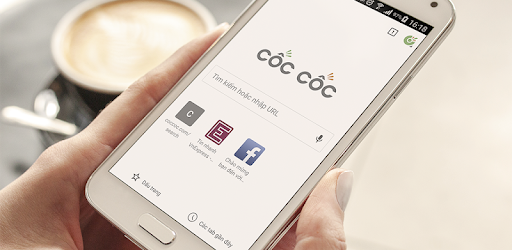
Cốc Cốc Browser is an Android app developed and published by Cốc Cốc at Google Play Store on Jan 28, 2016 for Android users. Cốc Cốc Browser is so popular that it has gained 25104429 installs so far and growing.
When it comes to browsing the internet, having a reliable and secure browser is essential. That's where Cốc Cốc Browser comes in. This browser has gained popularity among users for its exceptional features and top-notch performance. Let's dive into what makes Cốc Cốc Browser the best choice for your browsing needs.
One of the standout features of Cốc Cốc Browser is its commitment to user safety. With this browser, you can browse the internet with peace of mind, knowing that it blocks all the ads and doesn't open unsecure websites. Say goodbye to annoying pop-ups and potential security threats. Cốc Cốc Browser has got you covered.
Speed is of the essence when it comes to browsing the web. Cốc Cốc Browser understands this and delivers lightning-fast browsing experience. Whether you're streaming videos, scrolling through social media, or conducting research, you can expect quick page load times and smooth navigation. Say goodbye to frustrating lag and buffering.
Cốc Cốc Browser goes above and beyond to provide users with a seamless browsing experience. With features like bookmarking, you can easily save your favorite websites for quick access. Additionally, the browser offers a user-friendly interface that is easy to navigate, making it suitable for users of all ages and technical abilities.
Unfortunately, the option to change the language of the news feed on the homepage is not available at the moment. However, the developers are constantly working on improving the browser, so it's possible that this feature may be added in future updates.
Currently, Cốc Cốc Browser does not have a built-in read aloud function for web pages. However, you can utilize external tools like Google Assistant to have web pages read aloud to you. This can be a helpful feature for those who prefer audio content or have visual impairments.
In conclusion, Cốc Cốc Browser is a top-notch browser that offers safe and fast browsing. With its ad-blocking capabilities, lightning-fast speed, and convenient features, it's no wonder that users are raving about it. Give Cốc Cốc Browser a try today and experience the best browsing experience for yourself.
Yes, you can run Cốc Cốc Browser on PC, but first, you will need emulator software installed on your Windows or MAC, which you can download for free. In the below video, you will find Cốc Cốc Browser in action. Before you install the emulator, check out the minimum and recommended system requirements to run it seamlessly. They may change depending on which version of the emulator you choose. Therefore, we recommend you download the latest version of the emulator. Below you will find three free Android emulators that we have shortlisted based on their popularity:
Up to date graphics drivers from Microsoft or the chipset vendor.
Storage: 1 GB available under installation path, 1.5GB available hard drive space
Internet: Broadband Internet connection
Regardless of which Android emulator you install, the steps to install, configure, and running the Cốc Cốc Browser app on PC are the same.