
Published by Viz Media
VIZ Manga – Direct from Japan
| Version | 4.12.1 |
| Size | 8.7 MB |
| What's New | Bug fixes and stability improvements |
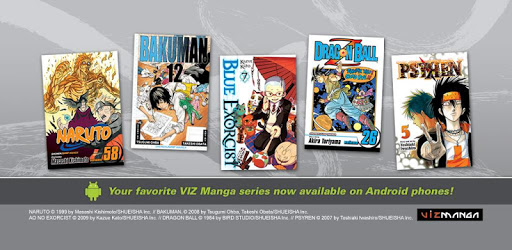
VIZ Manga – Direct from Japan is an Android app developed and published by Viz Media at Google Play Store on Jul 10, 2012 for Android users. VIZ Manga – Direct from Japan is so popular that it has gained 1344624 installs so far and growing.
Are you a manga enthusiast looking for a convenient and affordable way to dive into the captivating world of Japanese comics? Look no further than VIZ Manga – Direct from Japan, the ultimate app that brings you a vast collection of manga titles right at your fingertips. With its user-friendly interface, extensive catalog, and budget-friendly subscription plans, VIZ Manga is the go-to platform for manga fans around the globe.
VIZ Manga offers an impressive library of manga titles, ensuring that there's something for every reader's taste. From popular series like Dragon Ball Z, Naruto, and One Piece to hidden gems and classics like Maison Ikkoku, the app caters to a wide range of preferences. Whether you're into action-packed adventures, heartwarming romances, or thrilling mysteries, VIZ Manga has got you covered.
One of the standout features of VIZ Manga is its commitment to providing a comprehensive collection. Unlike other platforms, VIZ Manga doesn't limit the availability of series or volumes through its subscription service. This means you'll have access to all the manga titles in their catalog, including those exclusive to the Shonen Jump app. Say goodbye to confusion and hello to a seamless reading experience.
One of the biggest advantages of VIZ Manga is its incredibly affordable subscription pricing. For just $1.99 per month, you gain unlimited access to thousands of manga titles, making it a steal for manga enthusiasts. No more worrying about breaking the bank to satisfy your manga cravings.
But that's not all! VIZ Manga also offers a special bundle deal for manga fans who want even more content. By subscribing to both VIZ Manga and Shonen Jump for just $5, you'll unlock an even larger selection of manga, including iconic series like Dragon Ball Super and Boruto.
Reading manga on VIZ Manga is a breeze. The app's scrolling and chapter navigation features work flawlessly, allowing you to immerse yourself in the story without any interruptions. While the zoom function may be a bit clunky, it doesn't hinder the overall reading experience.
One feature that sets VIZ Manga apart is the ability to switch between the Japanese and English versions of manga. This feature not only caters to language learners but also adds an extra layer of enjoyment for those looking to improve their Japanese skills. With easy access to translations, understanding complex phrases becomes a breeze.
When it comes to user experience, VIZ Manga excels in providing a seamless and enjoyable platform. The app's interface is user-friendly, making it easy to navigate and find your favorite manga titles. While some users have mentioned that the category placement can be slightly confusing, it's a minor inconvenience that doesn't overshadow the overall positive experience.
Furthermore, VIZ Manga's pricing model has received high praise from users. The transparent and fair pricing structure sets it apart from other platforms that rely on convoluted token programs. With VIZ Manga, you know exactly what you're getting and at a price that won't break the bank.
VIZ Manga offers a diverse range of manga titles, including popular series like Dragon Ball Z, Naruto, and One Piece, as well as hidden gems and classics like Maison Ikkoku. Their extensive catalog ensures there's something for every manga enthusiast.
VIZ Manga offers a subscription plan for just $1.99 per month, providing unlimited access to thousands of manga titles. For an even larger selection, you can subscribe to both VIZ Manga and Shonen Jump for just $5.
Yes, VIZ Manga allows you to switch between the Japanese and English versions of manga. This feature is not only beneficial for language learners but also adds an extra layer of enjoyment for those looking to improve their Japanese skills.
Absolutely! VIZ Manga provides a user-friendly interface that makes it easy to navigate and find your favorite manga titles. While some users have mentioned minor confusion with category placement, it doesn't detract from the overall positive user experience.
VIZ Manga's pricing is highly competitive and transparent. For just $1.99 per month, you gain unlimited access to thousands of manga titles, making it an affordable option for manga fans. Unlike other platforms with confusing token programs, VIZ Manga offers a straightforward and fair pricing structure.
Experience the world of manga like never before with VIZ Manga – Direct from Japan. Immerse yourself in captivating stories, explore diverse genres, and enjoy an affordable and seamless reading experience. Join the manga revolution and start your manga journey with VIZ Manga today!
Yes, you can run VIZ Manga – Direct from Japan on PC, but first, you will need emulator software installed on your Windows or MAC, which you can download for free. In the below video, you will find VIZ Manga – Direct from Japan in action. Before you install the emulator, check out the minimum and recommended system requirements to run it seamlessly. They may change depending on which version of the emulator you choose. Therefore, we recommend you download the latest version of the emulator. Below you will find three free Android emulators that we have shortlisted based on their popularity:
Up to date graphics drivers from Microsoft or the chipset vendor.
Storage: 1 GB available under installation path, 1.5GB available hard drive space
Internet: Broadband Internet connection
Regardless of which Android emulator you install, the steps to install, configure, and running the VIZ Manga – Direct from Japan app on PC are the same.