Published by Flipgrid.
Updated April 2, 2026
The leading video discussion platform for PreK to PhD students and educators.
| Version | 13.7.5 |
| Size | 165.3 MB |
| What's New | Say hello to the latest version of Flip. Included in this release:• Use Flip in French, German, Italian & Dutch - if your device's language preference is set to either of these languages this new version of Flip will show it!• Assignment inspiration: With age-appropriate topic suggestions in newly created groups, getting inspiration for your next assignment is easier than ever.Plus, other small bug fixes and improvements to keep the app running smoothly. |
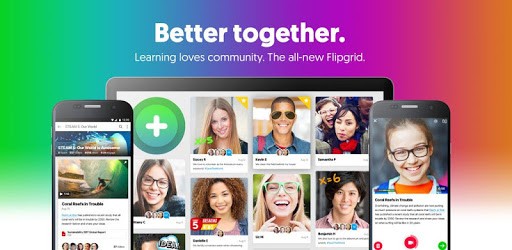
Flipgrid is an Android app developed and published by Flipgrid. at Google Play Store on Oct 20, 2015 for Android users. Flipgrid is so popular that it has gained 100000 installs so far and growing.
Flipgrid is a dynamic learning platform that allows students to express their creativity through video recordings. It's designed to be engaging and user-friendly, making it an excellent tool for both kids and teachers. With various features to make learning more interactive and fun, it has become a popular choice in educational settings.
Teachers and parents can set up different subjects for students to create videos on. This feature makes it easy to assign homework or projects. Whether it's for a school assignment or a fun activity at home, students can easily make videos on topics ranging from science experiments to book reviews.
One of the standout features of Flipgrid is its array of fun and cool filters. These filters make the video-making process more enjoyable for children. Kids can use stickers, emojis, and different effects to add a unique touch to their videos. The filters not only make the videos more entertaining but also stimulate creativity and imagination.
Flipgrid helps in enhancing the cognitive abilities of children. By creating videos, kids can improve their communication skills, learn new information, and express their thoughts clearly. The app provides a platform for children to grow smarter and more confident in sharing their ideas.
Navigating through Flipgrid is straightforward, making it accessible even for younger users. Recording a video is simple, and adding extra clips to videos is hassle-free. The app's user-friendly design ensures that children can quickly get the hang of it and start making videos with minimal guidance.
Flipgrid is highly flexible when it comes to recording and editing videos. You can record any type of video, whether it's for school or personal use. The app also allows you to insert clips, change effects, and even add frames to your videos. Although some users have found video editing navigation a bit tricky at first, it generally becomes easier with practice.
Flipgrid has proven to be an excellent tool for online classes, especially in the current educational landscape. Teachers can use it for class introductions, project submissions, and even social distancing activities. Students can create videos to present their projects, record themselves playing musical instruments, or demonstrate experiments. The possibilities are endless, making it a versatile tool for various educational purposes.
Flipgrid ensures smooth performance with minimal glitches or lag, making it a reliable app for regular use. However, some users have noted occasional errors while creating videos. Despite minor issues, the overall functionality and ease of use make Flipgrid a favored choice for many schools and educational institutions.
One of the most valuable aspects of Flipgrid is offering children a platform to express their thoughts freely through videos. This free space allows kids to share their opinions, experiences, and knowledge with others. It's a wonderful way to help children develop their communication skills and build confidence.
Flipgrid can be used on various devices, including computers and mobile phones. It comes in handy, especially when other devices fail to work. For instance, if a computer's audio isn't working, students can easily switch to Flipgrid to record their audio, ensuring that important projects are submitted on time.
Flipgrid combines learning with fun, making it a favorite among students and educators alike. Its wide range of features, ease of use, and reliable performance make it an excellent tool for educational and personal video projects. Students can enjoy making videos while learning and expressing their creativity, making Flipgrid an invaluable addition to any classroom or home.
By offering a platform that fosters creativity and learning, Flipgrid stands out as a great app that caters to the educational needs of students while keeping them engaged and entertained.
Yes, you can run Flipgrid on PC, but first, you will need emulator software installed on your Windows or MAC, which you can download for free. In the below video, you will find Flipgrid in action. Before you install the emulator, check out the minimum and recommended system requirements to run it seamlessly. They may change depending on which version of the emulator you choose. Therefore, we recommend you download the latest version of the emulator. Below you will find three free Android emulators that we have shortlisted based on their popularity:
Up to date graphics drivers from Microsoft or the chipset vendor.
Storage: 1 GB available under installation path, 1.5GB available hard drive space
Internet: Broadband Internet connection
Regardless of which Android emulator you install, the steps to install, configure, and running the Flipgrid app on PC are the same.