Published by Hi Mama Inc.
Updated March 20, 2026
The all-in-one childcare app for happy parents, teachers and directors!
| Version | 7.0.4 |
| Size | 42.2 MB |
| What's New | Thanks for using Lillio!This version contains the following updates:Bug fixesPerformance improvements |
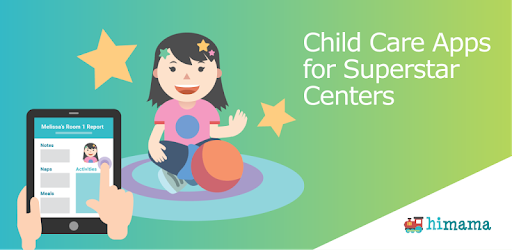
HiMama – The Childcare App is an Android app developed and published by Hi Mama Inc. at Google Play Store on Mar 2, 2015 for Android users. HiMama – The Childcare App is so popular that it has gained 668015 installs so far and growing.
Being a parent is a beautiful journey filled with joy, love, and the desire to always be there for your child. However, with the demands of work and other responsibilities, it's not always possible to physically be with your little one throughout the day. That's where HiMama – The Childcare App comes in, providing a seamless way for parents to stay connected and informed about their child's activities in daycare.
With HiMama, parents can easily check in on their child throughout the day, giving them peace of mind and a sense of involvement in their child's daily routine. This app is particularly helpful for first-time parents who may be experiencing separation anxiety or simply want to stay updated on their child's well-being.
One of the standout features of HiMama is its ability to keep parents up to date with their kid's activities throughout the day. Whether it's nap time, snack time, or playtime, you can easily access this information with just a few taps on your smartphone. No more wondering what your child is up to or feeling left out of their daily adventures.
Moreover, HiMama allows you to download pictures and videos of your child, creating a beautiful digital memory album that you can cherish for years to come. It's like having a window into your child's world, even when you can't physically be there.
When it comes to childcare, it's essential to find a place where your child feels loved, cared for, and treated like family. HiMama has received rave reviews from parents who appreciate how the daycare teachers, director, and owner treat their little ones as if they were their own. As a parent, there's nothing more comforting than knowing your child is in good hands.
One parent expressed their gratitude towards Team Tickels, a daycare that uses HiMama, for keeping them up to date with their daughter's activities. They also mentioned how they would love to have HiPapa, indicating that both moms and dads can benefit from this incredible app.
For parents who have children with allergies or specific dietary needs, HiMama offers a convenient way to keep track of food intake. You can easily monitor what your child is eating and ensure they are receiving the necessary nutrition while at daycare. However, some parents mentioned that they would appreciate a feature to track liquid intake as well.
Another fantastic aspect of HiMama is the ability to communicate with other parents and the daycare staff. You can easily share photos, messages, and updates about your child's day, fostering a sense of community and connection among parents and caregivers.
HiMama prides itself on being user-friendly, ensuring that parents can navigate the app effortlessly and access all the necessary information. The layout of the app is intuitive, providing detailed insights into your child's daily activities and progress.
Parents also expressed their delight in receiving frequent notifications whenever a new photo is added. These little surprises brighten their day and allow them to see their child's happiness and engagement at daycare.
Daycare should be a place where children not only feel safe and cared for but also have the opportunity to learn and grow. HiMama helps facilitate this by allowing parents to witness their child's engagement in learning activities and the joy they experience throughout the day.
Grandparents, even if they live far away, can also benefit from HiMama. One grandparent mentioned how they eagerly look forward to their grandchild's activity pictures, feeling connected and filled with love and joy every time they get to see them.
HiMama – The Childcare App is a game-changer for parents who want to stay connected and informed about their child's day at daycare. With its user-friendly interface, ability to track activities, and seamless communication features, HiMama brings peace of mind and a sense of involvement to parents.
So, whether you're a first-time parent, a busy working mom or dad, or a grandparent living far away, HiMama is here to keep you connected and engaged in your child's daily adventures.
Yes, HiMama allows you to easily track your child's food intake, ensuring they receive the necessary nutrition while at daycare.
Absolutely! HiMama provides a platform for easy communication between parents and the daycare staff. You can share photos, messages, and updates about your child's day.
Yes, HiMama prides itself on being user-friendly and intuitive. Navigating the app and accessing information about your child's activities is a breeze.
Definitely! HiMama allows grandparents, even if they live far away, to stay connected and engaged by providing them with activity pictures and updates about their grandchild's day at daycare.
Yes, you can run HiMama – The Childcare App on PC, but first, you will need emulator software installed on your Windows or MAC, which you can download for free. In the below video, you will find HiMama – The Childcare App in action. Before you install the emulator, check out the minimum and recommended system requirements to run it seamlessly. They may change depending on which version of the emulator you choose. Therefore, we recommend you download the latest version of the emulator. Below you will find three free Android emulators that we have shortlisted based on their popularity:
Up to date graphics drivers from Microsoft or the chipset vendor.
Storage: 1 GB available under installation path, 1.5GB available hard drive space
Internet: Broadband Internet connection
Regardless of which Android emulator you install, the steps to install, configure, and running the HiMama – The Childcare App app on PC are the same.