Published by Tonielrosoft.
Updated September 17, 2025
Naija ludo is a classic dice and race game for all ages.
| Version | JAN(2)_2026 |
| Size | 57.6 MB |
| What's New | Online challenge error fixed.Multiplayer improved.Minor bug fixes. |
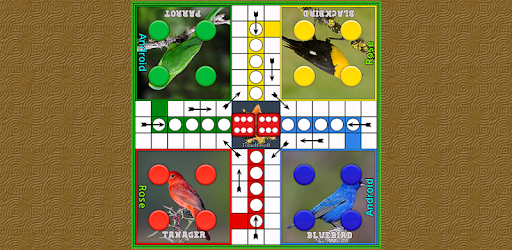
Naija Ludo is an Android app developed and published by Tonielrosoft. at Google Play Store on Nov 5, 2015 for Android users. Naija Ludo is so popular that it has gained 14791520 installs so far and growing.
Naija Ludo is an exciting and engaging board game that brings traditional ludo fun to your fingertips. Perfect for your mobile device, this game offers a variety of play options that ensure you'll never get bored. Whether you're playing alone, in a tournament, or with friends, you'll find something to love.
One of the standout features of Naija Ludo is its versatility. You can choose to play solo against the computer, join a tournament, or compete with friends. The multiplayer mode is particularly exciting, allowing you to connect with people both near and far. Thanks to recent updates, connecting to a multiplayer game is now faster and more reliable.
Naija Ludo is designed to be enjoyable and easy to play. The controls are intuitive, so even young players can join in on the fun. You can also customize the game rules to suit your preferences, making it a unique experience every time you play. Whether you prefer making certain spots rigid or keeping others safe, the settings allow you to tailor the gameplay to your liking.
A fun feature of Naija Ludo is the chat option, which allows you to communicate with your opponents while playing. This makes the game more interactive and adds another layer of excitement. You can chat, strategize, and even taunt your friends in real-time!
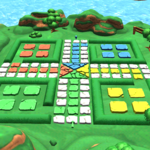
Naija Ludo boasts amazing graphics that enhance the overall gaming experience. The bright and colorful designs make the game visually appealing and engaging. It's a joy to look at and play, making every game session an exciting visual adventure.
One of the recent updates fixed the network glitch in multiplayer mode, allowing for quicker and more stable connections. Now you can connect and start playing in as little as three seconds! However, if network issues are a concern, there are other modes you can enjoy without an internet connection.
While many free games flood your screen with ads, Naija Ludo keeps interruptions to a minimum. The occasional ad may pop up, but it won't disrupt the flow of your game, ensuring a smooth and enjoyable experience from start to finish.
The developers are always looking for ways to improve Naija Ludo. Although some players miss the old Bluetooth connection feature, updates continue to add new features and fix issues to make the game even better. The dedication to improving the game ensures that it remains a top choice for ludo enthusiasts.
Naija Ludo offers an enjoyable and versatile ludo experience right on your mobile device. With multiple play modes, easy gameplay, and the option to chat while playing, it's a game that keeps you entertained. Its beautiful graphics and minimal ads make it even more appealing. Get ready to enjoy endless hours of fun with Naija Ludo!
Yes, you can run Naija Ludo on PC, but first, you will need emulator software installed on your Windows or MAC, which you can download for free. In the below video, you will find Naija Ludo in action. Before you install the emulator, check out the minimum and recommended system requirements to run it seamlessly. They may change depending on which version of the emulator you choose. Therefore, we recommend you download the latest version of the emulator. Below you will find three free Android emulators that we have shortlisted based on their popularity:
Up to date graphics drivers from Microsoft or the chipset vendor.
Storage: 1 GB available under installation path, 1.5GB available hard drive space
Internet: Broadband Internet connection
Regardless of which Android emulator you install, the steps to install, configure, and running the Naija Ludo app on PC are the same.