Published by Xender Team
Updated March 26, 2026
#1 Transfer Tool! Zero Data Usage! Real Fast!
| Version | 18.0.0.prime |
| Size | 26.3 MB |
| What's New | 1. Other bug fixes and transfer optimizations |
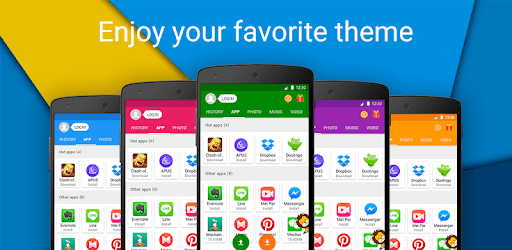
Share Music & Transfer Files - Xender is an Android app developed and published by Xender Team at Google Play Store on Jul 19, 2013 for Android users. Share Music & Transfer Files - Xender is so popular that it has gained 100000000 installs so far and growing.
Sharing music and transferring files has never been easier, thanks to Xender. This versatile app allows users to share files quickly and efficiently, whether it’s between mobile devices or from a phone to a PC. If you haven't discovered the magic of Xender yet, you’re in for a treat!
One of the standout features of Xender is its incredible speed. It's not just slightly faster than traditional methods like Bluetooth—it's exponentially faster. Imagine moving 3,000 songs from one phone to another in just under seven minutes! This speed makes it a reliable tool for anyone who needs to transfer large amounts of data quickly.
Xender simplifies the file transfer process, making it easy for users of all ages to send files between devices. Whether it's documents, music, or videos, you can share all sorts of files no matter the size. The app even allows you to select the destination for transferred files, like an SD card on your device, which is incredibly convenient.
Another impressive aspect of Xender is its cross-platform compatibility. You can transfer files not only between mobile devices but also between your phone and PC. This flexibility means that no matter what devices you use, Xender has got you covered. However, it’s worth noting that if you’re experiencing any issues with recent updates, installing Xender for PC might resolve your problems.
One of the best things about Xender is that it doesn't require an internet connection to transfer files. This makes it a great tool for sharing files in environments where Wi-Fi or mobile data might not be readily available. The app creates a wireless network between the devices involved, ensuring smooth and uninterrupted transfers.
Over time, Xender has continued to improve its user experience through regular updates. While this ensures the app stays current with new technology, some users might prefer features available in older versions. Nevertheless, the constant upgrades mean that minor bugs get fixed and new functionalities are introduced to make the app even better.
Imagine you need to transfer your call logs and SMS from an old phone to a new one. In the past, Xender had features to handle this easily. Although recent updates may have changed this, the app is still highly versatile. From moving data from old SD cards to ensuring file transfers without touching the other phone, Xender offers solutions for many different file-sharing needs.
Beyond its core functionalities, Xender is an incredibly reliable app. Many users have praised it as one of the best sharing tools available. If you’re tired of slow and inefficient file transfer methods, Xender offers an outstanding alternative.
In summary, Xender provides a fast, efficient, and reliable means of sharing music and transferring files. With its ease of use, cross-platform compatibility, and the capability to work without an internet connection, it stands out as a top choice for anyone needing a robust file transfer app.
Yes, you can run Share Music & Transfer Files - Xender on PC, but first, you will need emulator software installed on your Windows or MAC, which you can download for free. In the below video, you will find Share Music & Transfer Files - Xender in action. Before you install the emulator, check out the minimum and recommended system requirements to run it seamlessly. They may change depending on which version of the emulator you choose. Therefore, we recommend you download the latest version of the emulator. Below you will find three free Android emulators that we have shortlisted based on their popularity:
Up to date graphics drivers from Microsoft or the chipset vendor.
Storage: 1 GB available under installation path, 1.5GB available hard drive space
Internet: Broadband Internet connection
Regardless of which Android emulator you install, the steps to install, configure, and running the Share Music & Transfer Files - Xender app on PC are the same.