Published by Winterlight
Searching for a fun bowling game? You've found it!
| Version | 15.35 |
| Size | 85.6 MB |
| What's New | Another fix for black screens on some devices. Please let me know if you still have a black screen.Fixed bug where purchases were sometimes not being restored.Added new features: Release to Roll and Tap to Spin. If you're not a fan of swiping to roll the ball, you can now roll the ball when you lift your finger after aiming. Also, instead of swiping to spin, you can tap on the left or right side of the screen to add spin. Both of these options can be enabled in the Settings screen (gear icon). |
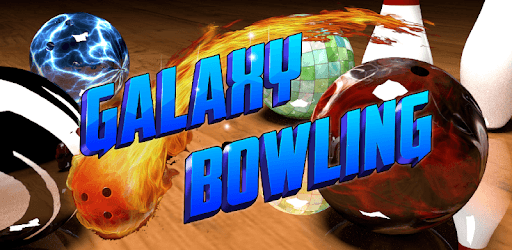
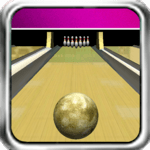
Galaxy Bowling 3D Free is an Android app developed and published by Winterlight at Google Play Store on Jun 21, 2011 for Android users. Galaxy Bowling 3D Free is so popular that it has gained 5000000 installs so far and growing.
Looking for a fun and exciting game to pass the time? Look no further than Galaxy Bowling 3D Free! This addictive app brings the thrill of bowling right to your fingertips. Whether you're a seasoned bowler or just looking to have some fun, Galaxy Bowling 3D Free is sure to keep you entertained for hours on end.
One of the best things about Galaxy Bowling 3D Free is how easy it is to pick up and play. With a simple and intuitive interface, you'll be knocking down pins in no time. The game offers a wide selection of tournaments to choose from, ensuring that there's always a challenge waiting for you. And with regular updates and new features, you'll never run out of things to do in this virtual bowling alley.
While Galaxy Bowling 3D Free offers an immersive and enjoyable experience, there is one downside to be aware of. Some opponents may quit the game, potentially ruining your chance at a perfect game. While this can be frustrating, it's important to remember that it's all part of the challenge. Stay focused and determined, and don't let a little setback discourage you from enjoying this fantastic game.
Galaxy Bowling 3D Free is not only a great way to pass the time, but it's also a game that can be enjoyed by people of all ages. Whether you're a bowling enthusiast or just looking for a casual game, this app has something for everyone. Plus, with the convenience of playing on your cell phone, you can enjoy a game of bowling anytime, anywhere. No need to worry about the weight of a bowling ball or the discomfort of a crowded bowling alley – Galaxy Bowling 3D Free brings the excitement of bowling right to your fingertips.
For those going through tough times, Galaxy Bowling 3D Free offers a much-needed escape. Whether you're in the hospital or simply need a distraction from the challenges of life, this game provides a welcome respite. Take your time, relax, and immerse yourself in the world of bowling. It's a great way to take your mind off things and find some joy in the midst of adversity.
Galaxy Bowling 3D Free is a game that can be enjoyed by players of all physical abilities. Even if you have limited mobility or only one hand, you can still have a blast playing this game. The controls are easy to use, ensuring that everyone can participate and have a great time. It's a testament to the inclusivity and accessibility of this fantastic app.
While Galaxy Bowling 3D Free is an overall fantastic game, there are a couple of areas that could be improved. Firstly, it would be great to have more players to compete against, adding an extra layer of excitement and challenge. Additionally, some players have mentioned that the frequency of ads can be a bit distracting. However, these minor issues shouldn't deter you from experiencing the joy and thrill of Galaxy Bowling 3D Free.
For those who love bowling but can no longer physically participate, Galaxy Bowling 3D Free is the perfect solution. This app allows you to experience the joy of bowling right from your cell phone. It's the next best thing to being on the lanes and offers a realistic and immersive bowling experience. Give it a try and see why so many people are hooked on this incredible game.
Originally designed for a 5-year-old, Galaxy Bowling 3D Free quickly became a hit with players of all ages. Its addictive gameplay and engaging features make it a game that's hard to put down. Whether you're a seasoned pro or a beginner, this game offers a challenge that will keep you coming back for more. So why not join the millions of players who have already discovered the joy of Galaxy Bowling 3D Free?
Galaxy Bowling 3D Free is not just any bowling game – it's the best bowling game out there. With its immersive gameplay, realistic graphics, and addictive features, it's no wonder that players are raving about this app. Whether you're a casual gamer or a die-hard bowling fan, Galaxy Bowling 3D Free is a must-try. So grab your virtual bowling ball and get ready for an unforgettable bowling experience!
Yes, Galaxy Bowling 3D Free is designed to be played on cell phones, making it convenient and accessible for everyone.
Absolutely! Galaxy Bowling 3D Free is a game that can be enjoyed by players of all ages, from young children to adults.
While some players have mentioned occasional issues with the spin control, overall, the game's controls are easy to use and intuitive.
No, Galaxy Bowling 3D Free is completely free to play, with no in-app purchases required.
Absolutely! Galaxy Bowling 3D Free is designed to be inclusive and accessible to players of all physical abilities.
Yes, you can run Galaxy Bowling 3D Free on PC, but first, you will need emulator software installed on your Windows or MAC, which you can download for free. In the below video, you will find Galaxy Bowling 3D Free in action. Before you install the emulator, check out the minimum and recommended system requirements to run it seamlessly. They may change depending on which version of the emulator you choose. Therefore, we recommend you download the latest version of the emulator. Below you will find three free Android emulators that we have shortlisted based on their popularity:
Up to date graphics drivers from Microsoft or the chipset vendor.
Storage: 1 GB available under installation path, 1.5GB available hard drive space
Internet: Broadband Internet connection
Regardless of which Android emulator you install, the steps to install, configure, and running the Galaxy Bowling 3D Free app on PC are the same.