Published by TextMe, Inc.
Updated August 24, 2025
FREE calling and texting (SMS texts + MMS) in US & Canada with FREE phone number
| Version | 3.54.0 |
| Size | 171.6 MB |
| What's New | - Minor bug fixes and improvements |
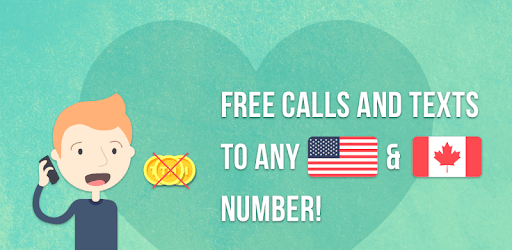
FreeTone Free Calls & Texting is an Android app developed and published by TextMe, Inc. at Google Play Store on Oct 23, 2014 for Android users. FreeTone Free Calls & Texting is so popular that it has gained 17385831 installs so far and growing.
FreeTone Free Calls & Texting is an excellent choice for anyone looking to stay connected without breaking the bank. This app stands out by offering users the ability to make free calls and send texts effortlessly. With an intuitive design, FreeTone is easy to set up and use, making it an appealing option for individuals of all ages.
One of the biggest advantages of FreeTone Free Calls & Texting is the quality of its calls. Users have reported that the audio clarity is impressive, allowing for clear conversations without disruptions. Whether you are calling a friend or an important business contact, you can expect a solid connection every time.
Another highlight of FreeTone is the ability to send unlimited texts. The app even offers you the option to select a second phone number at no extra cost. This can be particularly useful for separating work from personal life or for anyone needing a disposable number. And yes, as long as you keep using your assigned number, you get to keep it!
FreeTone predominantly works over Wi-Fi, simplifying the way you connect. For those who want even more flexibility, there is a $5 per month premium option. This subscription gives you a private number along with unlimited texts and SMS, which some users find highly valuable. With premium, you can enjoy the services without relying solely on Wi-Fi, adding to the convenience.
The app's design is user-friendly, making it simple to get started. Even if this is your first foray into internet-based calls and texts, you won’t find yourself lost in confusing menus or complicated settings. The setup is quick, and navigating the app is straightforward.
FreeTone Free Calls & Texting is free with ads, allowing users to earn credits by watching short advertisements. This makes the app a flexible choice for anyone looking to make calls and send texts without spending money. The ads are a small price to pay for the quality and features the app provides.
What sets FreeTone apart is also its exceptional customer support. If you encounter any issues—like a currency mismatch in payment—the support team is available to help you resolve it, ensuring that you have a smooth experience. The responsiveness and efficiency of customer service have been lauded by many users.
Beyond the basics, FreeTone Free Calls & Texting includes a mix of other convenient features. From using the service on your laptop to trial periods, the app is structured to cater to diverse needs. These extras make the app not just functional, but also enjoyable to use.
FreeTone Free Calls & Texting is perfect for various user groups, from young adults needing a secondary number to elderly individuals who appreciate a simple, reliable communication method. It's also a great option for those who may be on tight budgets, such as students or seniors, offering high-quality communication without the high cost of traditional providers.
Yes, you can run FreeTone Free Calls & Texting on PC, but first, you will need emulator software installed on your Windows or MAC, which you can download for free. In the below video, you will find FreeTone Free Calls & Texting in action. Before you install the emulator, check out the minimum and recommended system requirements to run it seamlessly. They may change depending on which version of the emulator you choose. Therefore, we recommend you download the latest version of the emulator. Below you will find three free Android emulators that we have shortlisted based on their popularity:
Up to date graphics drivers from Microsoft or the chipset vendor.
Storage: 1 GB available under installation path, 1.5GB available hard drive space
Internet: Broadband Internet connection
Regardless of which Android emulator you install, the steps to install, configure, and running the FreeTone Free Calls & Texting app on PC are the same.