Published by RingCentral
Updated May 8, 2026
RingCentral Phone — take your business calls, voice messages, and faxes—anywhere
| Version | 21.2.2.1.11 |
| Size | 77.1 MB |
| What's New | Fixed minor issue. |
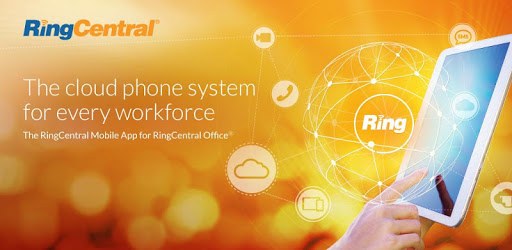
RingCentral Phone is an Android app developed and published by RingCentral at Google Play Store on Dec 14, 2010 for Android users. RingCentral Phone is so popular that it has gained 500000 installs so far and growing.
In today's fast-paced business world, having a reliable and efficient communication system is crucial. That's where RingCentral Phone comes in. This app is a game-changer when it comes to business calling, surpassing other competitors like Vonage, VoIP phone, and freedom voice. With its exceptional services and impeccable voice quality, RingCentral Phone is the go-to choice for businesses of all sizes.
One of the standout features of RingCentral Phone is its seamless integration with contacts. This means that you can easily manage and interact with your clients in a more efficient manner compared to other inferior setups. Whether you're using a high-end Android device or a mid-level one, this app works flawlessly, ensuring crystal clear sound quality for all your calls.
Over the years, RingCentral has continuously improved its systems, making it one of the most powerful cloud-based phone systems available. It has come a long way since its early days, and users can expect small tweaks here and there to further enhance their experience. The dedication to improvement is what sets RingCentral apart from the competition.
1. Reliable Customer Service: While no technology is perfect, RingCentral's customer service team is always ready to assist you. They are helpful, responsive, and will go the extra mile to ensure that any issues you encounter are resolved promptly.
2. Privacy and Professionalism: With RingCentral Phone, you can keep your personal cell phone number private and have a professional system to stay connected with your clients. This is especially beneficial for sales environments, where maintaining a professional image is essential.
3. Versatility and Convenience: The app allows you to have both your personal cell phone and work phone on one device. This eliminates the need for carrying multiple devices or constantly switching between them. It's a time-saving solution that streamlines your communication process.
A: Unfortunately, the app does not currently have a scheduled text messaging feature. However, RingCentral is continuously working on improving their services, so it's possible that this feature may be added in the future.
A: Currently, RingCentral Phone does not have a Linux client. However, the company is known for being responsive to user feedback and requests. It's worth keeping an eye out for any updates or announcements regarding a Linux client in the future.
A: If you're encountering echoing issues, it is recommended to use a headset or a Bluetooth headset while using the VoIP feature. This will help eliminate the echoing problem. As long as you have your Bluetooth connected to your phone, you should not experience any issues.
A: RingCentral Phone offers a range of features and benefits that make it a top choice for businesses. While no service is perfect, RingCentral's call quality is on par with other phone services like Comcast and Verizon. Additionally, RingCentral provides easy setup for auto attendant, user accounts, fax settings, and even allows you to record sales team calls. With its reliable performance, you can rest assured that your clients won't even know you're not physically in the office.
RingCentral Phone is the ultimate solution for businesses that value efficient and reliable communication. With its exceptional services, seamless integration, and continuous improvements, it's no wonder that users have been loyal to RingCentral for years. Don't miss out on the opportunity to enhance your business calling experience - try RingCentral Phone today!
Yes, you can run RingCentral Phone on PC, but first, you will need emulator software installed on your Windows or MAC, which you can download for free. In the below video, you will find RingCentral Phone in action. Before you install the emulator, check out the minimum and recommended system requirements to run it seamlessly. They may change depending on which version of the emulator you choose. Therefore, we recommend you download the latest version of the emulator. Below you will find three free Android emulators that we have shortlisted based on their popularity:
Up to date graphics drivers from Microsoft or the chipset vendor.
Storage: 1 GB available under installation path, 1.5GB available hard drive space
Internet: Broadband Internet connection
Regardless of which Android emulator you install, the steps to install, configure, and running the RingCentral Phone app on PC are the same.