Published by REVE SYSTEMS LTD.
Updated August 11, 2025
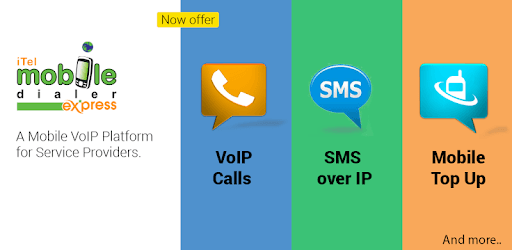
iTel Mobile Dialer Express, enabling VoIP Calls, SMS, Mobile Top Up and more.
| Version | 4.4.9 |
| Size | 49.3 MB |
| What's New | Minor bug fixes and improvements. Install or update to the newest version to check it out! |
iTel Mobile Dialer Express is an Android app developed and published by REVE SYSTEMS LTD. at Google Play Store on Nov 13, 2011 for Android users. iTel Mobile Dialer Express is so popular that it has gained 10000000 installs so far and growing.
iTel Mobile Dialer Express is a versatile application that facilitates seamless communication. It's specifically designed to enable voice calls over the internet, a feature that makes it highly valuable for people living away from their home countries. Let's dive into what makes iTel Mobile Dialer Express an essential tool for expatriates and international callers alike.
iTel Mobile Dialer Express is packed with features that aim to provide an easy and efficient communication experience. First and foremost, the app allows users to make VoIP (Voice over Internet Protocol) calls. This means you can make phone calls using an internet connection instead of traditional phone lines. This is especially useful for those looking to save on call costs when communicating with family and friends across the globe.
Another key feature is the user-friendly interface. The developers have ensured that even those who are not tech-savvy can use the app without trouble. The dialer is straightforward and easy to navigate, making it simple to make calls, check balances, and manage contacts.
iTel Mobile Dialer Express is particularly beneficial for expatriates. If you are living in a foreign country, staying connected with your loved ones can be challenging and expensive. However, this app provides a more affordable way to communicate. Whether you are in Saudi Arabia, Jeddah, or elsewhere, the app allows you to keep in touch with your family with minimal hassle and cost.
The app not only supports voice calls but also ensures that these calls are of high quality, provided the internet connection is stable. There's also an option to check your balance so you are always aware of how much talk time you have left, which is especially helpful for budgeting your communication expenses.
Furthermore, the app makes sure to cut off calls gracefully without unnecessary disruptions, like ads. This means you can focus on your conversation without those annoying interruptions that can ruin the flow of your talk.
iTel Mobile Dialer Express stands out due to its simplicity and reliability. It's one of the few apps that manages to pack a lot of functionalities into a user-friendly package. For those needing an affordable and dependable way to stay connected, this app is a go-to solution. The app's developers are continually working to improve the service, ensuring bugs are fixed promptly and features are enhanced.
In summary, iTel Mobile Dialer Express sets the bar high for mobile dialer apps. Its functionality, coupled with ease of use, makes it an invaluable tool for those who need an effective communication solution. The app's dedication to user satisfaction and continuous improvement makes it a worthwhile choice for anyone looking to make international calls easily and affordably.
Yes, you can run iTel Mobile Dialer Express on PC, but first, you will need emulator software installed on your Windows or MAC, which you can download for free. In the below video, you will find iTel Mobile Dialer Express in action. Before you install the emulator, check out the minimum and recommended system requirements to run it seamlessly. They may change depending on which version of the emulator you choose. Therefore, we recommend you download the latest version of the emulator. Below you will find three free Android emulators that we have shortlisted based on their popularity:
Up to date graphics drivers from Microsoft or the chipset vendor.
Storage: 1 GB available under installation path, 1.5GB available hard drive space
Internet: Broadband Internet connection
Regardless of which Android emulator you install, the steps to install, configure, and running the iTel Mobile Dialer Express app on PC are the same.