Published by Tech Soft 3D
Updated August 17, 2026
View and interact with 3D PDF documents directly from your phone or tablet.
| Version | 3.9 |
| Size | 65.5 MB |
| What's New | Updated to newest Dropbox API.Updated HOOPS Exchange CAD File reading.Updated HOOPS Visualize Rendering Engine.Fixed several highlighting & selection bugs. |
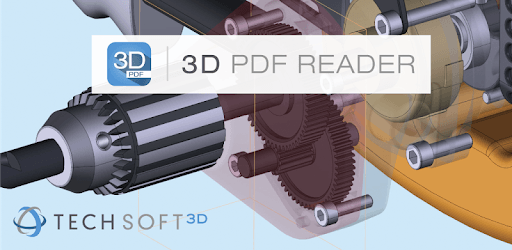
3D PDF Reader is an Android app developed and published by Tech Soft 3D at Google Play Store on Jun 24, 2015 for Android users. 3D PDF Reader is so popular that it has gained 50000 installs so far and growing.
Are you tired of searching for a reliable 3D CAD viewer app? Look no further! With 3D PDF Reader, you'll experience a whole new level of convenience and functionality. This app is designed to meet the needs of professionals like you, providing an exceptional platform to view and interact with 3D PDFs and even STEP files. Whether you're a SolidWorks design engineer or a jewelry designer, this app will revolutionize the way you work.
As a SolidWorks design engineer, finding the right app to view 3D PDFs and other file formats can be a daunting task. However, with 3D PDF Reader, you'll be amazed by its capabilities. Not only does it support 3D PDFs, but it also allows you to view IGS, STP, and other files. This is particularly advantageous if you don't have access to specialized 3D software. With just a touch on the respective icons, you can explore all the views and even delve into dynamic sections of the model. The app also enables you to hide parts in assemblies, giving you complete control over your designs.
Are you a jewelry designer using SolidWorks? 3D PDF Reader is the perfect tool to showcase your progress to your clients. You can easily share your designs and receive valuable feedback, making the design process more collaborative and efficient. Say goodbye to the limitations of other Android 3D viewers and embrace the power of 3D PDF Reader.
Even if you're not a CAD expert, 3D PDF Reader is designed to cater to your needs. Whether you're a layperson or a professional, this app offers a seamless experience without any complicated tricks or techniques. It simply works! If you're working on a project that requires examining small electrical parts before ordering them, this app is perfect for you. It renders your files quickly and accurately, ensuring you don't miss any crucial details.
3D PDFs have always been a popular choice for many professionals, but finding an app that truly supports them can be a challenge. With 3D PDF Reader, you can finally unlock the full potential of your 3D PDF files. Whether you're using eDrawings 3D files or any other format, this app has got you covered. The developers have put in tremendous effort to ensure compatibility with various fileservers, making it a versatile tool for professionals in any field.
One of the standout features of 3D PDF Reader is its portability. You can bring your models with you wherever you go and access them whenever you need. Whether you're on-site or meeting with clients, having your designs readily available on your mobile device is a game-changer. The convenience and flexibility offered by this app are truly remarkable.
While the current version of 3D PDF Reader already offers incredible functionality, the developers are constantly working to enhance the app further. To support their ongoing efforts and ensure continuous updates and improvements, a pro version is in the works. This will provide even more features and support, taking your CAD viewing experience to the next level.
Yes, 3D PDF Reader supports a wide range of file formats, including IGS, STP, and more.
Absolutely! With 3D PDF Reader, you have the ability to hide parts in assemblies, giving you complete control over your designs.
Yes, 3D PDF Reader is designed to be user-friendly for both CAD professionals and laypersons. It provides a seamless experience without any complicated tricks or techniques.
Yes, the developers are actively working on a pro version of 3D PDF Reader to offer even more features and support for further development.
Absolutely! 3D PDF Reader allows you to bring your models with you and access them whenever and wherever you need them.
For any further inquiries or to get in touch with us, please provide your contact details, and our team will reach out to you promptly.
Yes, you can run 3D PDF Reader on PC, but first, you will need emulator software installed on your Windows or MAC, which you can download for free. In the below video, you will find 3D PDF Reader in action. Before you install the emulator, check out the minimum and recommended system requirements to run it seamlessly. They may change depending on which version of the emulator you choose. Therefore, we recommend you download the latest version of the emulator. Below you will find three free Android emulators that we have shortlisted based on their popularity:
Up to date graphics drivers from Microsoft or the chipset vendor.
Storage: 1 GB available under installation path, 1.5GB available hard drive space
Internet: Broadband Internet connection
Regardless of which Android emulator you install, the steps to install, configure, and running the 3D PDF Reader app on PC are the same.