Published by Radomir Stanev
Updated April 1, 2026
Watch your online videos, live streams and protected videos
| Version | 5.1.10 |
| Size | 12.9 MB |
| What's New | - Ads are removed;- Bug fixes;- Performance improvements; |
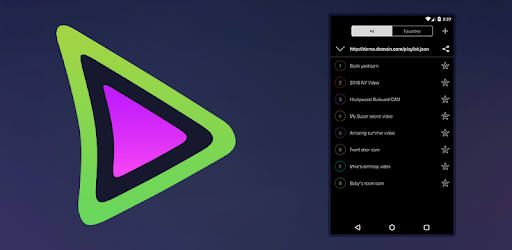
Da Player - Video and live stream player is an Android app developed and published by Radomir Stanev at Google Play Store on Jul 19, 2017 for Android users. Da Player - Video and live stream player is so popular that it has gained 100000 installs so far and growing.
Da Player - Video and live stream player is a remarkable application that allows users to enjoy videos and live streams seamlessly. With a user-friendly interface and handy features, it has quickly become a favored choice for video enthusiasts. If you're looking to enhance your video watching experience on Android TV or mobile devices, Da Player might just be the perfect fit for you.
One of the standout features of Da Player is its intuitive and easy-to-navigate interface. Users can swiftly move from one channel to another using the remote control's navigation buttons. This functionality ensures that your viewing experience remains uninterrupted and enjoyable. Moreover, animated transitions and clear menus make navigation a breeze, even for first-time users.
Performance is key when it comes to any streaming application, and Da Player excels in this area. The app accommodates high traffic, such as when many users are watching the same channel. While congestion can occasionally cause minor interruptions, the app generally remains stable and efficient, delivering a smooth viewing experience.
Flexibility and customization are essential aspects of Da Player. Users can configure various settings to suit their preferences. For those who want to resume watching the last viewed content upon restarting the app, this feature is available. Additionally, there are options to rearrange channels, making it easier to access your favorites. This level of personalization ensures that your experience with Da Player is tailor-made to fit your needs.
The versatility of Da Player is further highlighted by its compatibility with a range of devices. Whether you're watching on an Android TV, a smartphone, or a tablet, the app performs consistently. While some device-specific issues may arise, the development team is actively working to address them, ensuring all users have a positive experience.
While no application is perfect, the development team behind Da Player is dedicated to improving the app continuously. Updates are regularly rolled out to fix bugs and introduce new features based on user feedback. Although response times may vary, the commitment to enhancing user experience is evident.
For the best streaming experience, Da Player supports a wide variety of content. Whether you're watching live sports, catching up on your favorite TV shows, or enjoying a movie night, this app has got you covered. The robust performance and versatile features ensure that all your streaming needs are met without hassle.
With its user-friendly interface, customizable settings, smooth performance, and compatibility across multiple devices, Da Player stands out as an excellent choice for video and live stream enthusiasts. Whether you are tuning in for a live sports event or catching up on your favorite shows, Da Player ensures a seamless and enjoyable viewing experience. Get ready to elevate your video watching adventures with Da Player!
Yes, you can run Da Player - Video and live stream player on PC, but first, you will need emulator software installed on your Windows or MAC, which you can download for free. In the below video, you will find Da Player - Video and live stream player in action. Before you install the emulator, check out the minimum and recommended system requirements to run it seamlessly. They may change depending on which version of the emulator you choose. Therefore, we recommend you download the latest version of the emulator. Below you will find three free Android emulators that we have shortlisted based on their popularity:
Up to date graphics drivers from Microsoft or the chipset vendor.
Storage: 1 GB available under installation path, 1.5GB available hard drive space
Internet: Broadband Internet connection
Regardless of which Android emulator you install, the steps to install, configure, and running the Da Player - Video and live stream player app on PC are the same.