Published by Samsung Electronics Co., Ltd.
Updated October 3, 2025
| Version | 2.2.68.26010761 |
| Size | 16.8 MB |
| What's New | - Fixed the error. |
Samsung Gear is an Android app developed and published by Samsung Electronics Co., Ltd. at Google Play Store on for Android users. Samsung Gear is so popular that it has gained 1081692571 installs so far and growing.
Samsung Gear brings together an impressive range of gadgets, from smartwatches to earbuds. With the Samsung Gear, you can seamlessly connect and manage your devices, ensuring they work together effortlessly, enhancing user convenience and enjoyment.
The beauty of Samsung Gear lies in its extensive compatibility. Whether you own a Galaxy Watch6, Galaxy Buds2, or a Galaxy A32 5G, Samsung Gear ensures that all devices operate smoothly within the Samsung ecosystem. This seamless connectivity allows users to control and track everything from one central app, making life more manageable and enjoyable.
However, occasionally you might face connectivity issues. If so, checking for updates in the Galaxy Store often resolves these problems. Ensuring your app is up-to-date can help your devices sync correctly, making your Samsung Gear experience much smoother.
Samsung Gear makes synchronization between devices a breeze. Whether you’re connecting your smartwatch or earbuds, the process is designed to be easy and efficient. But, if your devices suddenly stop syncing, solutions like updating the app or reinstalling it can often solve the issue. For any persistent problems, checking and updating the relevant plugins can also be a quick fix.
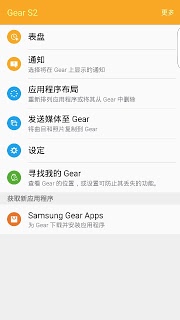
One of the standout aspects of Samsung Gear is its feature-rich performance. From tracking your fitness with the Samsung Gear sports watch to managing notifications and settings on your Galaxy Watch, the app offers a plethora of functionalities. It provides options for finding misplaced earbuds, although more advanced features like sound modes and bass boosts could be beneficial additions.
Technical problems can arise, but rest assured, solutions are usually close at hand. Issues like the app crashing or devices not connecting can often be resolved by updating or reinstalling the necessary components. For example, making sure that all plugins are enabled and updated can prevent the app from crashing.
For those experiencing problems with app functionality not loading, reinstalling both the main app and any relevant plugins can restore the performance. If these issues persist, reaching out for support might be the next best step. Despite occasional glitches, the quick resolution of these issues often restores full functionality promptly.
The continuous updates to Samsung Gear reflect Samsung's commitment to improving user experience. With every new update, the app addresses existing issues and adds enhancements, ensuring a better user experience. As technology evolves, so does Samsung Gear, with potential for exciting new features in future releases.
Using Samsung Gear can be both fun and useful. The integration of smart features into everyday tasks makes technology more accessible and enjoyable for everyone. From playing around with a new smartwatch to managing notifications effectively, the app makes interacting with your devices enjoyable.
As the Samsung ecosystem evolves, you might find yourself upgrading to newer devices like the future Galaxy smartwatches. Samsung Gear is designed to grow with you, supporting a wide array of devices and offering continuous improvements to its functionality.
The seamless integration and robust features of Samsung Gear make managing your Samsung devices easy and efficient. Whether connecting a Galaxy Watch, Galaxy Buds, or a Galaxy smartphone, Samsung Gear ensures everything works in harmony, providing an enhanced user experience.
With continuous updates and responsive support, Samsung Gear remains a reliable and efficient tool for optimizing your Samsung ecosystem. Enjoy the convenience and functionality it offers, making your life simpler and more enjoyable with every use.
Yes, you can run Samsung Gear on PC, but first, you will need emulator software installed on your Windows or MAC, which you can download for free. In the below video, you will find Samsung Gear in action. Before you install the emulator, check out the minimum and recommended system requirements to run it seamlessly. They may change depending on which version of the emulator you choose. Therefore, we recommend you download the latest version of the emulator. Below you will find three free Android emulators that we have shortlisted based on their popularity:
Up to date graphics drivers from Microsoft or the chipset vendor.
Storage: 1 GB available under installation path, 1.5GB available hard drive space
Internet: Broadband Internet connection
Regardless of which Android emulator you install, the steps to install, configure, and running the Samsung Gear app on PC are the same.


![[ROOT] Custom ROM Manager icon](https://cdn.desktoptwo.com/img/com.corphish.customrommanager.free-logo.png)