Published by EnergyCube
Updated October 15, 2026
Limbo PC Emulator is a port of QEMU (Quick Emulator) for Android Devices.
| Version | 2.10.0-x86 |
| Size | 8.5 MB |
| What's New | Limbo v2.10.0- Rebased with QEMU 2.10.0- Windows is supported- User Interface issue randomly updating values is fixed- Proper acquire and release of Wifi and Wake locks- Drives dialog is fixed- Memory leaks on the User Interface are fixed- Moving to support Android Studio development onwards- Minimum Requirements: Android OS 4.2+ |
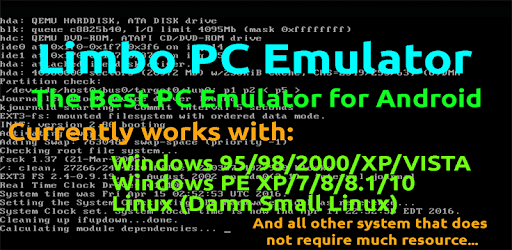
Limbo PC Emulator QEMU ARM x86 is an Android app developed and published by EnergyCube at Google Play Store on Feb 4, 2017 for Android users. Limbo PC Emulator QEMU ARM x86 is so popular that it has gained 1000000 installs so far and growing.
Are you a tech-savvy individual looking to explore the world of operating systems on your Android device? Look no further than Limbo PC Emulator QEMU ARM x86. This incredible app allows you to run various operating systems, such as Windows 95, MS-DOS, and even Windows 7, right on your phone or tablet. With its user-friendly interface and impressive performance, this emulator is a must-have for any tech enthusiast.
Limbo PC Emulator QEMU ARM x86 opens up a whole new world of possibilities for Android users. Whether you're a seasoned developer or simply curious about different operating systems, this app allows you to experience them firsthand. From the nostalgic Windows 95 to the versatile MS-DOS, you can immerse yourself in the world of computing history with just a few simple steps.
With the recent update, the app has become even more reliable and efficient. Users have reported that the DSL (Intel) boots to the desktop seamlessly. In case you encounter any issues with the display, simply switch from VNC to SDL, and a BIOS screen will appear after starting the virtual machine. The app also provides a helpful tutorial to guide you through the installation process, ensuring a smooth experience.
One of the standout features of Limbo PC Emulator QEMU ARM x86 is its ability to run multiple operating systems. Whether you're interested in experimenting with different versions of Windows or exploring the world of DOS, this app has got you covered. Users have successfully installed various OSes, including Windows 1.0-95, DOS, and even FreeDOS. The possibilities are truly endless.
Furthermore, this emulator offers a surprisingly smooth performance, even on devices with limited hardware capabilities. Users have reported that the app runs faster than their 4GB RAM computers, proving its efficiency and reliability. Whether you want to play games, watch YouTube, or simply browse the web, Limbo PC Emulator QEMU ARM x86 acts like a real computer, providing an immersive experience.
Connecting your virtual machine to the internet and sharing files between your Android device and the VM has never been easier. While some users have had questions about the necessary drivers and connectivity options, the app provides a straightforward solution. By following the instructions and selecting the appropriate drivers, you can seamlessly connect to the internet and share files between your devices.
Limbo PC Emulator QEMU ARM x86 stands out as one of the best and only PC emulators available for Android. Its compatibility with various operating systems, smooth performance, and user-friendly interface make it a favorite among tech enthusiasts. Whether you're a developer, a nostalgic gamer, or simply curious about different operating systems, this app is a must-have for your Android device.
Limbo PC Emulator QEMU ARM x86 allows you to run different operating systems, including Windows, on your Android device. While it may not support demanding games like Half-Life or Counter-Strike 1.6, you can still explore a wide range of Windows-based games and applications.
To connect your virtual machine to the internet, follow the instructions provided in the app. Select the appropriate drivers and ensure that your Android device is connected to a stable internet connection. Once configured correctly, you'll be able to access the internet seamlessly from within the emulator.
Absolutely! Limbo PC Emulator QEMU ARM x86 allows you to share files between your Android device and the virtual machine. By following the instructions and selecting the appropriate settings, you can easily transfer files back and forth, enhancing your overall experience.
While Limbo PC Emulator QEMU ARM x86 offers impressive performance, it's important to note that there may be limitations due to the ARM to x86 processing. Some users have reported slower performance when running certain operating systems, such as Windows 2000 Pro. However, for most users, the performance is more than satisfactory, providing an immersive experience.
Experience the power of Limbo PC Emulator QEMU ARM x86 today and unlock a world of operating systems on your Android device. Whether you're a tech enthusiast, a developer, or simply curious, this app will take your Android experience to a whole new level.
Yes, you can run Limbo PC Emulator QEMU ARM x86 on PC, but first, you will need emulator software installed on your Windows or MAC, which you can download for free. In the below video, you will find Limbo PC Emulator QEMU ARM x86 in action. Before you install the emulator, check out the minimum and recommended system requirements to run it seamlessly. They may change depending on which version of the emulator you choose. Therefore, we recommend you download the latest version of the emulator. Below you will find three free Android emulators that we have shortlisted based on their popularity:
Up to date graphics drivers from Microsoft or the chipset vendor.
Storage: 1 GB available under installation path, 1.5GB available hard drive space
Internet: Broadband Internet connection
Regardless of which Android emulator you install, the steps to install, configure, and running the Limbo PC Emulator QEMU ARM x86 app on PC are the same.