Published by Metago
The Award-winning File Manager and File Explorer. Free up space on your phone!
| Version | 8.15.3 |
| Size | 20.0 MB |
| What's New | Thank you for using ASTRO File Manager! New in this release:Stability and performance improvementsFor questions and comments please reach us at [email protected] |
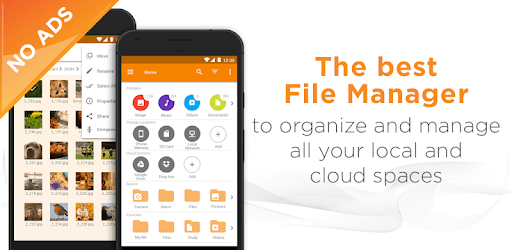
File Browser by Astro (File Manager) is an Android app developed and published by Metago at Google Play Store on for Android users. File Browser by Astro (File Manager) is so popular that it has gained 86759633 installs so far and growing.
Are you tired of cluttered storage on your mobile device? Do you wish there was an easier way to organize and manage your files? Look no further than File Browser by Astro, the ultimate file manager app that will revolutionize the way you handle your files. With its powerful features and user-friendly interface, this app is a game-changer for anyone seeking a seamless file management experience.
One of the standout features of File Browser by Astro is its ability to free up space on your device. Say goodbye to the days of manually searching for and deleting files to make room for new ones. This app allows you to clean out your device with just a few taps, freeing up valuable storage space. It's like a breath of fresh air for your mobile device!
File Browser by Astro goes above and beyond by offering native HEIC viewing support. This means you can easily view and access HEIC files without the need for any additional software or converters. It's a convenient feature that saves you time and hassle, allowing you to enjoy your files in their original format.
Worried about the security of your files? File Browser by Astro has got you covered. With the ability to put a password on folders, you can ensure that your sensitive files are protected from prying eyes. This added layer of security gives you peace of mind, knowing that your files are safe and secure.
Whether you're a beginner or a power user, File Browser by Astro caters to all your file management needs. Think of it as your very own Windows Explorer for your phone. While it may not offer the same level of detail as Directory Opus, it still packs a punch with its user-friendly interface and powerful features. Plus, the best part? It's absolutely free! Kudos to the developers for creating such an amazing app!
Yes, File Browser by Astro is compatible with all Android devices, ensuring that everyone can benefit from its powerful file management capabilities.
Absolutely! File Browser by Astro supports multiple connections and cloud services, allowing you to seamlessly copy and move files between devices and services.
While File Browser by Astro doesn't have a specific option to hide operating system files, you can reach out to the app's support team for assistance in preventing accidental deletions.
Yes, File Browser by Astro is designed to be lightweight without compromising on its rich features. It ensures a smooth and efficient file management experience on your mobile device.
Absolutely! File Browser by Astro is an excellent tool for cleaning files and freeing up storage space. Many users have reported significant increases in available storage after using this app.
File Browser by Astro is the go-to app for anyone seeking a seamless and efficient file management experience. With its powerful features, user-friendly interface, and commitment to security, it's no wonder that this app is loved by millions of users worldwide. Try it out today and take control of your files like never before!
Yes, you can run File Browser by Astro (File Manager) on PC, but first, you will need emulator software installed on your Windows or MAC, which you can download for free. In the below video, you will find File Browser by Astro (File Manager) in action. Before you install the emulator, check out the minimum and recommended system requirements to run it seamlessly. They may change depending on which version of the emulator you choose. Therefore, we recommend you download the latest version of the emulator. Below you will find three free Android emulators that we have shortlisted based on their popularity:
Up to date graphics drivers from Microsoft or the chipset vendor.
Storage: 1 GB available under installation path, 1.5GB available hard drive space
Internet: Broadband Internet connection
Regardless of which Android emulator you install, the steps to install, configure, and running the File Browser by Astro (File Manager) app on PC are the same.