Published by emudev.org
Updated May 3, 2026
Play your Dreamcast games on the go & in HD
| Version | r20.04 |
| Size | 3.7 MB |
| What's New | It's better, they say |
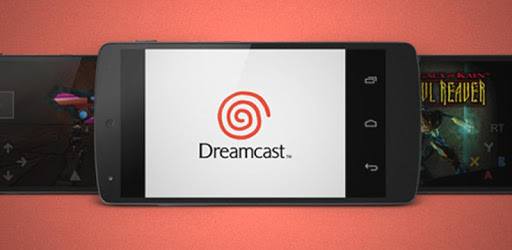
Reicast - Dreamcast emulator is an Android app developed and published by emudev.org at Google Play Store on Dec 17, 2013 for Android users. Reicast - Dreamcast emulator is so popular that it has gained 1000000 installs so far and growing.
Reicast is a wonderful Dreamcast emulator that allows you to relive the classic Sega Dreamcast games on modern devices. Bringing those nostalgic moments back to life, it offers a near-authentic gaming experience that fans of the original console are sure to appreciate. Though it comes with a few quirks and requires some setup, the overall performance is impressive.
One of the main highlights of Reicast is its ability to play a variety of Dreamcast games. Games like "Sonic Adventure" and "Sonic Adventure 2" run smoothly, taking you back to those cherished childhood moments. With robust support for Dreamcast ROMs, the emulator is capable of handling most titles with ease. However, some games may have minor issues or require tweaks in the settings to run flawlessly.
Setting up Reicast can initially seem challenging, but once you get past the initial steps, the experience becomes very rewarding. You'll need a good file manager and a tool to unzip compressed files. There are plenty of resources online to help you through the setup process, making it relatively straightforward once you find the right instructions.
Reicast excels in performance, running most games at their intended frame rates. For instance, Crazy Taxi runs at a smooth 60fps, while games like Grandia 2 might have minor hiccups. Audio performance can sometimes be a bit slow, and settings might need to be adjusted for optimal performance. Notably, the app supports physical controllers like the PS4 controller, enhancing the gaming experience even further.
Reicast features save states, allowing you to save and load your progress at will. However, some users have mentioned that it lacks the more advanced save options found in other emulators like PPSSPP. Another area for improvement is the customization of touch buttons on the screen, which can make a significant difference for players relying on on-screen controls.
While Reicast runs most games smoothly, there are occasional glitches and bugs. For example, specific levels in "Sonic Adventure" or scenes in "Sonic Adventure 2" might not function perfectly. Additionally, some features like shadow removal or turning off fog in games don’t always improve performance, showing areas where further development can enhance user experience.
Reicast has gathered a passionate user base, finding a community of players who provide valuable feedback. This feedback is crucial for ongoing development and improvement, making it a collaborative project between users and developers. The ability to play old school Dreamcast games without the need for in-app purchases makes Reicast stand out in the world of modern mobile gaming.
Reicast is a standout Dreamcast emulator, bringing the joy of classic Sega gaming to modern devices. With continuous updates and support from its user community, it promises to only get better. Even though it has some room for improvement, the overall gaming experience it provides makes it a must-have for Dreamcast fans.
Yes, you can run Reicast - Dreamcast emulator on PC, but first, you will need emulator software installed on your Windows or MAC, which you can download for free. In the below video, you will find Reicast - Dreamcast emulator in action. Before you install the emulator, check out the minimum and recommended system requirements to run it seamlessly. They may change depending on which version of the emulator you choose. Therefore, we recommend you download the latest version of the emulator. Below you will find three free Android emulators that we have shortlisted based on their popularity:
Up to date graphics drivers from Microsoft or the chipset vendor.
Storage: 1 GB available under installation path, 1.5GB available hard drive space
Internet: Broadband Internet connection
Regardless of which Android emulator you install, the steps to install, configure, and running the Reicast - Dreamcast emulator app on PC are the same.