Published by Playrix Games
Updated November 17, 2026
Get ready to be introduced to a wonderful garden!
| Version | 9.3.1 |
| Size | 205.5 MB |
| What's New | NEW EVENTSGreat Plains Adventure: Help Sheriff Rob catch a thief and return a prize horse to its owner!Athena's Tear: Explore ancient shrines to find a valuable artifact!GARDEN STORYHelp Austin and Balthazar make their way to a forgotten pirate town in search of the legendary Black Abyss! |
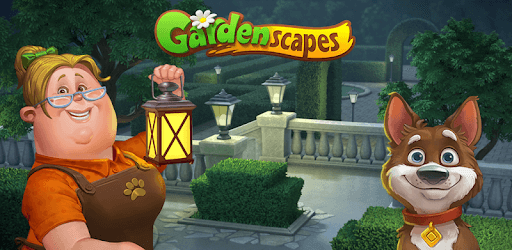
Gardenscapes is an Android app developed and published by Playrix Games at Google Play Store on Aug 24, 2016 for Android users. Gardenscapes is so popular that it has gained 594826169 installs so far and growing.
Are you ready to embark on a delightful journey of garden design and adventure? Look no further than Gardenscapes, a game that has captured the hearts of millions of players worldwide. With its unique gameplay, captivating storyline, and stunning graphics, Gardenscapes offers an immersive experience like no other.
Gardenscapes allows you to unleash your inner designer as you transform neglected gardens into breathtaking landscapes. With a wide range of plants, flowers, and decorations at your disposal, the possibilities are endless. Create your dream garden by carefully selecting and arranging each element to achieve a harmonious and visually stunning result.
One of the standout features of Gardenscapes is its engaging gameplay. As you progress through the game, you'll encounter various challenges and puzzles that will put your problem-solving skills to the test. From matching colorful fruits to completing intricate tasks, each level offers a unique and exciting experience.
But what sets Gardenscapes apart from other similar games is the ability to interact with Austin, the game's charming protagonist. Tap on him in the garden, and he'll respond with delightful animations and gestures, adding a personal touch to your gaming experience.
Immerse yourself in the captivating storyline of Gardenscapes as you follow Austin's journey to restore a once-magnificent mansion. With each level you complete, you'll unlock new areas of the mansion and unravel the secrets hidden within its walls. The combination of engaging gameplay and a compelling narrative keeps players hooked and eager to uncover more.
Gardenscapes keeps the excitement alive with its frequent events and new levels. Participate in special events to earn exclusive rewards and unlock rare decorations for your garden. With each level you conquer, the game becomes more challenging and rewarding, ensuring that you never run out of things to do.
Yes, Gardenscapes is available for both Android and iOS devices. Simply visit your device's app store and search for Gardenscapes to download and install the game.
Yes, Gardenscapes is free to play. However, there are optional in-app purchases available that can enhance your gaming experience.
To interact with Austin, simply tap on him while in the garden. He'll respond with charming animations and gestures, adding a touch of personality to the game.
Yes, Gardenscapes regularly hosts special events where players can earn exclusive rewards and unlock rare decorations for their gardens. Keep an eye out for these events to make the most of your gaming experience.
Absolutely! As you complete levels and solve puzzles, you'll unlock new areas of the mansion, revealing its hidden secrets and expanding your gameplay possibilities.
Don't miss out on the opportunity to explore the enchanting world of Gardenscapes. Download the game now and let your creativity flourish as you design stunning gardens and unravel the mysteries of the mansion. Get ready for an unforgettable gaming experience!
Yes, you can run Gardenscapes on PC, but first, you will need emulator software installed on your Windows or MAC, which you can download for free. In the below video, you will find Gardenscapes in action. Before you install the emulator, check out the minimum and recommended system requirements to run it seamlessly. They may change depending on which version of the emulator you choose. Therefore, we recommend you download the latest version of the emulator. Below you will find three free Android emulators that we have shortlisted based on their popularity:
Up to date graphics drivers from Microsoft or the chipset vendor.
Storage: 1 GB available under installation path, 1.5GB available hard drive space
Internet: Broadband Internet connection
Regardless of which Android emulator you install, the steps to install, configure, and running the Gardenscapes app on PC are the same.