Published by Nuvyyo Inc.
Updated November 4, 2026
Over-The-Air DVR for Cord-Cutters using HDTV antennas to access broadcast TV.
| Version | 2.2.2_81059d3e6 |
| Size | 44.8 MB |
| What's New | • Change to Wi-Fi setup for devices on Android 10 and above• Other bug fixes & performance improvements |
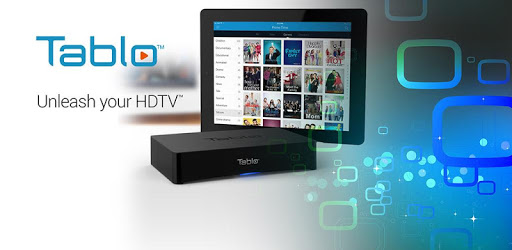
Tablo is an Android app developed and published by Nuvyyo Inc. at Google Play Store on Nov 20, 2014 for Android users. Tablo is so popular that it has gained 171632 installs so far and growing.
Are you tired of paying exorbitant cable bills and dealing with clunky interfaces? Look no further than Tablo, the revolutionary app that brings you the best DVR and menu-like experience for cutting the cord. With compatibility on Moto G 5G, HiSense Android TV, and Apolosign tablets, Tablo ensures that you can enjoy your favorite shows and movies on multiple Android devices without any compatibility issues.
One of the standout features of Tablo is its ability to receive over 60 digital TV channels over the air, making it the perfect solution for those who want to ditch cable TV. With the Tablo OTA DVR setup, you can record your favorite shows, such as "60 minutes," and watch them in a fraction of the time by skipping the ads. Say goodbye to wasting precious minutes on commercials!
To ensure a seamless streaming experience, we recommend using a LAN cable to connect your Tablo system to your router instead of relying on WiFi. This will guarantee a stable connection and prevent any buffering issues. Whether you're watching live TV or catching up on recorded shows, Tablo's Android app delivers excellent performance on Chromebooks and other devices.
With over seven years of experience, Tablo has proven to be a reliable and cost-effective solution for cord-cutters. By using Tablo, you can save a significant amount of money compared to traditional subscription services. The app works flawlessly on Android and Apple devices, providing a user-friendly interface and crystal-clear picture quality.
One of the standout features of Tablo is its ability to pause, rewind, and record live TV. This whole-home DVR solution allows you to access your favorite shows and movies from anywhere in your house. Whether you're in the kitchen watching the morning news on your tablet or enjoying your favorite shows on your phone while away from home, Tablo offers unparalleled convenience.
Tablo's technical support team is always ready to assist you in case of any issues. They are known for their prompt response and ability to fix problems remotely. Additionally, Tablo offers a lifetime subscription option, ensuring that you have access to the TV guide and automatic commercial skip feature without any recurring charges.
"I have been using Tablo for years on Roku, and now I can enjoy it on my tablet as well. Skipping commercials is a breeze, and the picture quality is excellent. I highly recommend Tablo!" - John D.
"Tablo has been a game-changer for me. I love being able to watch my favorite shows on my phone when I'm away from home. The simplicity and convenience are unmatched!" - Sarah L.
"I've tried various DVR solutions, but Tablo is by far the best. It's easy to set up, works flawlessly, and has saved me thousands of dollars in cable bills. I wish I had discovered it sooner!" - Michael R.
Yes, Tablo is compatible with a wide range of Android devices, including Moto G 5G, HiSense Android TV, and Apolosign tablets.
Tablo allows you to receive over 60 digital TV channels over the air, eliminating the need for cable TV.
Yes, Tablo offers the option for automatic commercial skip, saving you time and allowing you to enjoy your favorite shows without interruptions.
Yes, Tablo allows you to watch live TV and recorded shows remotely. Simply connect your Tablo system to the internet, and you can access your favorite content from anywhere.
Tablo's technical support team operates from 9:00 AM to 5:30 PM Eastern Time. However, they are known for their responsive support and often provide assistance outside of these hours via callbacks or email responses.
Absolutely! Tablo offers a lifetime membership option that allows you to access the app on all your devices without any additional charges. Enjoy your favorite shows on your tablet, phone, or smart TV.
While Tablo works best with a stable internet connection, it is recommended to connect your Tablo system to your router using a LAN cable for optimal performance. This ensures a reliable and uninterrupted streaming experience.
Yes, Tablo is designed to be a whole-home DVR solution. You can access your recorded shows and movies from any device within your home network, providing a seamless entertainment experience.
Experience the freedom of cord-cutting with Tablo. Say goodbye to expensive cable bills and clunky interfaces. With Tablo, you can enjoy your favorite shows, pause live TV, and record your must-watch programs, all in one user-friendly app. Try Tablo today and join the thousands of satisfied customers who have embraced the future of television!
Yes, you can run Tablo on PC, but first, you will need emulator software installed on your Windows or MAC, which you can download for free. In the below video, you will find Tablo in action. Before you install the emulator, check out the minimum and recommended system requirements to run it seamlessly. They may change depending on which version of the emulator you choose. Therefore, we recommend you download the latest version of the emulator. Below you will find three free Android emulators that we have shortlisted based on their popularity:
Up to date graphics drivers from Microsoft or the chipset vendor.
Storage: 1 GB available under installation path, 1.5GB available hard drive space
Internet: Broadband Internet connection
Regardless of which Android emulator you install, the steps to install, configure, and running the Tablo app on PC are the same.