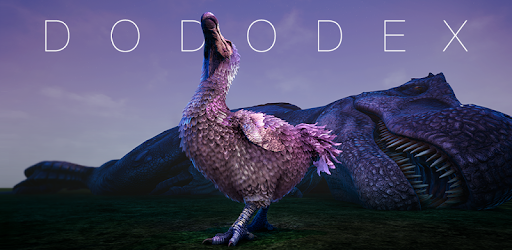
Dododex: Ark Survival Evolved for PC

Dododex: Ark Survival Evolved for PC

Published by Dan Leveille

Updated April 3, 2026

Taming calculator and companion app for Ark: Survival Evolved.

What's New

Version2.7
Size64.4 MB
What's New- Advanced KO details- Tribe tower bonus- Easily open a creature's spawn commands- Search in capabilities- Combined resources & items feature with more item information- ASA/ASE toggle for headshots & body modifiers- Minor localization improvements- Added Engram list to Wiki shortcuts- Minor design updatesBUGS:- Fixed offline mode issues- In carrier list, Wyvern and Crystal Wyvern columns reversed - Selecting Tamed / Want to Tame / Favorites categories now stick

Dododex: Ark Survival Evolved Screenshots

Dododex: Ark Survival Evolved PC screenshot

About Dododex: Ark Survival Evolved For PC

Dododex: Ark Survival Evolved is an Android app developed and published by Dan Leveille at Google Play Store on Feb 9, 2016 for Android users. Dododex: Ark Survival Evolved is so popular that it has gained 1000000 installs so far and growing.

The Ultimate Guide to Dododex: Ark Survival Evolved

What is Dododex?

Dododex is an indispensable tool for anyone playing Ark Survival Evolved. It is designed to be your one-stop resource for everything you need to know about the game, especially when it comes to taming dinosaurs, crafting recipes, and much more. With features tailored to both new and experienced players, Dododex can significantly enhance your gameplay experience.

Why Dododex is Invaluable

Dododex stands out for its incredible utility and user-friendly design. This application gathers all the necessary information players need to succeed in Ark Survival Evolved. Whether you are looking for taming tips, starve timers, or server customization, this app has got you covered.

Features

Comprehensive Dino Database

Dododex boasts a robust catalog of almost every dinosaur you can encounter in the game. The app helps you understand each dinosaur's attributes, strengths, weaknesses, and best taming practices. Searching for information is straightforward, making it a snap to find exactly what you need.

Taming Tips and Calculators

Knowing how to tame a dinosaur effectively is a crucial part of Ark. Dododex offers detailed taming guides and calculators that allow you to plan your taming process down to the last detail. Whether you need to know how much food to bring or how long a tame might take, this app provides the answers.

Custom Server Settings

One of the standout features of Dododex is its ability to adapt to various server settings. You can input custom server parameters and personal weapon stats so that the app gives you the most accurate information tailored to your specific game.

Crafting and Recipes

Dododex isn't just about dinos. It also provides an extensive list of crafting recipes for food, weapons, and other in-game items. This is immensely helpful for players who spend a significant amount of time gathering resources and crafting essential items.

Admin Commands

For those who are running their own servers or just need to know the ins and outs of admin privileges, Dododex provides a handy guide to admin commands. This feature will make managing your Ark world a breeze.

A Must-Have for Ark Fans

Not only is Dododex a fantastic utility, but it's also fun to use. The app includes engaging features like name suggestions for your tamed dinos and entertaining user interface elements. These small touches add up, making it one of the most enjoyable aspects of Ark Survival Evolved.

Whether you are a beginner just starting or a seasoned player who's seen it all, Dododex has something for everyone. The app continually evolves, adding new features and improving upon old ones, ensuring that it remains an essential companion for all Ark players.

Conclusion

Dododex is far more than just an app; it’s a fundamental part of the Ark Survival Evolved experience. From in-depth taming guides to customizable server settings, this application has everything you need to excel in the game. Dive in and discover how Dododex can take your Ark adventure to new heights!

Can I run Dododex: Ark Survival Evolved on PC?

Yes, you can run Dododex: Ark Survival Evolved on PC, but first, you will need emulator software installed on your Windows or MAC, which you can download for free. In the below video, you will find Dododex: Ark Survival Evolved in action. Before you install the emulator, check out the minimum and recommended system requirements to run it seamlessly. They may change depending on which version of the emulator you choose. Therefore, we recommend you download the latest version of the emulator. Below you will find three free Android emulators that we have shortlisted based on their popularity:

How to Install Dododex: Ark Survival Evolved on Windows PC

BlueStacks

Minimum
  • OS: Microsoft Windows 7 and above.
  • Processor: Intel or AMD Processor.
  • RAM: Your PC must have at least 4GB of RAM. (Note that having 4GB or more disk space is not a substitute for RAM)
  • Storage: 5GB Free Disk Space.
  • You must be an Administrator on your PC.
Recommended:
  • OS: Microsoft Windows 10
  • Processor: Intel or AMD Multi-Core Processor with Single Thread benchmark score > 1000.
  • Graphics: Intel/Nvidia/ATI, Onboard or Discrete controller with benchmark score >= 750.
  • Please ensure Virtualization is enabled on your PC/Laptop.
  • RAM: 8GB or higher
  • Storage: SSD (or Fusion/Hybrid Drives)
  • Internet: Broadband connection to access games, accounts and related content.

Up to date graphics drivers from Microsoft or the chipset vendor.

  • To start with, download Bluestacks from its official website. The latest version of BluesStacks is v 5, and it is around 400 MB.
  • Once the download is done, click on the Bluestacks set up file to install it on your Windows PC. Follow the on-screen instructions and install it accordingly.
  • The next step is to launch the emulator using the desktop shortcut and sign in using your Google account.
  • Now, head over to Bluestacks home screen and click on the Google Play Store icon.
  • Hit the search bar in Google Play and search for Dododex: Ark Survival Evolved.
  • Install Dododex: Ark Survival Evolved from the Play Store by clicking the Install option, which completes downloading of Dododex: Ark Survival Evolved on PC.

NoxPlayer

Minimum
  • Operating System: Windows XP SP3, Windows Vista, Windows 7, Windows 8, Windows 10, and DirectX 9.0c
  • Processor: At least dual-core processor, both Intel, and AMD are OK
  • Video: Supports Open GL 2.0 or above
  • Memory: 1.5 GB RAM
Recommended
  • Operating System: Windows 7, Windows 8, Windows 10
  • Processor: Multiple core processors which support VT-x or AMB-V Virtualization Technology, better performance with this function enabled
  • Video: The higher performance, the better
  • Memory: 4 GB RAM

Storage: 1 GB available under installation path, 1.5GB available hard drive space

Internet: Broadband Internet connection

  • Download NoxPlayer from the official website. The latest version of NoxPlayer is v 3, and it is around 600 MB.
  • Now install the emulator using the downloaded setup file. Just go through the on-screen instructions and install NoxPlayer on your computer or laptop.
  • After the installation process, launch the Nox Android emulator and log in using your Google account when it asks you.
  • Click on the Google Play Store icon and head over to the search bar to search Dododex: Ark Survival Evolved. Once found, click on the Install button to install Dododex: Ark Survival Evolved for PC.
  • If you do not find Dododex: Ark Survival Evolved on Google Play Store or if you want to skip logging in to Google, you can sideload APK (download the .APK file from this page and open it with NoxPlayer).
  • Launch Dododex: Ark Survival Evolved from home-screen and start playing it on PC right away!

MEmu

Minimum
  • 2 cores x86/x86_64 Processor (Intel or AMD CPU)
  • WinXP SP3 / Win7 / Win8 / Win10 (Not recommended to run on Server/Enterprise)
  • Latest Windows DirectX 11 / Graphics driver with OpenGL 2.0
  • Hardware Virtualization Technology (Intel VT-x/AMD-V) shall be enabled in BIOS
  • 2GB of RAM (4GB for x64 system)
  • 5GB of hard disk free space
Recommended
  • OS: Microsoft Windows 10 with VT Enabled
  • CPU: Single Thread PassMark score > 1500 (Intel/AMD Multi-Core).
  • Graphics: Intel/Nvidia/ATI, Onboard or Discrete controller with PassMark score > 750.
  • Latest Windows DirectX 11 / Graphics driver with OpenGL 4.5 or higher
  • RAM: 8GB or higher
  • HDD: SSD, 10GB of hard disk free space
  • Internet: Broadband connection with low latency for FPS games
  • Download MEmu Play from the official website. The latest version of NoxPlayer is v 7.5.
  • When the download is completed, install the MEmu emulator on your PC. Follow the on-screen instructions and keep on clicking the Next button until the final step.
  • Now, using the desktop shortcut, look for the MEmu Play emulator and launch it. Once done, it will ask you to log in using your Google account, proceed with the same.
  • MEmu Play will ask you to log in using your Google account. When you log in, it will sync your Google account to MEmu Play. Launch the Google Play Store by clicking on the icon and search for Dododex: Ark Survival Evolved.
  • Click on the Install button once you find Dododex: Ark Survival Evolved from the search results. You can also sideload APK (download the .APK file from this page and open it with MEmu) if you want to skip above step.
  • After the installation of Dododex: Ark Survival Evolved, you're all set to use the app on PC!

Regardless of which Android emulator you install, the steps to install, configure, and running the Dododex: Ark Survival Evolved app on PC are the same.


Download Dododex: Ark Survival Evolved For PC