Published by X Droid Apps
Updated March 19, 2026
Fancy Text – Text Art : мαкє уσυя мєѕѕαgєѕ ѕтуℓιѕн & ιмρяєѕѕινє
| Version | 0.2.0 |
| Size | 7.9 MB |
| What's New | Minor bug fixes and improvements. Install or update to the newest version to check it out! |
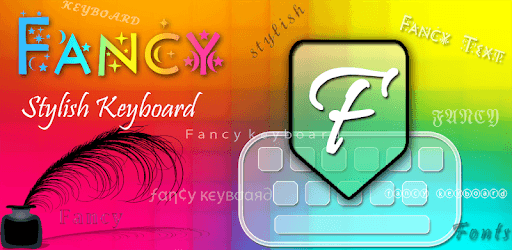
Fancy Stylish Fonts Keyboard is an Android app developed and published by X Droid Apps at Google Play Store on May 26, 2017 for Android users. Fancy Stylish Fonts Keyboard is so popular that it has gained 100000 installs so far and growing.
Do you ever get tired of typing with the same boring fonts? Fancy Stylish Fonts Keyboard is here to transform how you communicate. This app is packed with numerous stylish fonts, making your messages and posts stand out. Let's dive into what makes Fancy Stylish Fonts Keyboard an absolute must-have for your device.
Fancy Stylish Fonts Keyboard is designed with user experience in mind. Whether you want to spice up a text message, post on social media, or create eye-catching captions, this app offers a variety of fonts that suit every style. From elegant scripts to bold, funky designs, there's a font for every occasion.
This keyboard isn’t just about one or two fancy fonts. It boasts an extensive collection, allowing you to customize your typing experience to match your mood. You can switch between different styles with ease and find the one that perfectly conveys your message. Whether it's a casual chat or a more formal message, you can find the right fit.
Unlike some other apps that require you to write your text first and then copy it into another app, Fancy Stylish Fonts Keyboard integrates seamlessly with your device. You can directly write in your chosen fancy font without any extra steps. This simplicity makes it very user-friendly, saving you both time and effort.
One big advantage of this app is that it doesn't hog your phone’s memory. It’s lightweight yet packed with tons of features, ensuring your typing remains fast and fluid. You won’t need to worry about it slowing down your phone or consuming excessive storage space.
Fancy Stylish Fonts Keyboard allows for extensive customization. You can adjust the size of the keyboard, a feature that many might find useful. No more hitting the wrong keys; you can set it to your preferred layout. This flexibility enhances your typing experience and makes it more comfortable.
While the app excels in font customization, there’s always room for improvement. Adding more language options, like Hinglish or Hindi, would make it even more versatile. With these languages, there'd be no need for multiple keyboards, making it a one-stop solution.
Fancy Stylish Fonts Keyboard is designed to be straightforward, but it’s always great to see such an option become even more intuitive. Fixing minor glitches, like getting stuck in the settings page, would be beneficial for a seamless user experience. However, these minor issues don’t overshadow the app’s overall efficiency and style.
If you have a flair for creativity and love to personalize your messages, Fancy Stylish Fonts Keyboard is worth trying out. Its wide range of fonts means there’s something for everyone. Plus, the ease of use and efficient performance make it a standout choice for both casual and more formal communications.
Yes, you can run Fancy Stylish Fonts Keyboard on PC, but first, you will need emulator software installed on your Windows or MAC, which you can download for free. In the below video, you will find Fancy Stylish Fonts Keyboard in action. Before you install the emulator, check out the minimum and recommended system requirements to run it seamlessly. They may change depending on which version of the emulator you choose. Therefore, we recommend you download the latest version of the emulator. Below you will find three free Android emulators that we have shortlisted based on their popularity:
Up to date graphics drivers from Microsoft or the chipset vendor.
Storage: 1 GB available under installation path, 1.5GB available hard drive space
Internet: Broadband Internet connection
Regardless of which Android emulator you install, the steps to install, configure, and running the Fancy Stylish Fonts Keyboard app on PC are the same.