
Published by easytoolscreator
Updated September 25, 2025
Beauty video/ Add music for beauty video / Magic video effect/ Filter effect/cut
| Version | 3.36 |
| Size | 27.2 MB |
| What's New | 1. Add lots of glitch and magic effects .2. Optimize performance. |
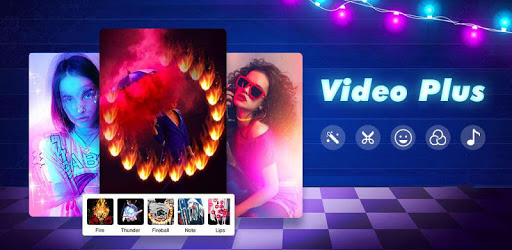
Magic Video Plus - Video Editor, Music, Beauty is an Android app developed and published by easytoolscreator at Google Play Store on Jul 27, 2018 for Android users. Magic Video Plus - Video Editor, Music, Beauty is so popular that it has gained 11031266 installs so far and growing.
Magic Video Plus is changing the game for video editing, music integration, and beauty enhancement. Easy to use and packed with a range of features, this app is a must-have for anyone looking to create stunning videos effortlessly. Let's dive into what makes Magic Video Plus so special.
Magic Video Plus makes video editing simple and enjoyable. The user-friendly interface ensures that even beginners can create professional-looking videos. Starting with simple cuts and transitions, users can explore more advanced options as they become familiar with the app. Whether you want to trim clips, merge videos, or apply filters, it's all just a tap away.
One of the standout features of Magic Video Plus is the variety of effects and filters available. These tools allow users to transform their videos into something unique and eye-catching. From finger effects to beauty enhancements, there's something for everyone. While the app already offers a fantastic range, continuous updates promise even more options to choose from.
Adding music to your videos has never been easier. Magic Video Plus allows users to insert background music or sound effects effortlessly. This feature helps elevate the overall vibe of your video, making it more engaging for your audience. Whether you're creating a fun clip for social media or a heartfelt video for a special occasion, the right music can make all the difference.
Magic Video Plus doesn't stop at basic editing; it goes the extra mile with its beauty tools. These tools are designed to enhance your appearance, ensuring you look your best in every video. Smooth out skin, adjust lighting, or even add makeup effects with just a few taps. This feature is particularly useful for vloggers and anyone who wants to look polished on camera.
One of the significant advantages of Magic Video Plus is its ability to function offline. This means you can edit videos without needing constant internet access. Whether you're on the go or in a location with limited connectivity, your editing work doesn't have to stop. This makes it a reliable tool for users who need to edit videos anytime, anywhere.
Security is a common concern when downloading new apps, but Magic Video Plus delivers peace of mind. It is reliable and trustworthy, allowing users to create and share content without worry. The app's stability and consistent performance make it a dependable choice for all your video editing needs.
Magic Video Plus is committed to continually improving and adding new features. Feedback is taken seriously, and the team behind the app is always working on updates to enhance the user experience. This commitment ensures that Magic Video Plus remains a top choice in the video editing category.
Whether you're a novice or a seasoned video editor, Magic Video Plus offers something for everyone. Its blend of powerful features, ease of use, and commitment to constant improvement makes it stand out in the crowded market of video editing apps. Give it a try and see how it can transform your videos today!
Yes, you can run Magic Video Plus - Video Editor, Music, Beauty on PC, but first, you will need emulator software installed on your Windows or MAC, which you can download for free. In the below video, you will find Magic Video Plus - Video Editor, Music, Beauty in action. Before you install the emulator, check out the minimum and recommended system requirements to run it seamlessly. They may change depending on which version of the emulator you choose. Therefore, we recommend you download the latest version of the emulator. Below you will find three free Android emulators that we have shortlisted based on their popularity:
Up to date graphics drivers from Microsoft or the chipset vendor.
Storage: 1 GB available under installation path, 1.5GB available hard drive space
Internet: Broadband Internet connection
Regardless of which Android emulator you install, the steps to install, configure, and running the Magic Video Plus - Video Editor, Music, Beauty app on PC are the same.