Published by VidStatus Team
Updated November 2, 2025
Video Status, WhatsApp Video Status, Status Video for WhatsApp, whatsapp Videos
| Version | 4.7.2 |
| Size | 72.7 MB |
| What's New | 1. Lyric, sad, love, BGM, funny, dance...We added special categories for you.2. More templates available. |
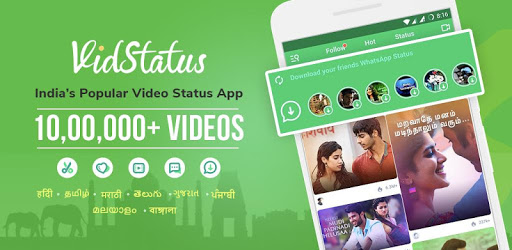
VidStatus app - Status Videos & Status Downloader is an Android app developed and published by VidStatus Team at Google Play Store on Sep 5, 2017 for Android users. VidStatus app - Status Videos & Status Downloader is so popular that it has gained 10000000 installs so far and growing.
VidStatus app - Status Videos & Status Downloader is a delightful tool for anyone who loves creating and sharing videos. It shines brightly as an app where users can not only download amazing status videos but also create their own. With VidStatus, users have a fantastic way to express themselves and share their creativity with friends and family.
Creating videos with VidStatus is an enjoyable experience. The app boasts a wide variety of templates, allowing users to craft unique and engaging videos. These templates help users to add personal touches that make their videos stand out and resonate emotionally with viewers. It’s easy to see why friends would be amazed at the creative statuses made with this app.
VidStatus makes it simple to download status videos from its vast collection. Users can pick videos that speak to them and save them on their devices. It’s convenient to save and share these videos without repeatedly asking friends to send them. This feature alone makes VidStatus a handy tool for video enthusiasts.
One of the neat aspects of VidStatus is the ability to watch ads to download additional videos. While there might be a daily limit on free downloads, this option ensures that users can always get more videos if they are willing to watch a short advertisement. It’s a fair trade-off that enhances the user experience. Sometimes, ads might not show up, but when they do, it’s a nice extra benefit.
VidStatus app is not just a video downloader; it’s an interactive space where users feel their voices are heard. The app developers are attentive to user suggestions and feedback, providing solutions promptly. This direct engagement builds a loyal user base who feel valued and appreciated.
Whether it’s for a special occasion or just a daily update, VidStatus caters to all kinds of status videos. It’s versatile in nature, allowing users to find or create videos for birthdays, festivals, or just fun moments. Users are constantly impressed and often seek out more apps like VidStatus for even more creative opportunities.
While VidStatus is an exceptional app, there are a few areas where it could get even better. For example, adding an option to unlike videos accidentally liked or increasing the variety of certain types of videos, such as BTS-themed ones, could enhance user satisfaction. These small tweaks could elevate the user experience to new heights.
The VidStatus app stands out as a top choice for creating and downloading status videos. With its user-friendly interface, impressive templates, and excellent download features, it’s no surprise users find it truly amazing. If you’re looking for a way to make and share stunning status videos, VidStatus is definitely worth a try!
Yes, you can run VidStatus app - Status Videos & Status Downloader on PC, but first, you will need emulator software installed on your Windows or MAC, which you can download for free. In the below video, you will find VidStatus app - Status Videos & Status Downloader in action. Before you install the emulator, check out the minimum and recommended system requirements to run it seamlessly. They may change depending on which version of the emulator you choose. Therefore, we recommend you download the latest version of the emulator. Below you will find three free Android emulators that we have shortlisted based on their popularity:
Up to date graphics drivers from Microsoft or the chipset vendor.
Storage: 1 GB available under installation path, 1.5GB available hard drive space
Internet: Broadband Internet connection
Regardless of which Android emulator you install, the steps to install, configure, and running the VidStatus app - Status Videos & Status Downloader app on PC are the same.